Why and when to use formula-based limits #
Formula-based limits in Maximum Products per User for WooCommerce are for cases the fixed All Products, Per Product and Per Taxonomy fields cannot express: a limit for two specific users, a rule that only runs during a sale, or a cap that depends on payment method or membership plan. This is a Pro feature.
Good use cases #
- Different caps for named customers by
user_id. - Higher caps for a role such as wholesale using
user_role. - Time-limited promotions with
start_dateandend_date. - Limits tied to a membership plan or the chosen payment method.
How to enable it #
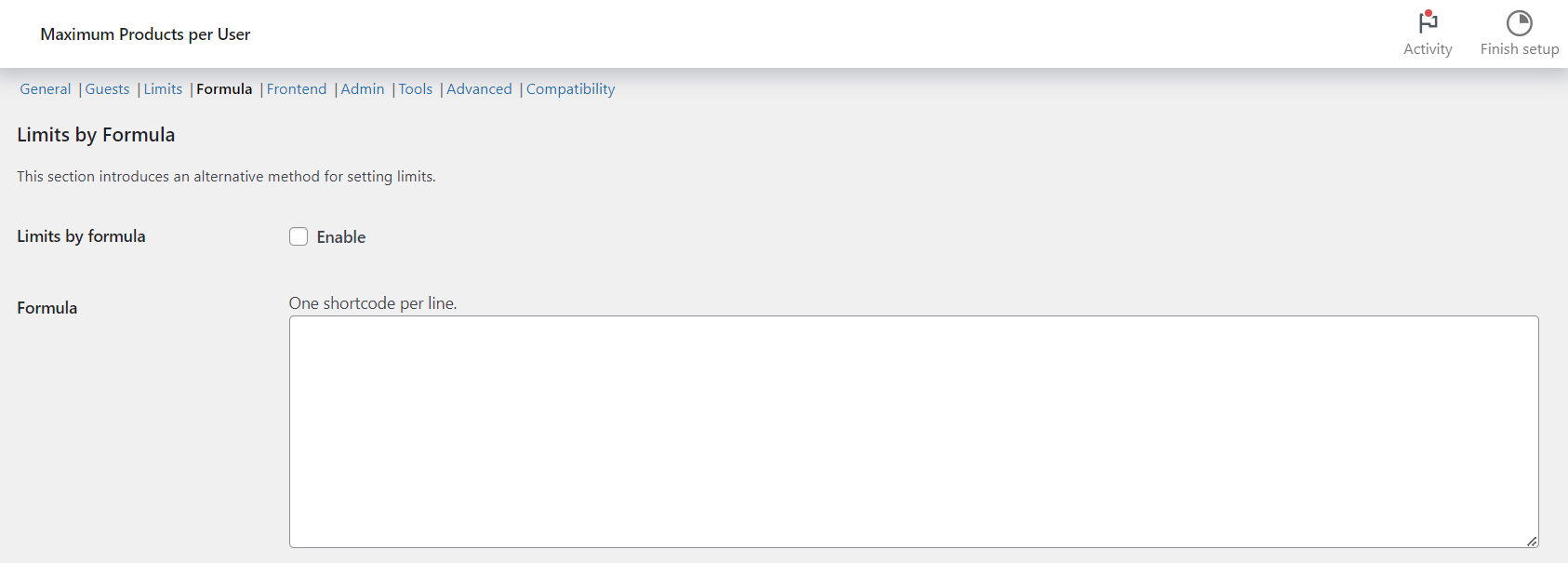
- Go to WPFactory > Max Products per User (also reachable at WooCommerce > Settings > Maximum Products per User) and open the Formula section.
- Enable Limits by formula.
- Add one
[wpfmppu]rule per line. Rules are read top to bottom and the first match wins; every rule needs alimit.
Note: use the current [wpfmppu] tag. The old [alg_wc_mppu] tag is a deprecated alias as of 4.5.0.
For the full attribute list and setup steps, see how to set purchase limits by formula and the formula attributes reference.
How to Set Purchase Limits by Formula #
The Formula section of Maximum Products per User for WooCommerce lets you set limits with shortcode rules instead of fixed fields, so you can target individual users, roles, products, categories, payment methods and more. This is a Pro feature.
Before you start #
- WooCommerce, active.
- Maximum Products per User Pro (the Formula section is Pro-only).
- To use
product_id,product_sku,is_downloadableoris_virtual, enable Limits > Per product. To useterm_id, enable Per product category or Per product tag. To usepayment_method, enable General > Count by current payment method.
Where to find it #
Go to WPFactory > Max Products per User (also reachable at WooCommerce > Settings > Maximum Products per User), open the Formula section, enable Limits by formula (alg_wc_mppu_formula_enabled) and add one shortcode per line.
How it works #
- Use the
[wpfmppu]shortcode, one per line. - The plugin reads top to bottom and stops at the first matching rule.
- The
limitattribute is required on every rule.
Note: the current shortcode tag is [wpfmppu]. The old [alg_wc_mppu] tag still works but is deprecated as of 4.5.0.
Available attributes #
| Attribute | Purpose |
|---|---|
limit |
Maximum allowed (required). |
user_id |
One or more user IDs (comma-separated). |
user_role |
One or more roles. |
membership_plan, memberpress_plan_id, sumo_membership_plan, swpm_membership_id |
Membership plans (requires the relevant membership plugin). |
payment_method |
Current payment method (needs Count by current payment method). |
product_id, product_sku, is_downloadable, is_virtual |
Target products (needs Per product enabled). |
term_id |
Target categories/tags (needs Per taxonomy enabled). |
product_limit_meta |
Use product meta as the limit (only with product_id). |
start_date, end_date, not_date_limit |
Make a rule apply only during a date window. |
You cannot combine product_id (or product_sku/is_downloadable/is_virtual) and term_id in the same rule.
Examples #
[wpfmppu limit="18" user_id="2,5"]: limit of 18 for users 2 and 5.[wpfmppu limit="18" user_id="2,5" product_id="100,110"]: limit of 18 on products 100 and 110 for users 2 and 5.[wpfmppu limit="3" user_role="customer"]: customers can buy up to 3.
Ready to set this up? #
Formula limits are a Pro feature of Maximum Products per User. Get Maximum Products per User Pro.