Configure the general PDF Invoicing settings #
To configure the general settings of PDF Invoices & Packing Slips Generator for WooCommerce, go to WPFactory > PDF Invoicing (also reachable at WooCommerce > Settings > PDF Invoicing) and open the General section. There you control the master switch, the number of documents, and the advanced PDF engine options. The free version supports one document.
Go to WPFactory > PDF Invoicing (also reachable at WooCommerce > Settings > PDF Invoicing), then open the General section.
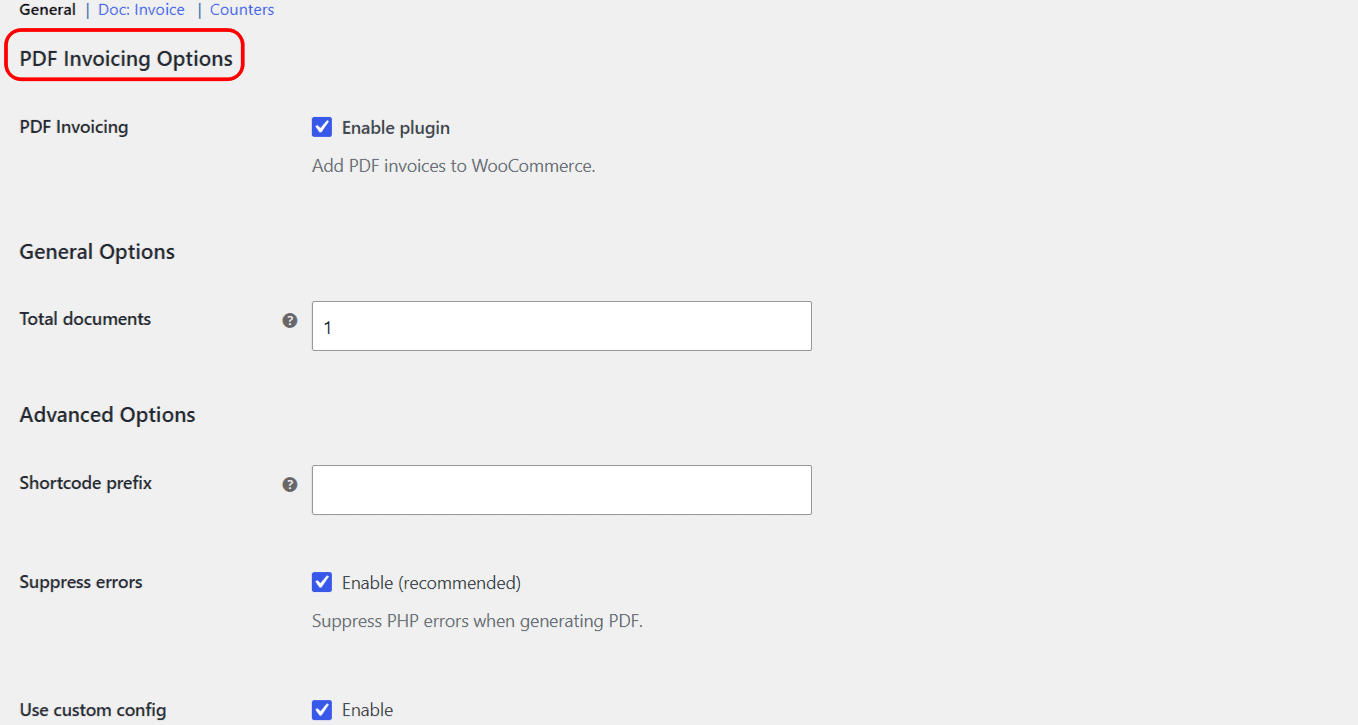
Plugin and general options #
| Label | Option ID | Default | What it does |
|---|---|---|---|
| PDF Invoicing (Enable plugin) | alg_wc_pdf_invoicing_plugin_enabled |
Yes | Master switch for all document generation, columns, actions, and emails. |
| Total documents | alg_wc_pdf_invoicing_total_docs |
1 | Number of document types to configure. After saving, a new settings section appears for each document. This field is read-only in the free version, which supports one document; raising it above 1 is a Pro feature. |
Note: the free version supports a single document. To set Total documents above 1 and add a packing slip or credit note, you need PDF Invoicing Pro.
Advanced options #
These settings tune the underlying TCPDF engine and a few compatibility features. The defaults are safe for most stores.
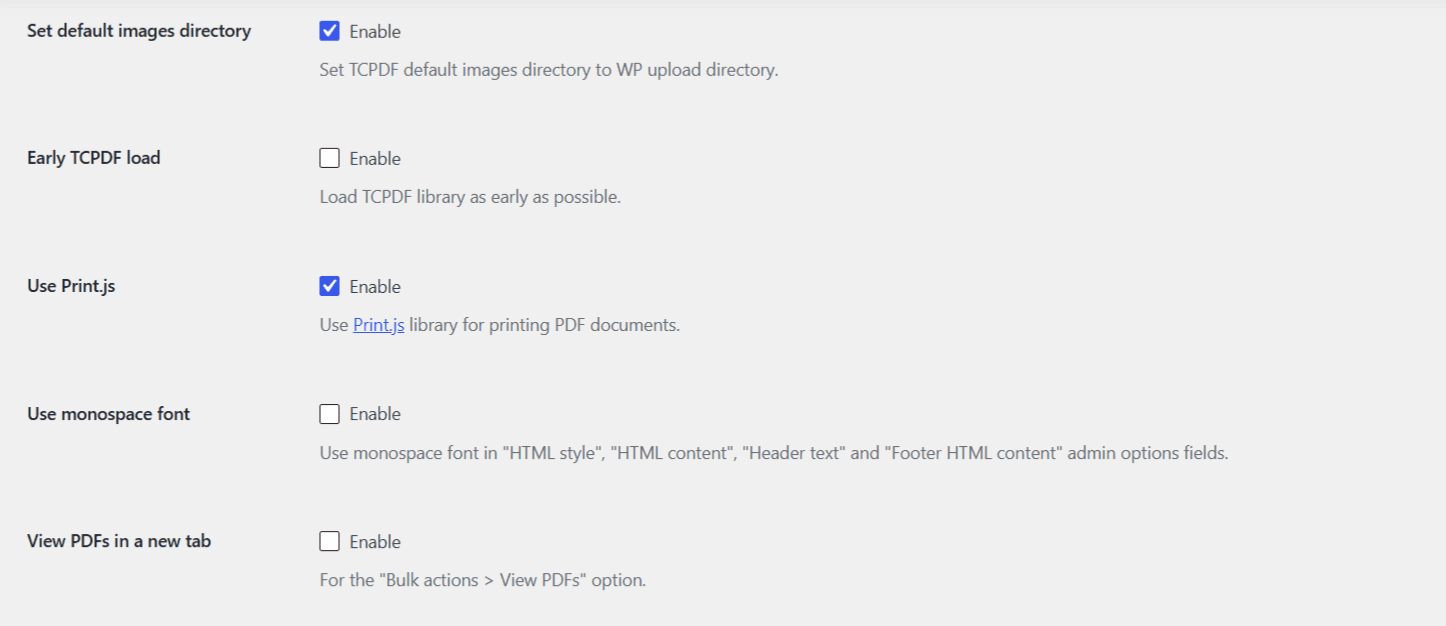
| Label | Option ID | Default | What it does |
|---|---|---|---|
| Shortcode prefix | alg_wc_pdf_invoicing_shortcode_prefix |
(empty) | Adds a prefix to every plugin shortcode to avoid clashes with shortcodes from other plugins. The value is sanitized into a slug. |
| Suppress errors | alg_wc_pdf_invoicing_suppress_errors |
Yes (recommended) | Suppresses PHP errors while a PDF is generated, so a stray notice does not corrupt the file. |
| Use custom config | alg_wc_pdf_invoicing_use_custom_tcpdf_config |
Yes | Loads the plugin’s custom TCPDF config file for deeper control over rendering. |
| TCPDF methods in HTML | alg_wc_pdf_invoicing_use_custom_tcpdf_config_calls_in_html |
Yes | Allows calling TCPDF methods with the <tcpdf> HTML tag. Requires Use custom config. |
| Allowed TCPDF methods | alg_wc_pdf_invoicing_use_custom_tcpdf_config_allowed_tags |
(empty) | Whitelist of TCPDF methods callable from HTML, each name wrapped in pipes, for example |write1DBarcode|write2DBarcode|. |
| Set default images directory | alg_wc_pdf_invoicing_tcpdf_path_images |
Yes | Points TCPDF’s default image directory at the WordPress uploads folder. |
| Early TCPDF load | alg_wc_pdf_invoicing_tcpdf_early_load |
No | Loads the TCPDF library as early as possible, which can resolve conflicts with some themes or plugins. |
| Use Print.js | alg_wc_pdf_invoicing_use_print_js |
Yes | Uses the Print.js library for the Print action instead of opening the PDF in a new tab. |
| Use monospace font | alg_wc_pdf_invoicing_use_monospace_font |
No | Applies a monospace font to the HTML style, HTML content, header text, and footer HTML content editor fields in the admin, for easier code editing. |
| View PDFs in a new tab | alg_wc_pdf_invoicing_view_pdfs_new_tab |
No | Opens the result of the Bulk actions > View PDFs option in a new browser tab. |
Note: Allowed TCPDF methods only works when both Use custom config and TCPDF methods in HTML are enabled. See Advanced TCPDF Configuration for barcodes and custom methods.
Get more control #
This tab is free. PDF Invoicing Pro adds the ability to raise Total documents and run several document types at once. See what Pro unlocks.