Customize the layout and styling of your PDF documents #
PDF Invoices & Packing Slips Generator for WooCommerce gives you granular control over how each document looks: page setup, header, footer, content, and CSS styling. All of these options live in the document’s own settings section (Doc: Invoice) under WPFactory > PDF Invoicing (also reachable at WooCommerce > Settings > PDF Invoicing).
Page options #
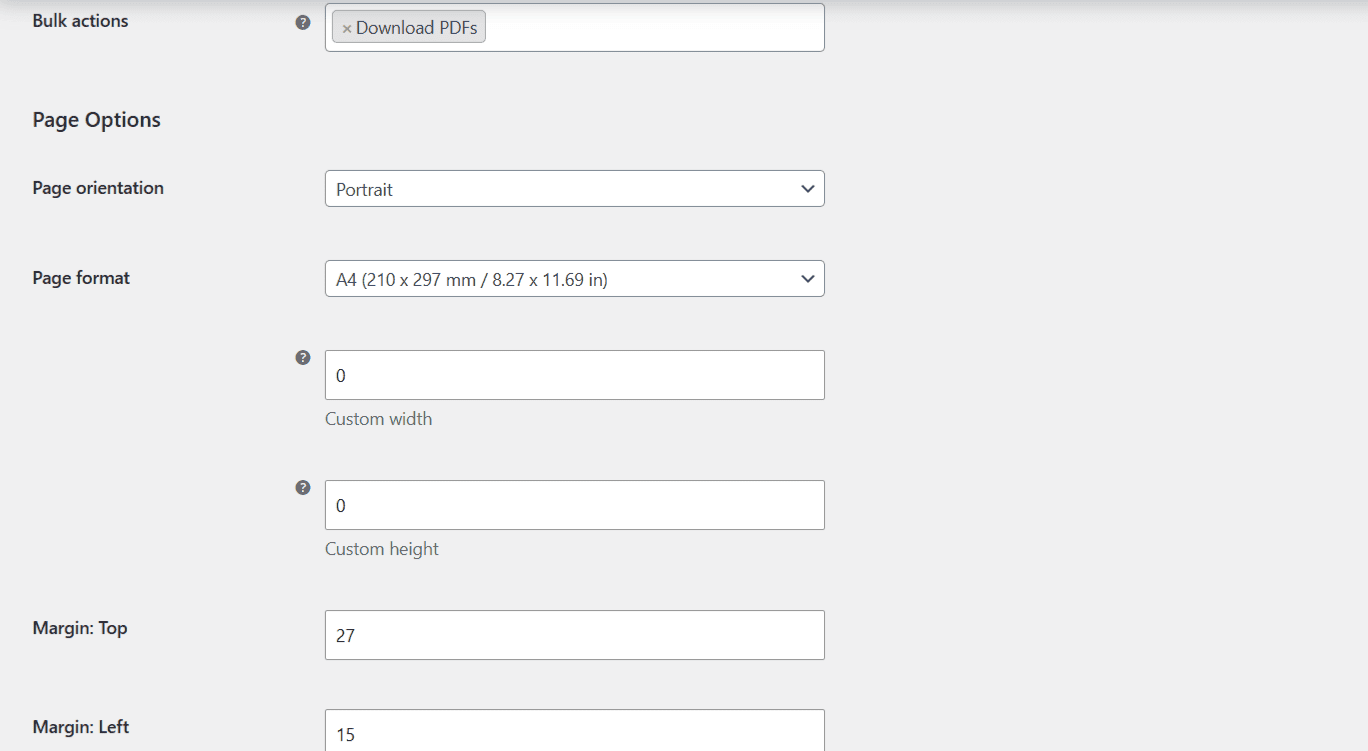
| Label | Option ID (array key) | Default |
|---|---|---|
| Page orientation (Portrait / Landscape) | page_orientation |
Portrait |
| Page format (A4, Letter, Custom, …) | page_format |
A4 |
| Custom width / Custom height (used only when format is Custom) | page_format_custom_width, page_format_custom_height |
0 |
| Margin: Top | margin_top |
27 |
| Margin: Left | margin_left |
15 |
| Margin: Right | margin_right |
15 |
| RTL | rtl |
No |
| Page background image | page_background_img |
(empty) |
| Page foreground image | page_foreground_img |
(empty) |
Note: margins are set in millimeters for the top, left, and right only. There is no bottom-margin setting; the bottom edge is governed by the footer height and automatic page breaks. The background and foreground image fields take a file path inside the WordPress uploads folder (they accept shortcodes), not an uploaded file. See PDF Page Background and Watermark.
Header options #
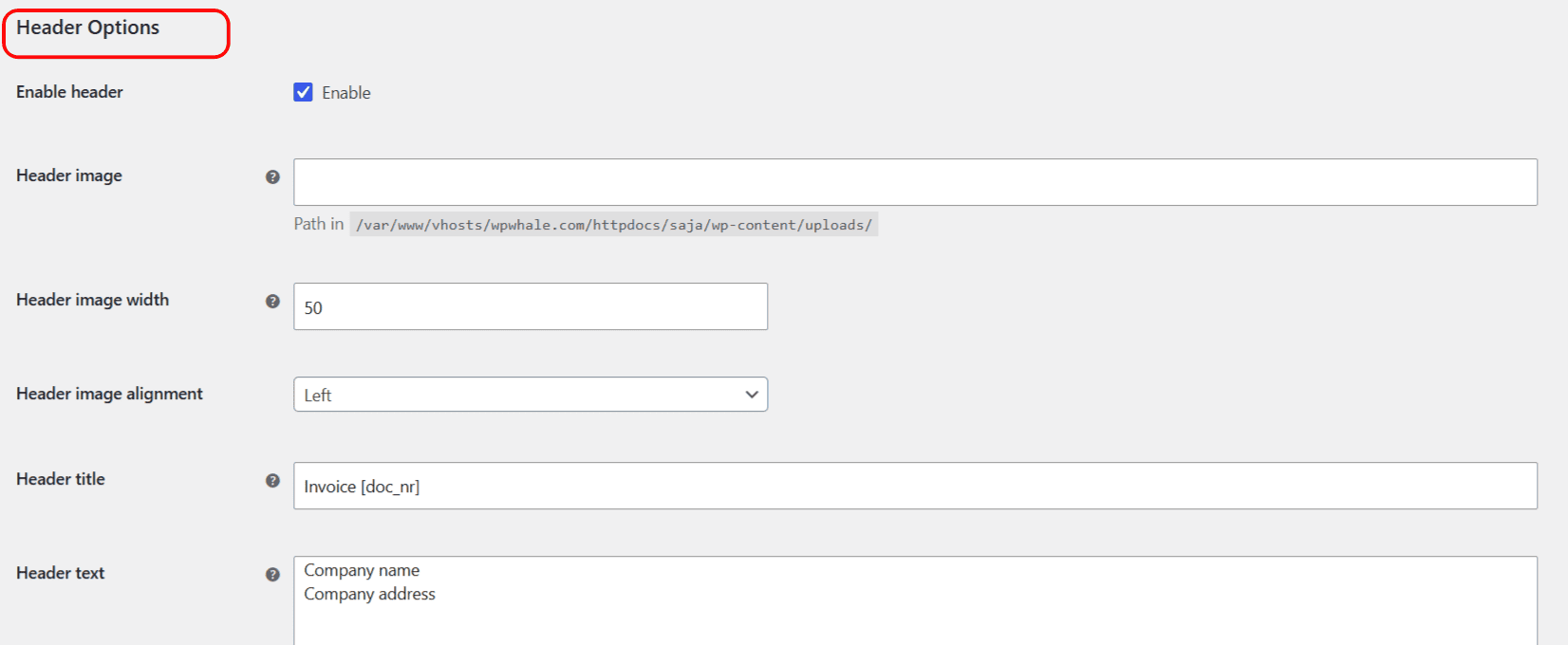
The header is where most branding lives. Verified options: Enable header (enable_header), Header image (header_img, a path in the uploads folder), Header image width (header_img_width, in mm, 0 = auto), Header image alignment (header_img_palign, Left or Right), Header title (header_title), Header text (header_text), Header text alignment (header_text_palign), Header text color (header_text_color), Header line color (header_line_color), Header font (header_font_family), and Header font size (header_font_size). See Add a Logo, Header, and Footer to PDF Invoices.
Footer options #
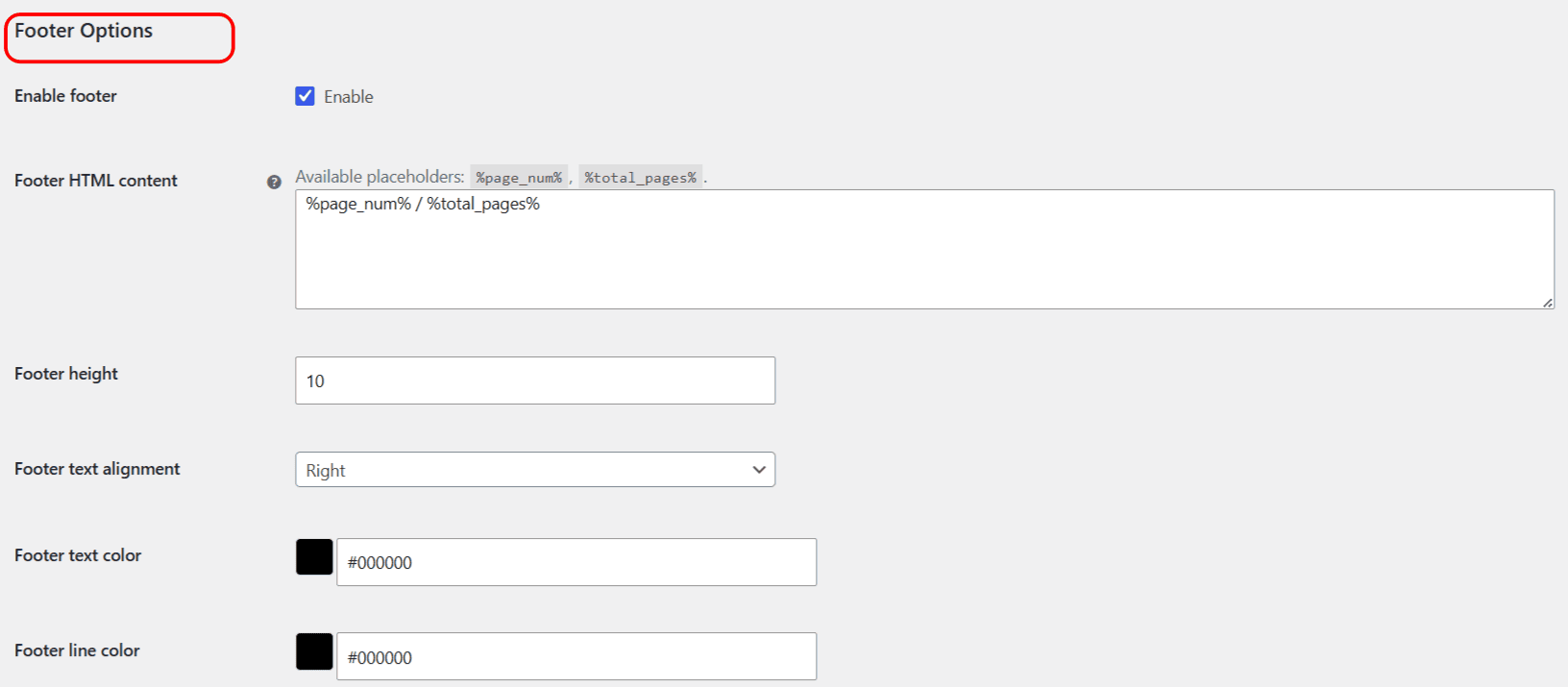
The footer is text-based; unlike the header, it has no image option. Verified options: Enable footer (enable_footer), Footer HTML content (footer_text, which accepts shortcodes and the %page_num% and %total_pages% placeholders), Footer height (footer_height), Footer text alignment (footer_text_align, Left / Center / Right / Justify), Footer text color (footer_text_color), Footer line color (footer_line_color), Footer font (footer_font_family), and Footer font size (footer_font_size).
Content options #
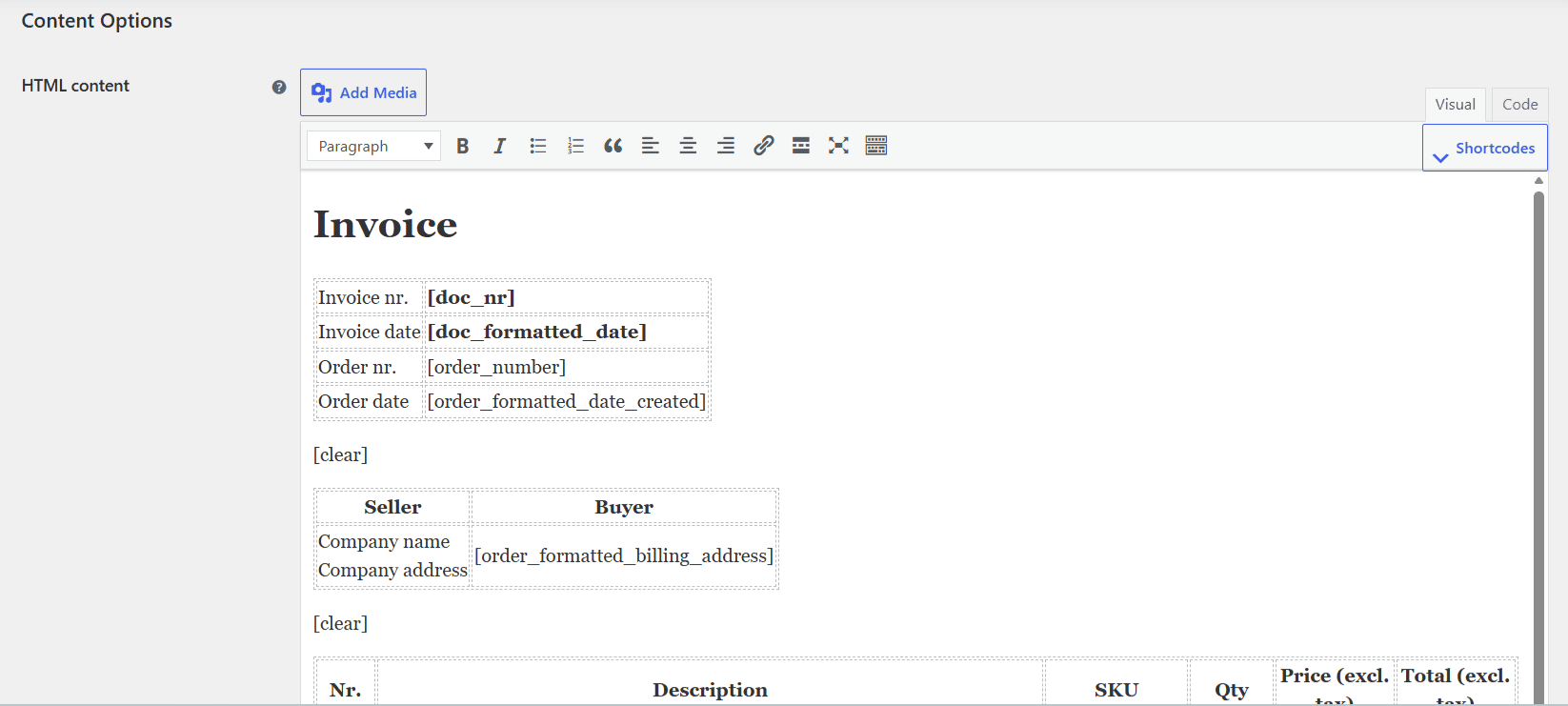
The body of the document is defined here:
- HTML content (
html_content): the main template, written in HTML with shortcodes. A rich text editor with a searchable shortcode picker is provided. - Line color (
line_color): the color used by the[line]shortcode. - Font (
font_family) and Font size (font_size): the base body font and size.
Styling and filtering options #
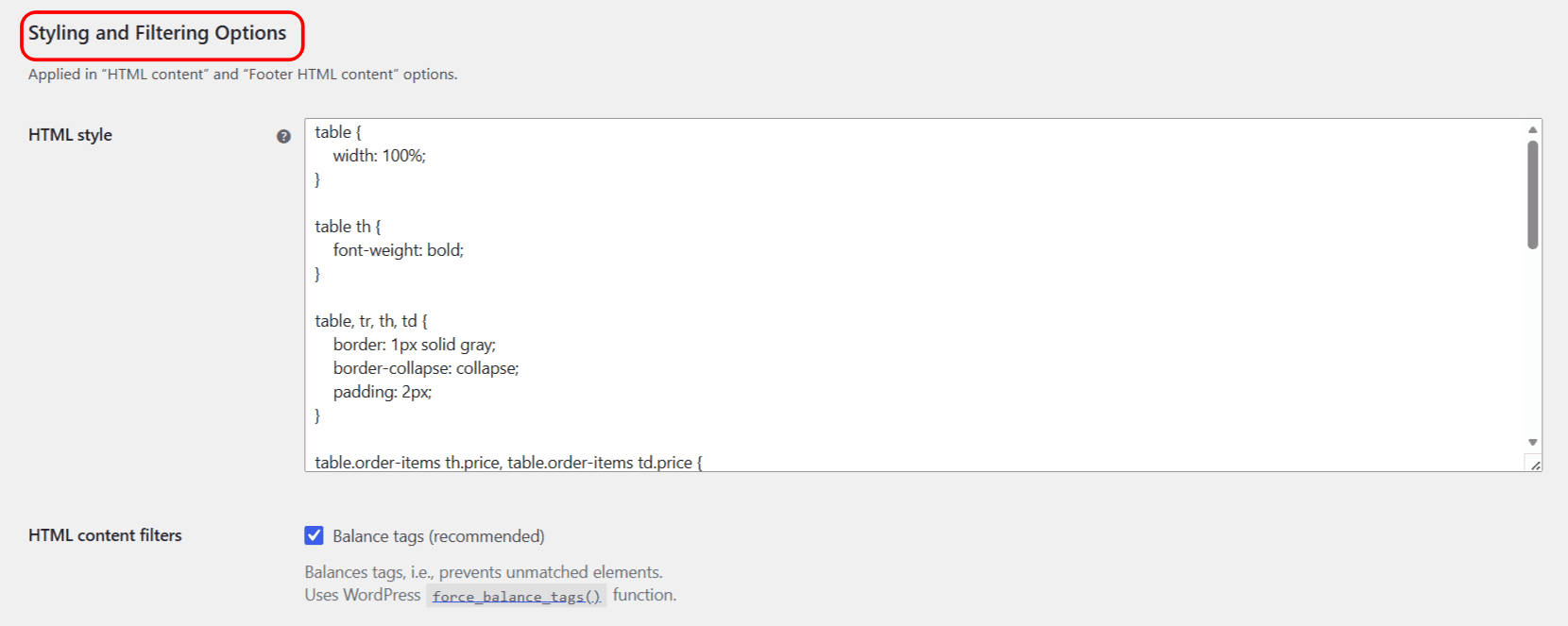
These settings apply to both the HTML content and the Footer HTML content fields:
- HTML style (
html_style): CSS that styles the whole document. - Balance tags (
html_content_force_balance_tags, recommended, default Yes): closes unmatched HTML elements using WordPressforce_balance_tags(). - Replace line breaks (
html_content_wpautop, default Yes): converts double line breaks into paragraphs and single breaks into<br>tags using WordPresswpautop().
Tip: to remove the line under the header or footer, set Header line color or Footer line color to #ffffff (white).
Get more control #
Styling one document is free. PDF Invoicing Pro lets you style several document types independently. See what Pro unlocks.