To brand PDF invoices in PDF Invoices & Packing Slips Generator for WooCommerce, go to WPFactory > PDF Invoicing, open Doc: Invoice, and turn on Enable header under Header Options. Enter your logo path relative to the uploads folder in Header image, add a Header title and Header text, then turn on Enable footer and add your Footer HTML content.
Before you start #
- Upload your logo to the WordPress Media library, or place it in the uploads folder. The header image field takes a path inside the uploads folder, not an uploaded file.
Set up the header #
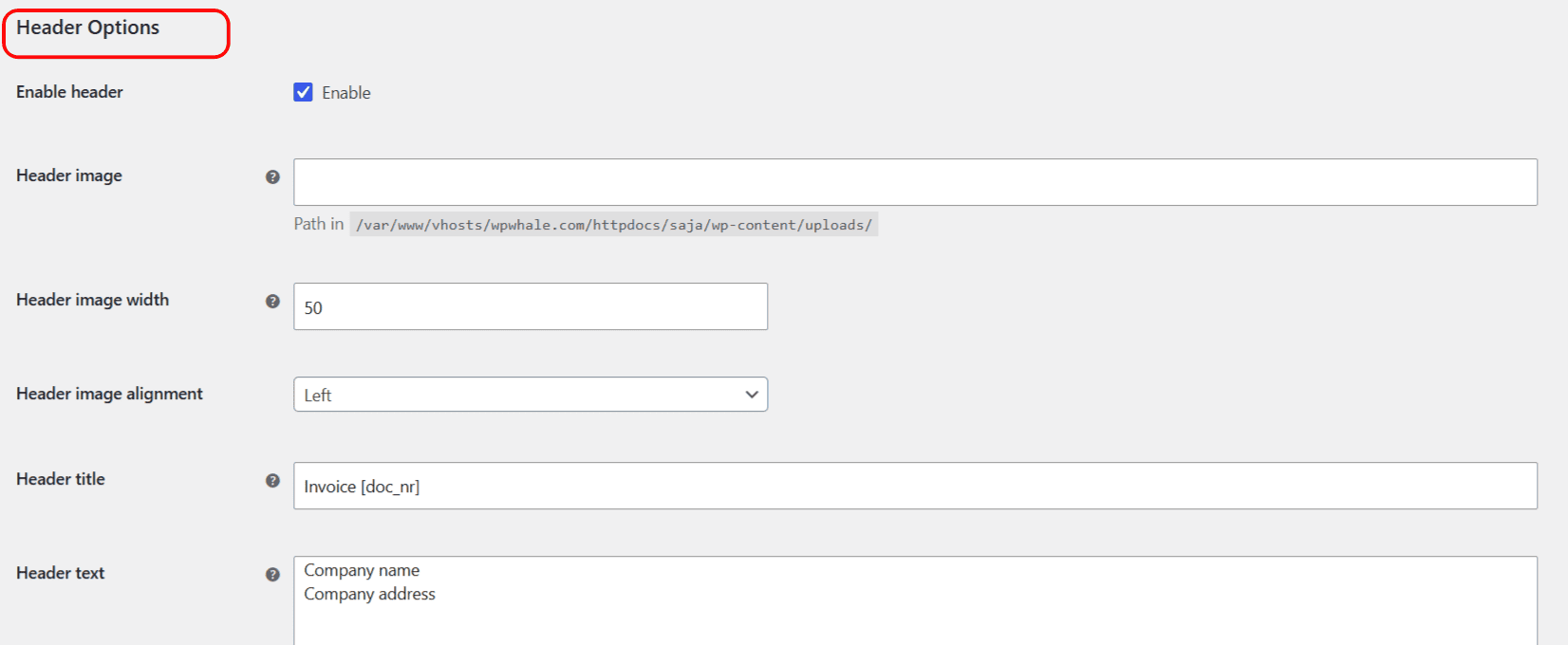
- Go to WPFactory > PDF Invoicing (also reachable at WooCommerce > Settings > PDF Invoicing), open Doc: Invoice, and find Header Options.
- Turn on Enable header (
enable_header). - In Header image (
header_img), enter the path to your logo relative to the uploads folder, for example2026/01/logo.png. - Set Header image width (
header_img_width) in millimeters (0 lets the plugin size it automatically) and Header image alignment (header_img_palign, Left or Right). - Add a Header title (
header_title) and Header text (header_text) for your company name and address. Both accept shortcodes.
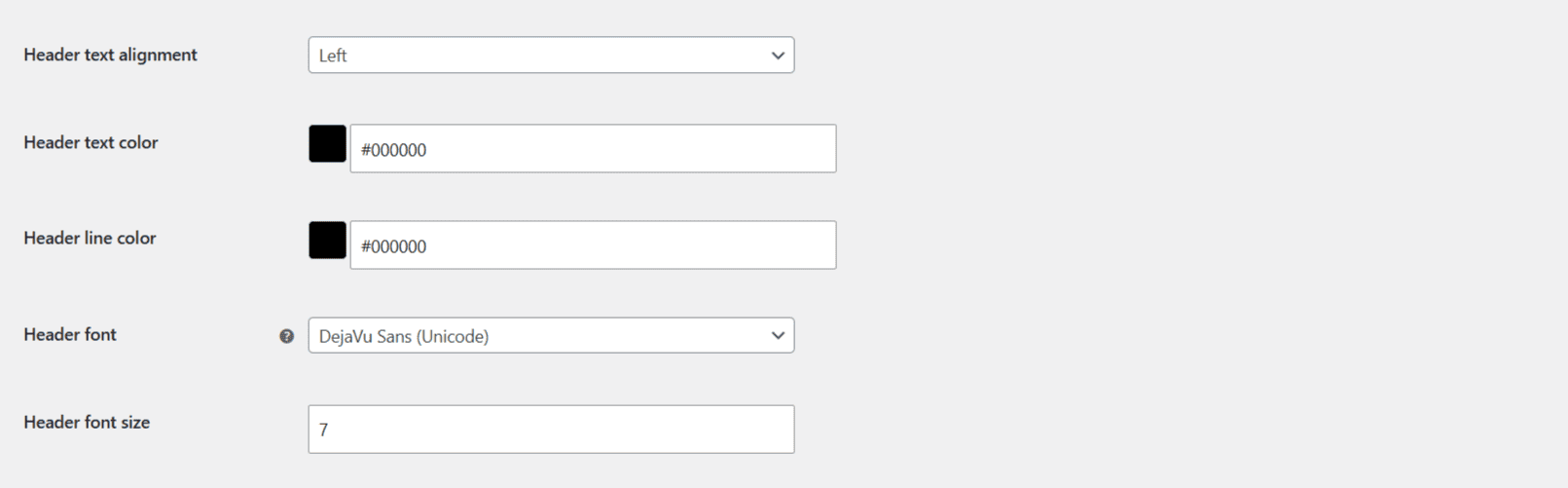
Fine-tune the look with Header text alignment (header_text_palign), Header text color (header_text_color), Header line color (header_line_color), Header font (header_font_family), and Header font size (header_font_size).
Set up the footer #
- In the same document, find Footer Options and turn on Enable footer (
enable_footer). - In Footer HTML content (
footer_text), add your footer. The default%page_num% / %total_pages%prints the page number. You can also use shortcodes here. - Adjust Footer height (
footer_height), Footer text alignment (footer_text_align: Left, Center, Right, or Justify), Footer text color, Footer line color, Footer font, and Footer font size.
Note: the footer has no image field; it is text (and shortcode) based. To hide the line under the header or above the footer, set the corresponding line color to #ffffff. If your logo or language characters do not render, choose the DejaVu Sans (Unicode) font.
Use cases #
- Put your logo top-right and company address top-left for a classic letterhead.
- Add “Page %page_num% of %total_pages%” plus payment terms in the footer.
Get more control #
Branding one document is free. PDF Invoicing Pro lets you brand several document types differently. See what Pro unlocks.