Control which products show a global tab #
A global tab in Additional Custom Product Tabs for WooCommerce normally appears on every product. The show and hide fields let you limit it to, or exclude it from, specific products and categories. This targeting is free and applies to your global (All Products) tab.
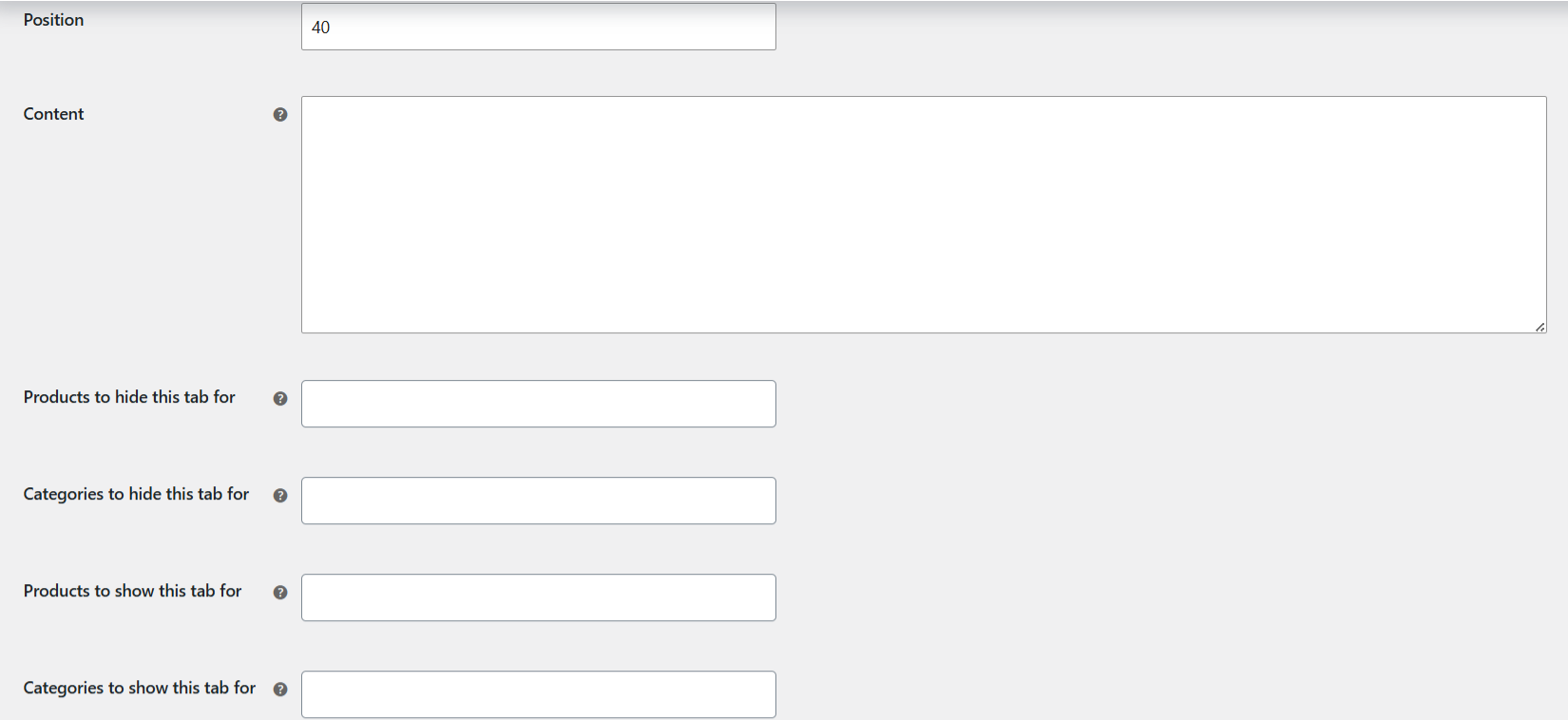
The four visibility fields #
Open WPFactory > Product Tabs > Custom Tabs: All Products and scroll to your tab. Each tab has four fields:
| Field | Effect |
|---|---|
| Products to hide this tab for | The tab is hidden on the listed products. |
| Categories to hide this tab for | The tab is hidden on products in the listed categories. |
| Products to show this tab for | When set, the tab shows only on the listed products. |
| Categories to show this tab for | When set, the tab shows only on products in the listed categories. |
Leave a field empty to apply no restriction from it. Leave all four empty to show the tab on every product.
Note: targeting is by product and by product category. The plugin does not support targeting by product tag.
Choose how you enter products #
The Products Show/Hide options type setting in the section’s Advanced Options controls how the product fields work. Its option ID is alg_custom_product_tabs_global_show_hide_products_option_type (default Multiselect list).
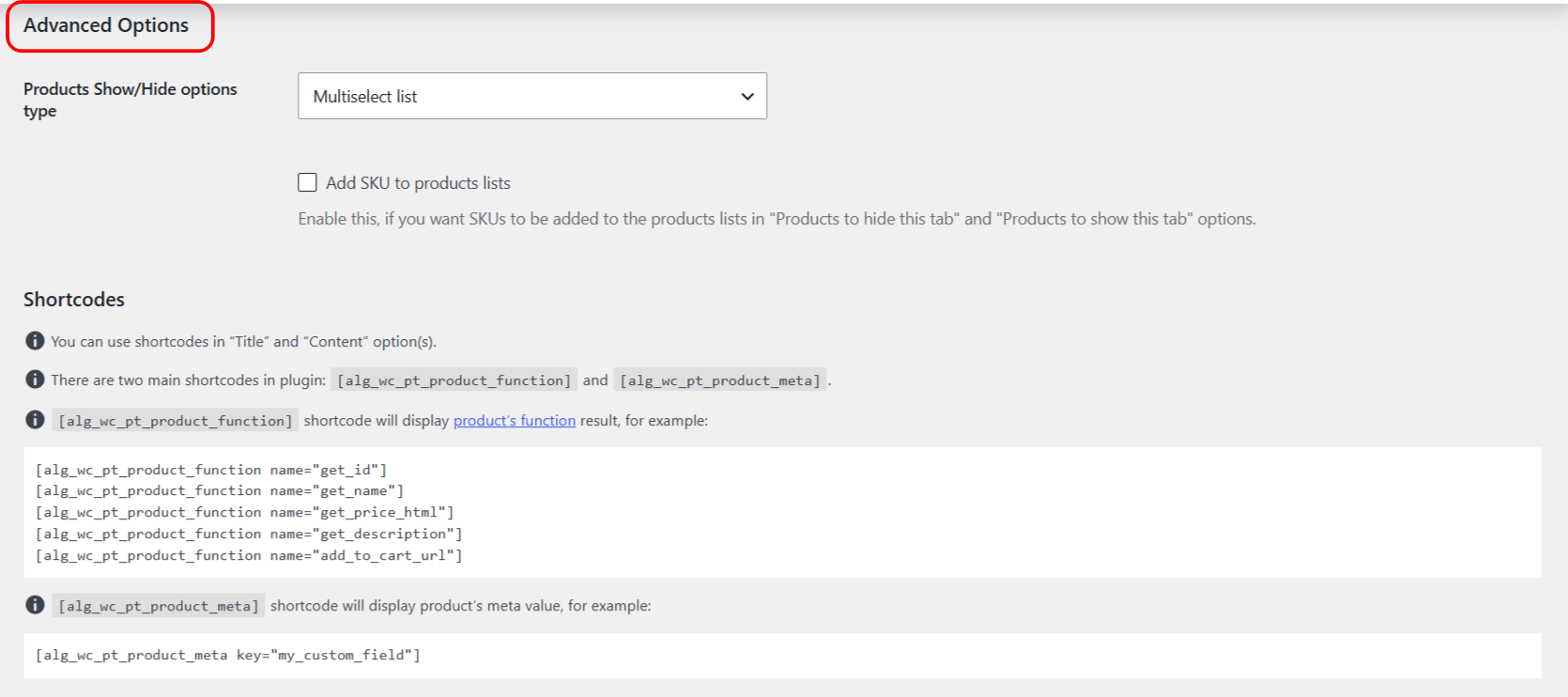
| Option | How you enter products |
|---|---|
| Multiselect list | Pick products from a searchable dropdown. Best for small catalogs. |
| Comma separated text: IDs | Type product IDs separated by commas. Best for large catalogs where the dropdown is slow. |
| Comma separated text: SKUs | Type product SKUs separated by commas. |
When the Multiselect list type is active, an extra option appears: Add SKU to products lists (alg_custom_product_tabs_global_add_sku_to_products_list, default No). Enable it to show each product’s SKU next to its name in the dropdowns. Categories are always chosen from a multiselect list.
Troubleshooting #
- The tab shows nowhere: a “show” list that does not include the product you are viewing hides the tab everywhere else. Clear the show fields to reset.
- Typed IDs or SKUs do nothing: confirm you selected the matching input type and that the values are separated by commas.
Get more control #
Show and hide targeting is free. Additional Custom Product Tabs for WooCommerce Pro lets you add unlimited global tabs, each with its own visibility rules. See what Pro unlocks.