To generate a feed in Product XML Feeds Manager for WooCommerce, go to WPFactory > Product XML Feeds, open the XML Feed #1 section, set the XML file path and name (default products.xml), click Save changes, then click Create now. Copy the feed URL shown under the path field and submit it to your marketplace.
Where to find these settings #
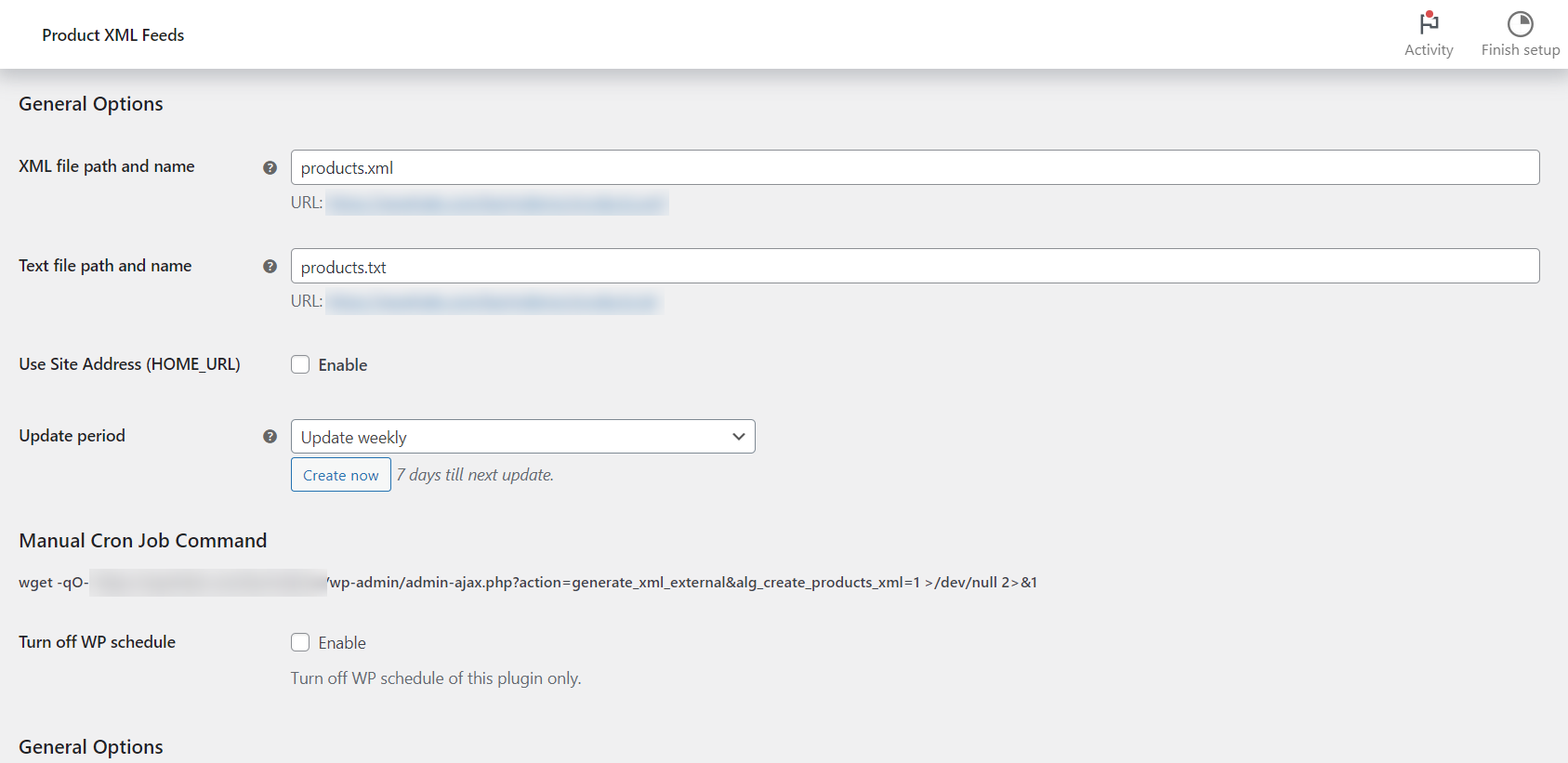
Go to WPFactory > Product XML Feeds (also reachable at WooCommerce > Settings > Product XML Feeds) and open the XML Feed #1 section. The relevant fields are in the General Options group.
Step by step #
- Set the XML file path and name (
alg_products_xml_file_path_1). The default isproducts.xml, which places the file at the root of your WordPress install. You can use a subfolder, for examplefeeds/google.xml. - Click Save changes.
- Click Create now to build the file immediately. You will see “Products XML file created successfully” when it finishes.
- Copy the feed URL shown under the path field. With the default path it is
https://your-store.com/products.xml.
Feed file options #
| Label | Option ID | Default | Free/Pro |
|---|---|---|---|
| XML file path and name | alg_products_xml_file_path_1 |
products.xml |
Free |
| Use Site Address (HOME_URL) | alg_products_xml_use_home_url_1 |
No | Free |
Use Site Address (HOME_URL) #
Enable Use Site Address (HOME_URL) when your WordPress files live in a subdirectory but your site address is the domain root (the “Giving WordPress its own directory” setup). With it on, the feed URL is built from your Site Address (home_url()) rather than the WordPress install path (site_url()), so the URL you hand a marketplace matches where visitors actually reach the file. Leave it off for a standard install.
If the file cannot be written #
The plugin writes the feed straight to the folder in your path. If that folder is not writable by the server, the settings screen shows a red warning that the plugin does not have access to that directory, and Create now will fail. To fix it:
- Point the XML file path and name at a folder that exists and is writable (for example
wp-content/uploads/products.xml). - Or adjust the folder permissions so the web server can write to it.
Keep the feed fresh automatically #
You do not have to click Create now every time. See Schedule Automatic Feed Updates to have the feed rebuild on a schedule.
Need more than one feed? #
One feed is free. Product XML Feeds Manager for WooCommerce Pro lets you run a separate feed, and separate file, for each marketplace. See what Pro unlocks.