Product XML Feeds Manager for WooCommerce can regenerate a feed from an external URL, which is what makes server cron jobs possible. The Security Key is what stops just anyone from triggering that regeneration. This reference explains what the key is, where it lives, and how it protects the external feed-generation URL.
Where the key lives #
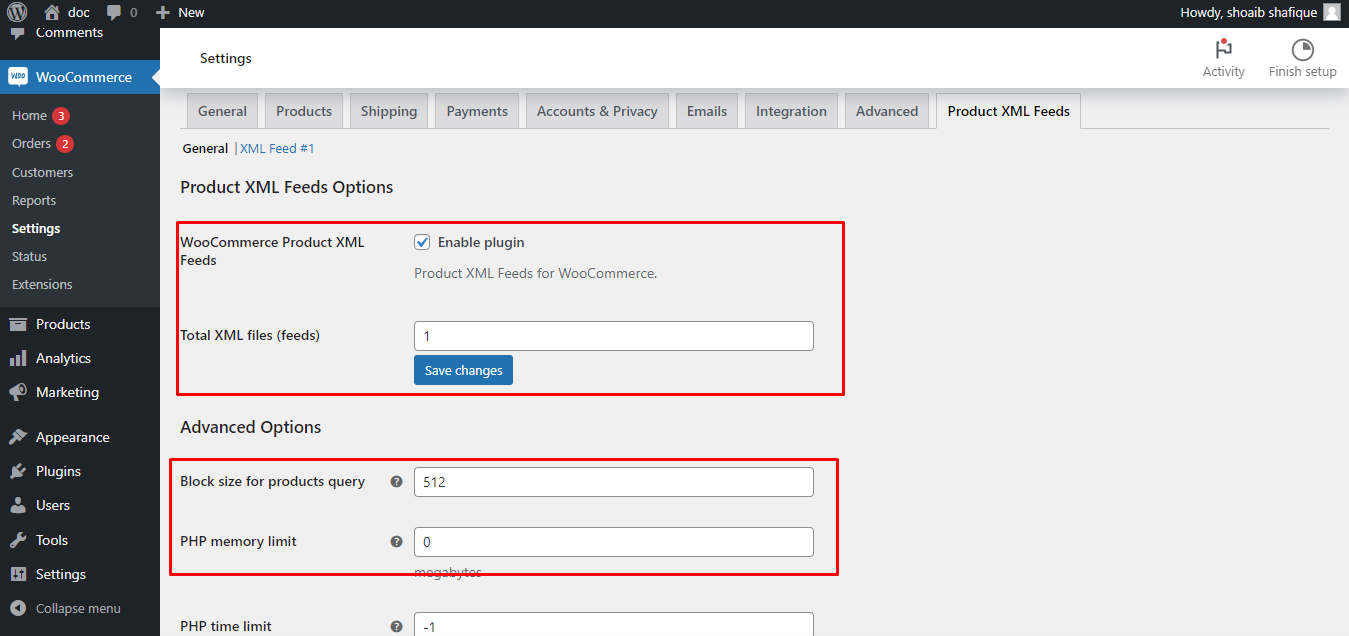
The Security Key field (alg_products_xml_feeds_security_key) is in the Advanced Options group of the General section, under WPFactory > Product XML Feeds (also reachable at WooCommerce > Settings > Product XML Feeds). It is generated automatically, so you normally never touch it.
How it protects the external URL #
There are two ways a feed is regenerated:
- Inside the admin, the Create now button uses your logged-in session and a WordPress nonce. It requires the
manage_woocommercecapability. - Externally, a cron job calls
admin-ajax.phpwith the actionalg_wc_product_xml_feeds_generate_xml_external. Because a cron job is not logged in, this request must carry asecretparameter instead.
The plugin accepts the external request only when the secret parameter matches a hash of your Security Key (wp_hash() of alg_products_xml_feeds_security_key). A wrong or missing secret is rejected with a “403 Invalid secret key” response, so the raw key never travels in the URL and the feed cannot be regenerated by an unauthorized caller.
The manual cron command already includes it #
You do not build the hashed secret yourself. The Manual Cron Job Command group in each feed section shows the full command with the correct secret value already filled in:
wget -qO- https://your-store.com/wp-admin/admin-ajax.php?action=alg_wc_product_xml_feeds_generate_xml_external&secret=HASHED_KEY&alg_create_products_xml=1 >/dev/null 2>&1Copy that command as shown. See Schedule Automatic Feed Updates and Use a Manual Cron Job for adding it to your server’s crontab.
Regenerating the key #
You can overwrite the Security Key with a new value and save, but only do so if you have a reason to (for example you believe the old value leaked). Regenerating it changes the hashed secret, so you must update any saved cron command with the new one shown on the settings screen, or the external call will start returning 403.
Related articles #
Need a hand? #
Our team answers every ticket on the Product XML Feeds support forum.