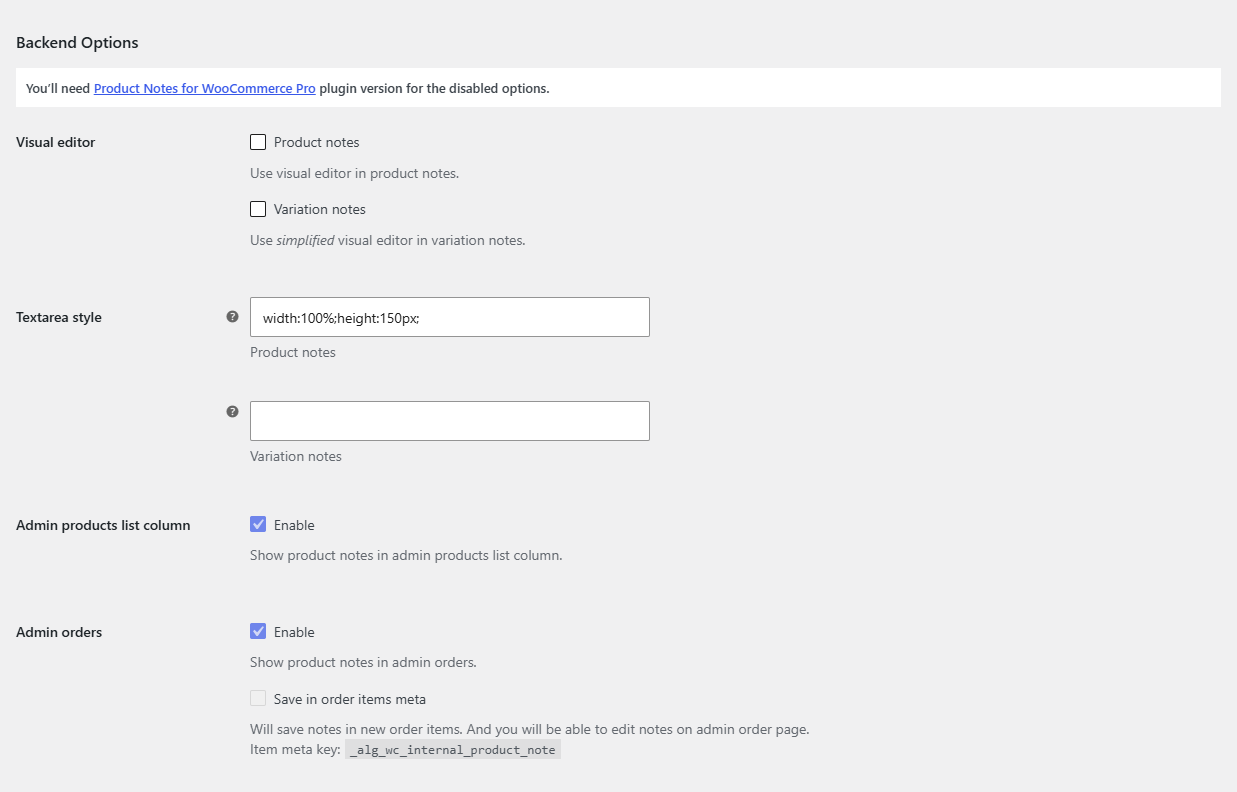
The free version of Product Notes Tab & Private Admin Notes for WooCommerce covers adding private and public notes and showing them anywhere on your storefront. Pro adds notes to your admin workflow: products list, search, orders, emails, PDFs, import, export and bulk editing. Pro options appear greyed out at WPFactory > Product Notes in the free version.
Feature comparison #
| Feature | Free | Pro |
|---|---|---|
| Private and public notes on products, unlimited notes per product | Yes | Yes |
| Note per variation | Yes | Yes |
| Product tab, with custom title, per-product title and priority | Yes | Yes |
| Product meta, single product page and shop page positions | Yes | Yes |
| Variation description, cart and checkout | Yes | Yes |
| Public notes for logged-in users only | Yes | Yes |
| Visual editor and textarea style | Yes | Yes |
| Formatting options and WPML default-language option | Yes | Yes |
[alg_wc_product_notes] shortcode |
Yes | Yes |
| Tool: delete all notes from products | Yes | Yes |
| Admin products list column | No | Yes |
| Admin search and JSON search | No | Yes |
| Admin orders, with notes saved in order item meta | No | Yes |
| Admin emails (private and public notes) | No | Yes |
| Customer emails (public notes) | No | Yes |
| Export and import through Products > Export and Products > Import | No | Yes |
| Quick edit and bulk edit | No | Yes |
| WooCommerce PDF Invoices & Packing Slips | No | Yes |
| WebToffee Product/Review CSV Import Export | No | Yes |
| Dokan vendor product form | No | Yes |
| Tools: add notes to all orders, delete notes from all orders | No | Yes |
Which version do you need? #
- Free is enough if you want internal notes on the product edit screen, or customer-facing notes in a tab, the product summary, shop listings, cart or checkout.
- Choose Pro if your team needs notes where the work happens: on orders for picking and packing, in store emails, on packing slips, in the products list and search, or when editing many products at once.
Upgrading keeps your notes #
Pro uses the same settings and the same product data as the free version. When Pro is active, the free version stops loading, so you can deactivate and delete it without losing notes or settings. See Getting started with Product Notes for install steps.
Ready to upgrade? #
Product Notes Pro unlocks every option in the table above. Get Product Notes Pro.
Need a hand? Our team answers every ticket on the Product Notes support forum.