WooCommerce Break Even Price Calculator: Know Your Minimum Before You List

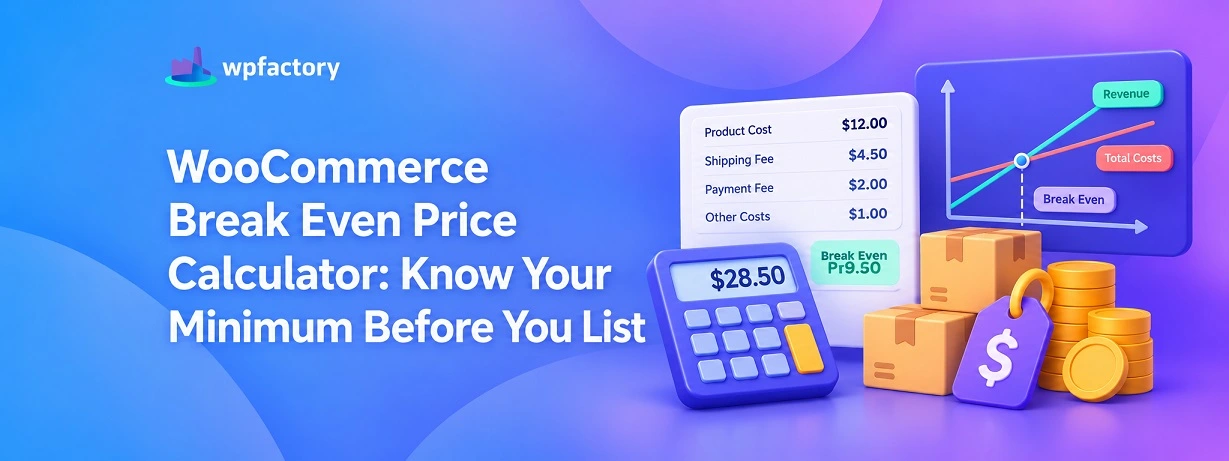
Quick Answer: WooCommerce Break-Even Price
Your WooCommerce break even price is the lowest amount you can charge for a product and still walk away even, after the product cost, the shipping you cover, and the cut your payment gateway takes. Price a cent under it and the order quietly loses money. Price above it and the gap is your profit.
- Add the three costs: product cost, shipping you absorb, and the fixed part of the gateway fee.
- Divide, do not just add: the percentage fee grows with the price, so the floor is higher than a simple sum.
- Then layer your margin on top: the break-even is the floor, not the goal.
Run your own numbers through the calculator further down and you will have both your floor and your target price in a few seconds.
You are staring at the price field on a new product, cursor blinking.
Twelve dollars is what the item cost you. So you type something that feels safe, maybe twenty, maybe twenty-five, and move on. It looked like a comfortable markup.
Here is the trouble. That twenty-five was a guess dressed up as a decision.
You never subtracted the three dollars of shipping you quietly cover. You never subtracted the slice your payment gateway takes on the way through. So you do not really know the one number that should have come first, which is the lowest price that keeps this product from losing money.
That number has a name. It is your break-even price, and every selling price you pick should start from it.
What a Break-Even Price Really Is
Strip away the accounting language and it is simple.
Your break-even price is the point where the money coming in from a sale exactly matches the money going out to fulfill it. No profit, no loss. The order washes its own face.
Sell above it, and the difference is yours to keep. Sell below it, and you are paying customers to take your product, even when the dashboard shows a cheerful sale.
Most store owners carry a rough version of this in their head, and the rough version is usually just the product cost. That is the mistake. The real floor sits higher, because two other costs ride along on every order.
The Three Costs Your Price Has to Clear
A break-even price for a WooCommerce product is built from three things, not one.
The first is the product cost. You paid a supplier, you know the figure, and it is the part nobody forgets.
The second is the shipping you absorb. If you offer delivery at no charge to the buyer, or you undercharge for it, the carrier still bills you. That gap comes out of this order.
The third is the payment gateway fee. Every card charge pays a toll, usually a percentage of the sale plus a small fixed amount. It leaves automatically, before the money ever reaches you.
Miss any one of these and your floor is set too low. And a floor set too low is how a store stays busy and still ends the month thinner than it started.
Why You Divide Instead of Just Adding
Here is the part that trips people up, and it is worth thirty seconds.
Product cost and shipping are fixed amounts. They do not change when you raise your price.
The gateway fee is different. It is a percentage, so it grows as the price grows. Raise the price to cover the fee, and the fee itself gets a little bigger. Chase it by adding and you will always fall a few cents short.
The clean way around this is to divide. You take your fixed costs and divide by the share of the price you keep after the percentage fee. That gives you the exact floor in one step, with the growing fee already accounted for.
The formula looks like this.
Break-Even Price = (Product Cost + Shipping + Fixed Fee) ÷ (1 − Payment Fee %)
You do not have to memorize it. The calculator below runs it for you. But seeing it once explains why your true floor is always a touch higher than the numbers you were adding in your head.
A Real Example, Followed Step by Step
Numbers make it concrete. Take one product and walk it down.
The item cost you twelve dollars. You cover three dollars of shipping on it. Your gateway, say Stripe, charges 2.9 percent of the sale plus a fixed thirty cents.
| Piece of the Floor | Amount | Running Total |
|---|---|---|
| Product cost | $12.00 | $12.00 |
| Shipping you cover | $3.00 | $15.00 |
| Fixed gateway fee | $0.30 | $15.30 |
| Percentage fee cover (2.9%) | the divide step | $15.76 |
Your fixed costs come to $15.30. Divide that by the 97.1 percent of the sale you keep after the 2.9 percent fee, and the floor lands at $15.76.
So that twenty-five dollars from the start of the article was not reckless. But if you had typed sixteen, feeling generous with a four-dollar markup over the product cost, you would have been running that order at barely a cent of profit.
The markup you thought you had was almost entirely shipping and fees.
The floor is the honest starting line. Now you add a margin on top of it on purpose, instead of hoping one was there.
Where the Break-Even Price Lives in WooCommerce
Knowing the formula is one thing. Getting accurate numbers to feed it, on every product, is the part that needs a system.
WooCommerce does not store what a product cost you. It has no field for the shipping you absorb, and none for the gateway cut. Out of the box, the three numbers your break-even price depends on simply are not recorded anywhere.
That missing layer is exactly what a cost tracking plugin adds, and it is where the calculation stops being a one-time guess and becomes something your store knows about every product.
With the Cost of Goods for WooCommerce plugin, each product and each variation holds its own true cost.
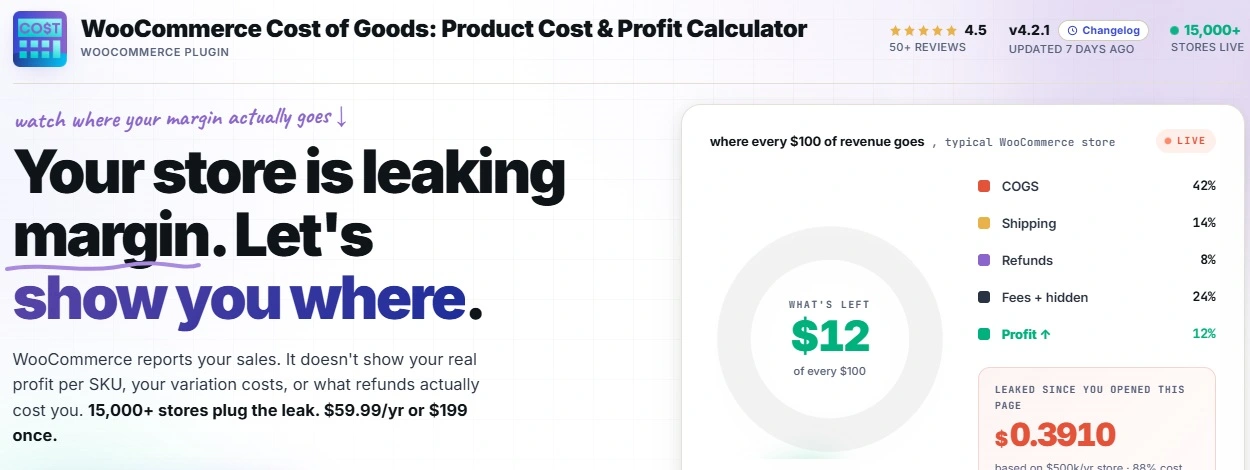
You set a real shipping cost per shipping class, so a heavy item carries its real postage. You enter each gateway’s fee once, and from then on it is deducted from every order.
Those are the same three inputs the break-even formula asks for, now stored accurately instead of remembered roughly.
And the plugin closes the loop after the sale.
Once your price is set, its profit per order and its reports confirm whether real orders are clearing the floor you calculated, or drifting under it when a shipping cost creeps up.
The idea behind that per-order view is covered in the WooCommerce profit per order guide.
Price From Real Costs, Not From Memory
The Cost of Goods for WooCommerce plugin stores the product cost, per-shipping-class costs, and payment gateway fees your break-even price is built on, then checks every order against them automatically. You price once, and the numbers stay honest. Join 15,000+ stores using it, rated 4.5 stars, backed by a 14-day money-back guarantee.
Break-Even Price Versus Profit Margin
These two get mixed up, and keeping them apart makes pricing much calmer.
Your break-even price answers a yes-or-no question. Does this order lose money? It is a floor, a single hard line.
Your profit margin answers a how-much question. Of what the customer paid, how much did you keep? It is a target you choose.
You need both, and in order. Find the floor first, then decide how far above it you want to sit.
| Question | Break-Even Price | Profit Margin |
|---|---|---|
| What it tells you | The lowest safe price | How much of the sale you keep |
| What it is | A floor you must clear | A target you aim for |
| When you use it | Before setting any price | After the floor is known |
| If you ignore it | You sell at a loss unknowingly | You cover costs but grow slowly |
If the margin side is fuzzy for you, the how to calculate profit margin walkthrough covers gross, operating, and net in plain terms.
Find Your Break-Even Price Now
The example used one set of numbers. Yours are more useful.
Enter your product cost, the shipping you cover, your gateway’s percentage and fixed fee, and the margin you want. The calculator returns your break-even floor and the price that hits your target margin on top of it.
Break-Even Price Calculator
If the floor came out higher than the price you had in mind, that is the calculator doing its job. Better to learn it here than to learn it from a thin bank balance at the end of the quarter.
Setting the Plugin Up So the Numbers Stay Real
The calculator is only as good as the costs you feed it. Here is how to get those costs living inside your store, so you are not retyping them from memory every time.
Step 1: Add the Plugin to Your Store
Head to the Cost of Goods for WooCommerce page and grab the plugin download. You will get a zip file.
In your WordPress admin, open Plugins then Add New, upload that zip, and activate it. A cost layer now sits on top of your products.
Step 2: Enter Each Product’s True Cost
Edit a product and fill in the new cost field with what you paid your supplier. For variable products, each variation gets its own figure, so a large size carrying a higher cost is recorded as such.
Step 3: Add Shipping and Gateway Costs
Set a real cost per shipping class so heavy and oversized items carry their true postage. Then enter each payment gateway’s fee once. These feed the second and third inputs of your break-even price.
Step 4: Let It Check Every Order
From here, the plugin reports profit per order with all three costs counted. If a product starts slipping toward its floor, the reports show it long before your bank statement does.
Which Stores Get the Floor Wrong Most Often
Every store has a break-even price. Some are far more likely to set it too low.
Stores Offering Delivery at No Charge
When you absorb shipping, it belongs in the floor on every order. Leave it out and your minimum price is understated by the exact cost of the label, every single time.
Low-Price, High-Volume Stores
On a small sale, the fixed thirty cents of a gateway fee is a real slice of the price. Sellers of cheap, fast-moving items feel the floor rise most here, and often miss it.
Stores With Frequent Supplier Changes
If your product cost moves whenever a supplier does, a floor calculated six months ago is fiction today. These stores need the cost stored and updated, not carried in memory. Keeping each WooCommerce variable product cost of goods current is part of the same habit.
Keeping Your Break-Even Price Honest Over Time
A floor is not set once and trusted forever. It drifts when the costs under it move.
Supplier prices rise. When your product cost goes up and your stored figure does not, your break-even price silently falls behind, and you keep pricing off a floor that no longer exists.
Shipping rates climb too, usually at the start of a year. A quick review of your per-class shipping costs when a carrier announces new rates keeps the floor in step.
Gateway fees change if you switch processor or renegotiate a plan. Update that fee the day it changes, so every price you set afterward rests on the real rate.
A short check a couple of times a year is enough to keep all three costs current.
Related Resources
- Start with the WooCommerce cost of goods guide for the full picture of profit tracking.
- See WooCommerce profit per order for the order-level view your floor feeds into.
- Learn to add shipping and payment fees to WooCommerce cost of goods, the two costs most likely to sink a floor.
- Give each option its own real number with WooCommerce variable product cost of goods.
- Check the fundamentals of how to calculate profit margin that sits above every floor.
Never Set a Price in the Dark Again
The Cost of Goods for WooCommerce plugin keeps the product cost, shipping, and gateway fees behind your break-even price stored and current, then reports the real profit on every order. You set prices from facts, not guesses. Join 15,000+ stores using it, rated 4.5 stars, with a 14-day money-back guarantee.
FAQs About Woocommerce Break Even Price
What is a break-even price in WooCommerce?
It is the lowest price you can charge for a product and still come out even, once the product cost, the shipping you cover, and your payment gateway fee are all paid.
Sell above it and you profit. Sell below it and the order loses money, even if WooCommerce records a normal sale.
How do I calculate the break-even price for a WooCommerce product?
Add your fixed costs, which are the product cost, the shipping you absorb, and the fixed part of the gateway fee. Then divide that total by the share of the sale you keep after the percentage fee.
The calculator above runs this for you, so you only enter the numbers and read the floor.
Why do I divide by the payment fee instead of adding it?
Because the percentage fee grows as the price grows. If you only add it, the higher price triggers a slightly higher fee, and you end up a few cents short of covering it.
Dividing by the share you keep builds that growing fee into the answer in a single step.
Does WooCommerce calculate a break-even price on its own?
No. WooCommerce records the sale but stores none of the three costs a break-even price needs, so it has nothing to calculate from.
A cost tracking plugin adds those costs to each product, which is what makes an accurate floor possible.
What is the difference between break-even price and profit margin?
The break-even price is a floor that tells you the lowest safe price. The profit margin is a target that tells you how much of the sale you keep above that floor.
Find the floor first, then choose a margin on top of it.
Is there a plugin that stores the costs behind my break-even price?
Yes. Cost of Goods for WooCommerce is available on WordPress.org and records product cost, per-shipping-class costs, and gateway fees, then reports profit per order with all three included.
That keeps the numbers behind your floor accurate instead of remembered.