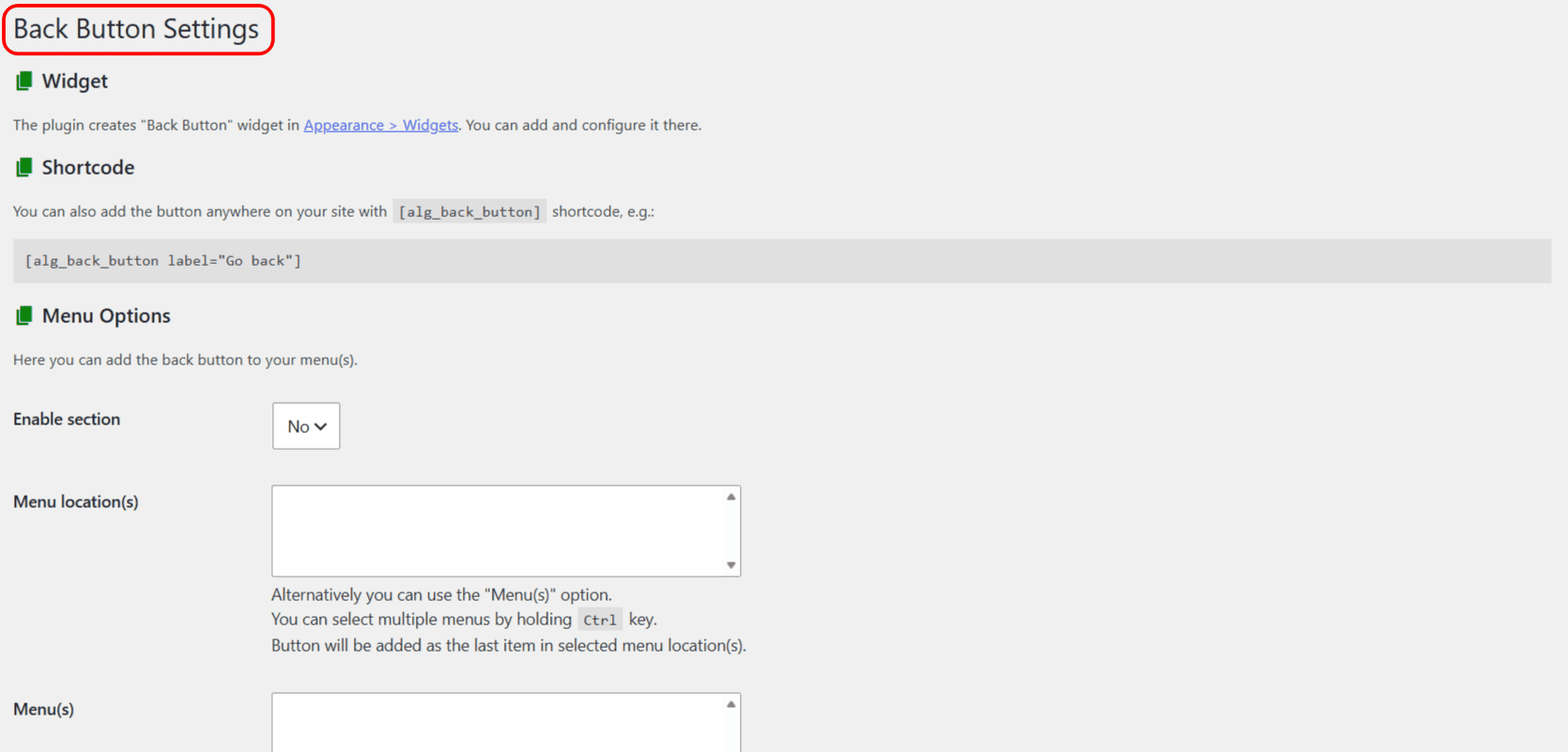
This page maps the entire settings screen of Back Button Anywhere Widget for WordPress, section by section, with the option ID behind each field. All settings live at WPFactory > Back Button (the page is titled “Back Button Settings”) and are stored together in the alg_back_button option.
Widget #
An informational section. It points you to Appearance > Widgets, where the Back Button widget is added. The widget’s own fields (label, class, style, type, and so on) are set there, not on this screen.
Shortcode #
An informational section showing the [alg_back_button] shortcode and an example. See the shortcode attributes reference for the full list.
Menu Options (Pro) #
| Label | Option ID | Default | Free/Pro |
|---|---|---|---|
| Enable section | menu_enabled |
No | Pro |
| Menu location(s) | menu_theme_locations |
None | Pro |
| Menu(s) | menu_ids |
None | Pro |
| Button | menu_button |
[alg_back_button label="Back" type="simple"] |
Pro |
| Item template | menu_item_template |
<li>%button%</li> |
Pro |
| Replace URL | menu_replace_url_enabled |
No | Pro |
Full walkthrough: How to add the Back Button to a WordPress menu.
Floating Button Options (Pro) #
| Label | Option ID | Default | Free/Pro |
|---|---|---|---|
| Enable section | floating_button_enabled |
No | Pro |
| Label | floating_button_label |
Back | Pro |
| Position | floating_button_position |
Bottom right | Pro |
| Horizontal margin | floating_button_h_margin |
40 (px) | Pro |
| Vertical margin | floating_button_v_margin |
40 (px) | Pro |
| Set as shortcode | floating_button_shortcode_enabled |
No | Pro |
| Shortcode | floating_button_shortcode |
Default floating shortcode | Pro |
Full walkthrough: How to add a floating back button.
Font Awesome #
| Label | Option ID | Default | Free/Pro |
|---|---|---|---|
| Load | fontawesome_enabled |
No | Free |
| URL | fontawesome_url |
A Font Awesome 6 CDN stylesheet | Free |
Full walkthrough: How to add a Font Awesome icon to the back button.
Widget fields (set in Appearance > Widgets) #
These belong to the Back Button widget instance, not to the alg_back_button option:
| Field | Instance key | Default | Free/Pro |
|---|---|---|---|
| Title | title |
Empty | Free |
| Before button | before_button |
Empty | Free |
| After button | after_button |
Empty | Free |
| Button label | button_label |
Back | Free |
| Button HTML class | button_class |
Empty | Free |
| Button HTML style | button_style |
Empty | Free |
| Button type | button_type |
Button (input) | Free |
| Button JS function | button_js_func |
back | Free |
| Hide on front page | hide_on_front_page |
No | Pro |
| Hide on URL param | hide_on_url_param |
Empty | Pro |
| Hide on URL param value | hide_on_url_param_value |
Empty | Pro |
Need a hand? #
Our team answers every ticket on the Back Button Widget support forum.