The Bulk Edit Prices tool sets your selling prices from each product’s cost plus the profit you want to make, across many products at once. It is a free feature of Cost of Goods: Product Cost & Profit Calculator for WooCommerce, and it is the counterpart to the Bulk Edit Costs tool: one works out prices from costs, the other works out costs from prices.
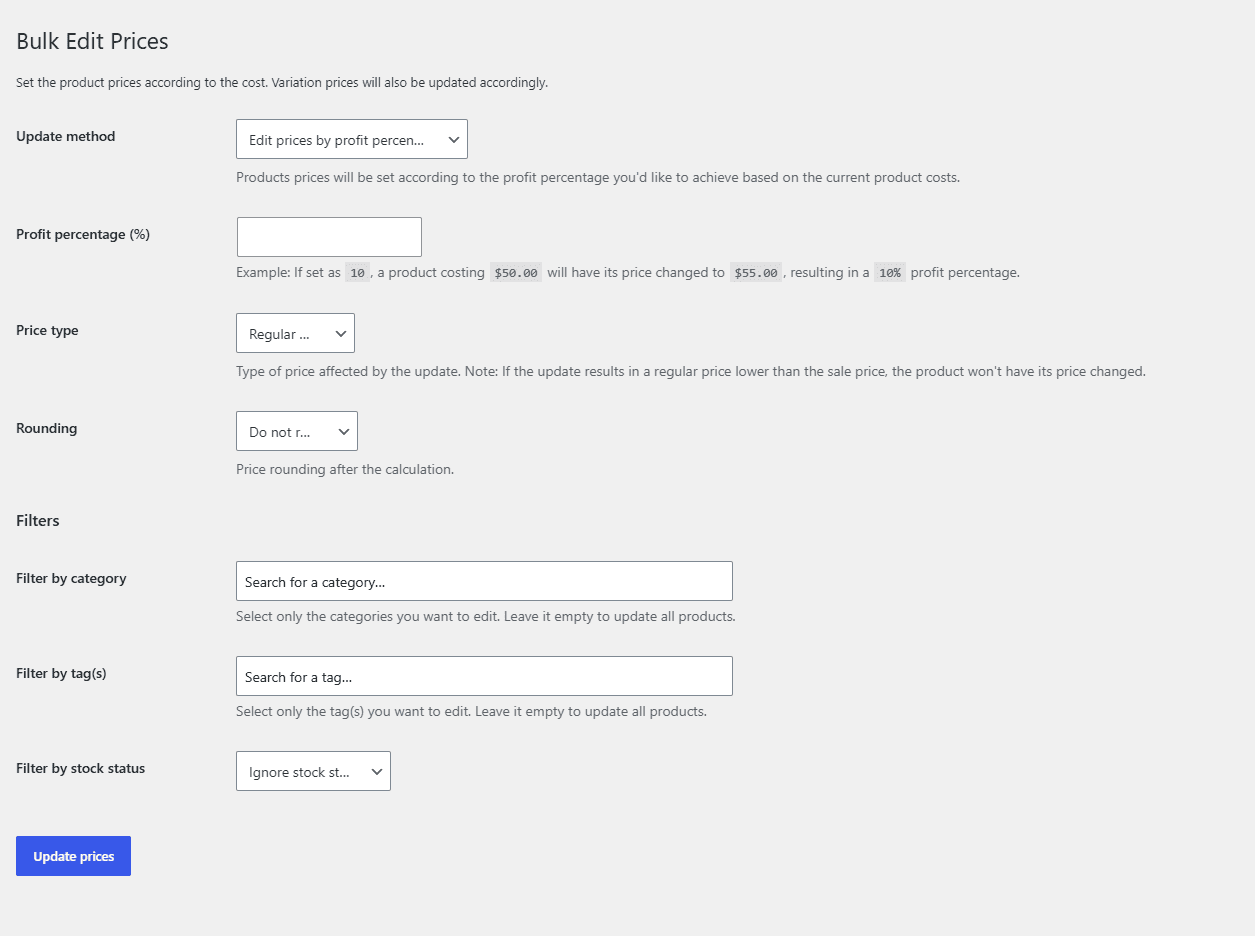
Where the tool lives #
Open Tools > Bulk Edit Prices in the WordPress admin menu (URL tools.php?page=bulk-edit-prices). The columns and filters it offers are configured at WPFactory > Cost of Goods (also reachable at WooCommerce > Settings > Cost of Goods), under the Tools sub-tab, in the same group used by Bulk Edit Costs.
Setting prices from cost and profit #
At the top of the tool is a method dropdown. Pick a method, enter a value, and apply it to the products you have selected. The two price methods both work from the cost you have already recorded on each product:
| Method | What it does |
|---|---|
| Edit prices by profit percentage | Sets each price so the profit is the percentage you enter, calculated from the product’s current cost. |
| Edit prices by absolute profit | Sets each price so the profit is a fixed amount above the product’s current cost. |
Step-by-step #
- Make sure your products already have costs recorded. If they do not, use Bulk Edit Costs or the Import Costs tool first.
- Open Tools > Bulk Edit Prices.
- Choose a method: Edit prices by profit percentage or Edit prices by absolute profit.
- Enter the target value (for example
40for a 40 percent profit, or5for a flat profit of 5 per unit). - Select the products to update, then apply. You can also type individual prices directly into the list before applying.
Working the other way: costs from prices #
The sister tool, Tools > Bulk Edit Costs, offers the reverse calculations, so you can derive costs when you only know your prices and a target margin:
| Method | What it does |
|---|---|
| Edit costs by price percentage | Sets each cost to a percentage of the product’s current price. |
| Edit costs by profit percentage | Sets each cost to reach the profit percentage you enter, based on the current price. |
| Increase costs by percentage | Raises every selected cost by the percentage you enter. |
| Decrease costs by percentage | Lowers every selected cost by the percentage you enter. |
Before you run a large edit #
These tools write directly to product prices and cost meta, and there is no undo. Back up your database first, and try the method on a small selection to confirm the numbers look right before applying it to the whole catalog. Both tools respect the Product types filter set on the Tools sub-tab, so you can exclude product types you do not want to touch.
Get more from Cost of Goods #
Bulk Edit Prices and Bulk Edit Costs are both free. Cost of Goods: Product Cost & Profit Calculator for WooCommerce Pro adds cost and profit reporting in WooCommerce Analytics, order-email cost and profit, and multicurrency support. See what Pro unlocks.