Configure the General settings for product tabs #
The General settings control which parts of Additional Custom Product Tabs for WooCommerce are active. Go to WPFactory > Product Tabs (also reachable at WooCommerce > Settings > Product Tabs). The page opens on the General section. From here you turn the plugin on and switch each feature section on or off.
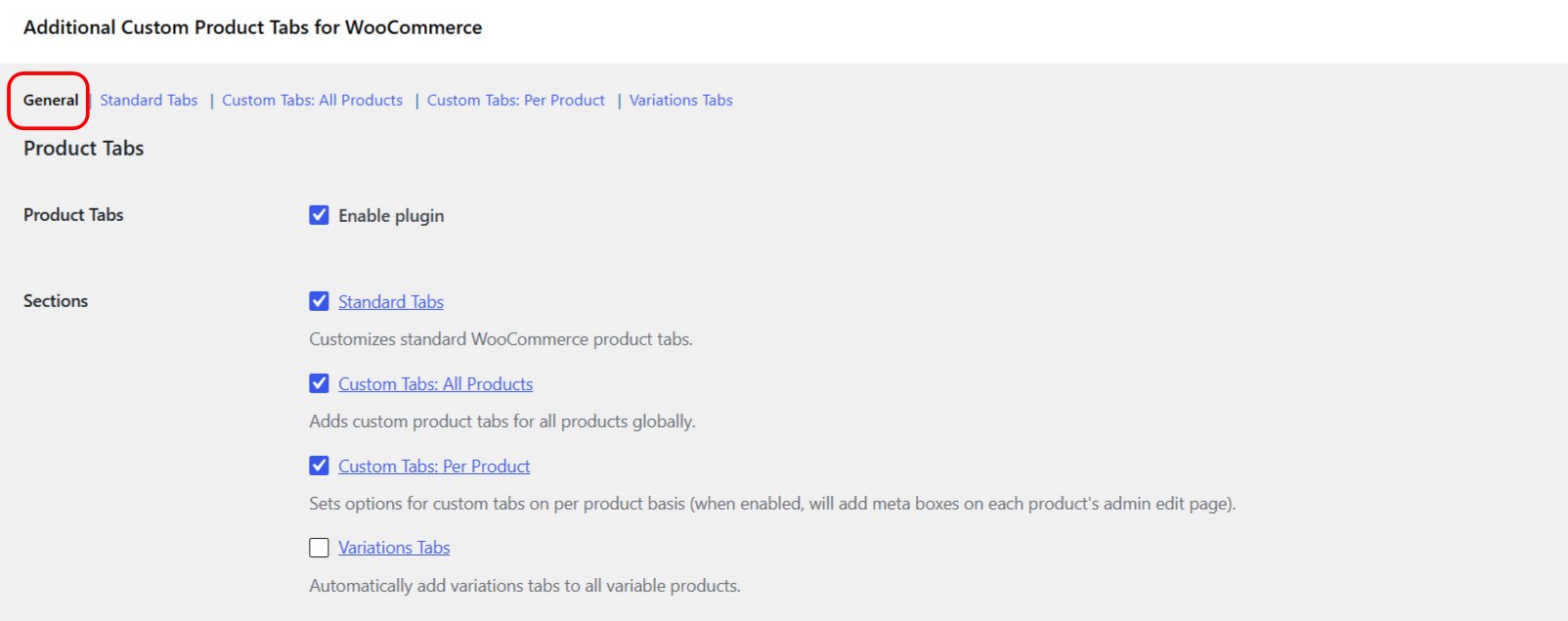
Options in the General section #
| Label | Option ID | Default | What it does |
|---|---|---|---|
| Product Tabs (Enable plugin) | alg_woocommerce_product_tabs_enabled |
Yes | Master switch for the whole plugin. Turn it off and no tabs are changed or added. |
| Standard Tabs | alg_wc_product_tabs_standard_tabs_enabled |
Yes | Enables the section that renames, reorders or removes the built-in WooCommerce tabs. |
| Custom Tabs: All Products | alg_wc_product_tabs_global_tabs_enabled |
Yes | Enables custom tabs that show on every product. |
| Custom Tabs: Per Product | alg_custom_product_tabs_local_enabled |
Yes | Adds the Custom Product Tabs meta box to each product edit screen. |
| Variations Tabs | alg_wc_product_tabs_variations_tabs_enabled |
No | Adds one tab per variation on variable products. Off by default. |
Each of the four section links (Standard Tabs, All Products, Per Product, Variations Tabs) opens that section directly, so you can leave a feature on but jump in to configure it.
Advanced Options #
Below the section toggles is one advanced option:
| Label | Option ID | Default |
|---|---|---|
| HTML paragraph tags | alg_wc_product_tabs_wpautop |
No |
When enabled, this wraps double line breaks in your custom tab content with <p> tags, the same way WordPress formats post content. For a full walkthrough see the guide on formatting tab content with HTML paragraph tags.
Use cases #
- Turn the whole plugin off temporarily while troubleshooting, without losing any of your tab settings.
- Enable only the sections you use, for example Standard Tabs and All Products, and leave Variations Tabs off.
Get more control #
The General settings are free. Additional Custom Product Tabs for WooCommerce Pro lets you add unlimited global and per-product custom tabs. See what Pro unlocks.