To manage EANs in bulk with EAN for WooCommerce, go to WPFactory > EAN (also reachable at WooCommerce > Settings > EAN) and open the Tools section. There you can generate, copy, assign from a list, delete, or copy out EANs for every product at once. The tools are free, run on all products, and cannot be undone.
Before you start #
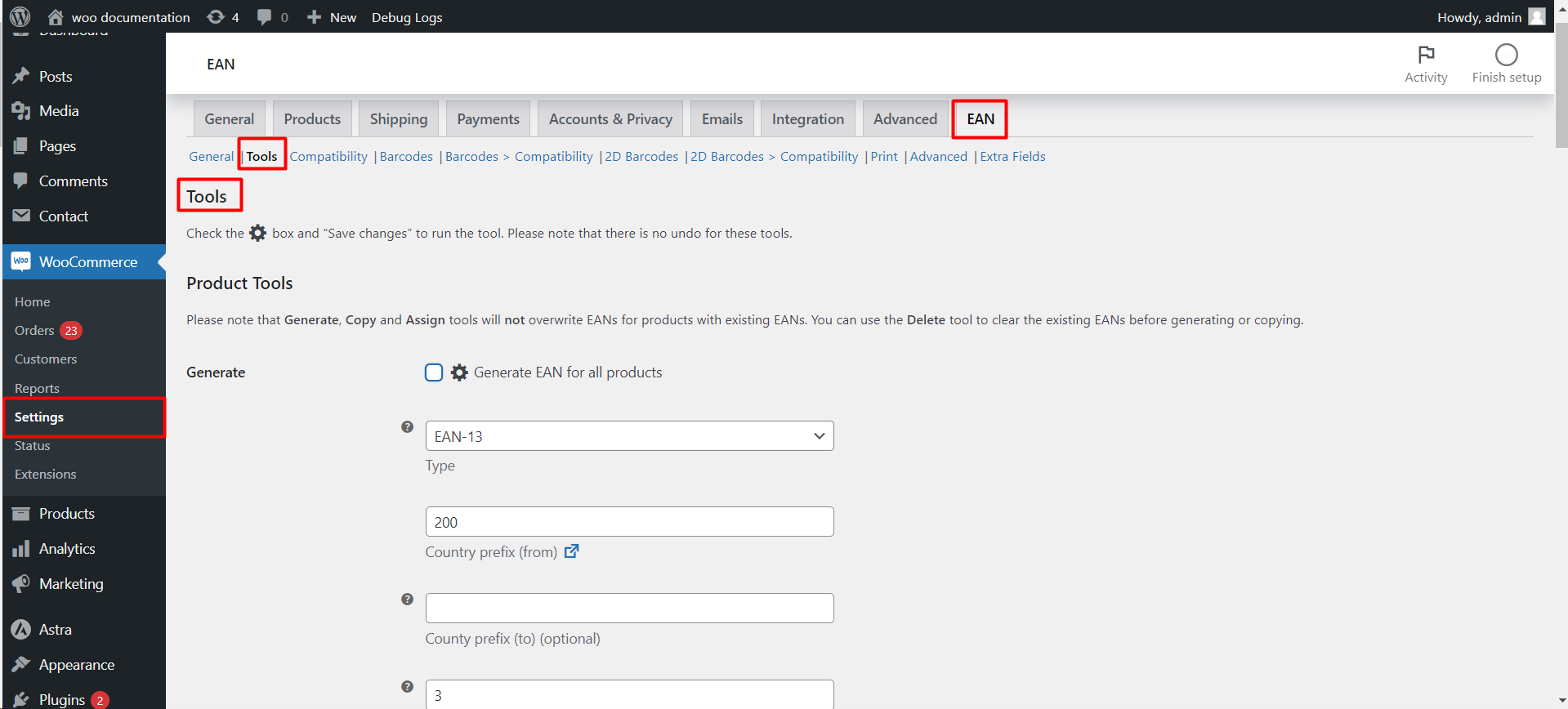
- Go to WPFactory > EAN (also reachable at WooCommerce > Settings > EAN), then open the Tools section.
- These tools run on all products and cannot be undone. Back up first.
- Generate, Copy, and Assign will not overwrite an EAN that a product already has. Run Delete first to replace existing values.
Available tools #
| Tool | What it does |
|---|---|
| Generate | Create a new EAN for every product. See the dedicated Generate guide for its options. |
| Copy from product SKU / ID / meta / attribute | Fill the EAN from an existing value on each product. |
| Assign from the list | Assign pre-purchased EANs from a list, one per line, optionally limited to selected product categories. |
| Delete | Remove the EAN from every product. |
| Copy to product SKU / meta / attribute | Write each product’s EAN out to its SKU, a meta key, or an attribute. |
| Get stats | Count how many products have no EAN. Assigns and deletes nothing. |
Copy from product meta #
When copying from meta, set Meta key (option alg_wc_ean_tool_product_copy_meta[key]), for example _gtin. If the value is stored inside an array, also set the optional Meta sub key. This is how you migrate EANs from another plugin’s field.
Assign from the list #
Paste your purchased EANs into the List box (option alg_wc_ean_tool_product_assign_list), one per line. Used codes are removed from the list automatically. The Product categories option limits which categories are included, and Reuse deleted returns EANs from deleted products to the list.
Variable products #
The Variable products option controls how every tool treats variable products: All (variable and variations), Variations only, or Variable only.
Get more from EAN for WooCommerce #
All of these tools are free. EAN for WooCommerce Pro adds 1D and 2D barcode images and PDF label printing on top of them. See what Pro unlocks.