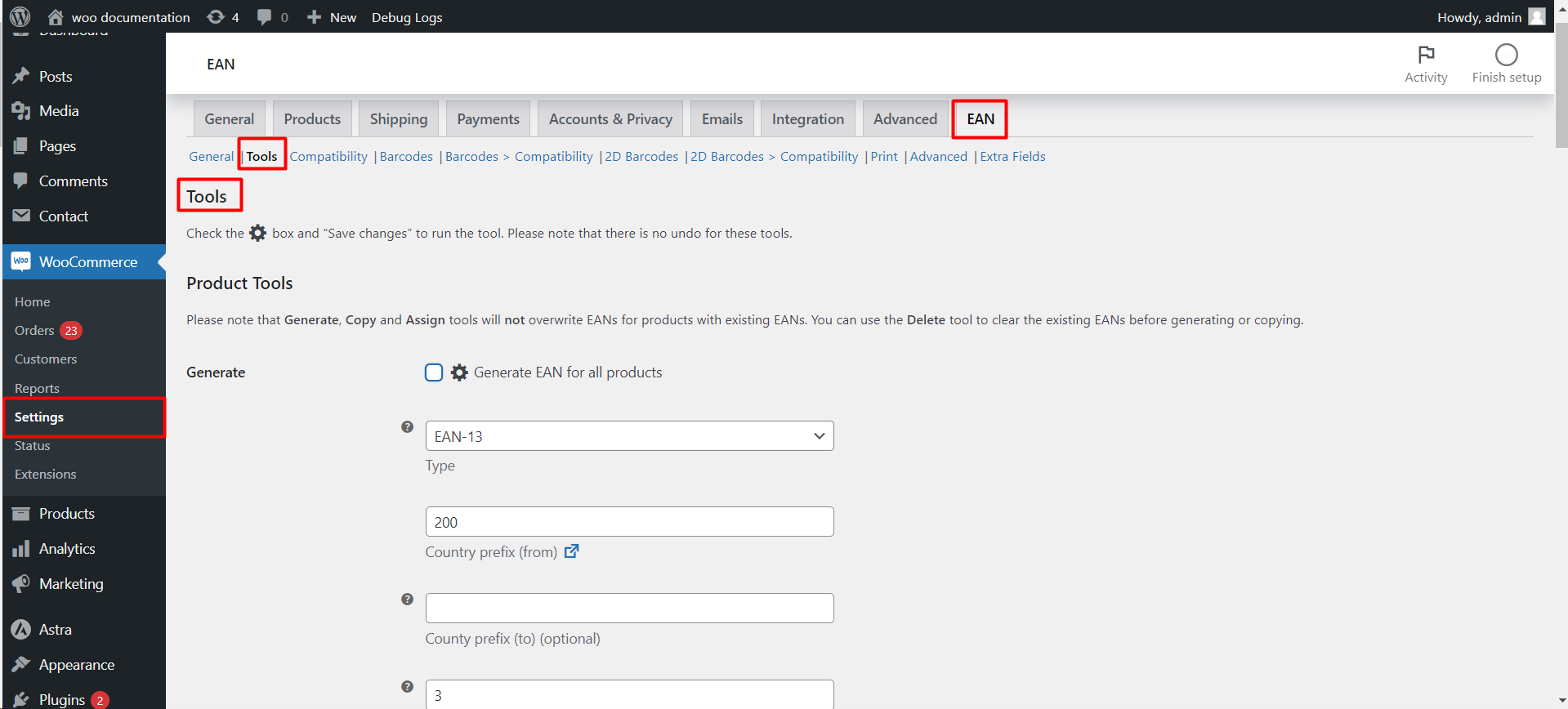
To choose an EAN type in EAN for WooCommerce, go to WPFactory > EAN (also reachable at WooCommerce > Settings > EAN), open the General section, and set Type (default EAN-13), or pick Automatic for mixed catalogs. To add a code to a product, open it and fill in the EAN field, which sits in the Inventory tab by default.
Where to set the type #
Go to WPFactory > EAN (also reachable at WooCommerce > Settings > EAN) and open the General section. The Type option (alg_wc_ean_type, default EAN-13) controls validation, the input pattern, structured data, and 1D barcodes.
Supported EAN and GTIN types #
| Type | Length | Typical use |
|---|---|---|
| Automatic | Detected | Picks EAN-13, UPC-A, EAN-8, ISBN-13, JAN, or EAN-14 by length |
| EAN-8 | 8 | Small items |
| UPC-A | 12 | Most common in the United States |
| EAN-13 | 13 | Most common global standard |
| ISBN-13 | 13 | Books (prefix 978 or 979) |
| JAN | 13 | Japan (prefix 45 or 49) |
| EAN-14 | 14 | Trade item packaging levels |
| Custom | Any | Any of the 128 ASCII characters |
Choosing the right type #
- Pick Automatic if your catalog mixes standards or you are unsure.
- Pick a specific type if all your codes follow one format, so validation is stricter.
Assigning an EAN to a product #
- Open a product for editing.
- Find the EAN field. By default it sits in the Inventory tab next to the SKU (option
alg_wc_ean_backend_position, default Inventory: SKU). You can move it to General, Inventory, or Advanced. - Type the code. With Check if valid enabled, the plugin verifies the check digit as you type.
- Save the product.
Note: for variable products, set the EAN on each variation. If a variation has no EAN, the plugin falls back to the parent product’s EAN.
Where the EAN is stored #
The EAN is saved in product meta under the key _alg_ean (configurable at Advanced > Meta key, option alg_wc_ean_meta_key). Use this key when importing, exporting, or mapping product feeds.
Get more from EAN for WooCommerce #
Storing and validating EANs is free. EAN for WooCommerce Pro adds barcode images, PDF label printing, and extra identifier fields such as MPN. See what Pro unlocks.