To show or hide a shipping method by date and time, use the Date/Time conditions in Conditional Shipping for WooCommerce: Restrict Shipping Options by Anything. This lets you run time-bound offers, limit a method to business hours, or hide a method during specific periods. Date/Time is a free feature and the date parsing works identically in the free and Pro versions.
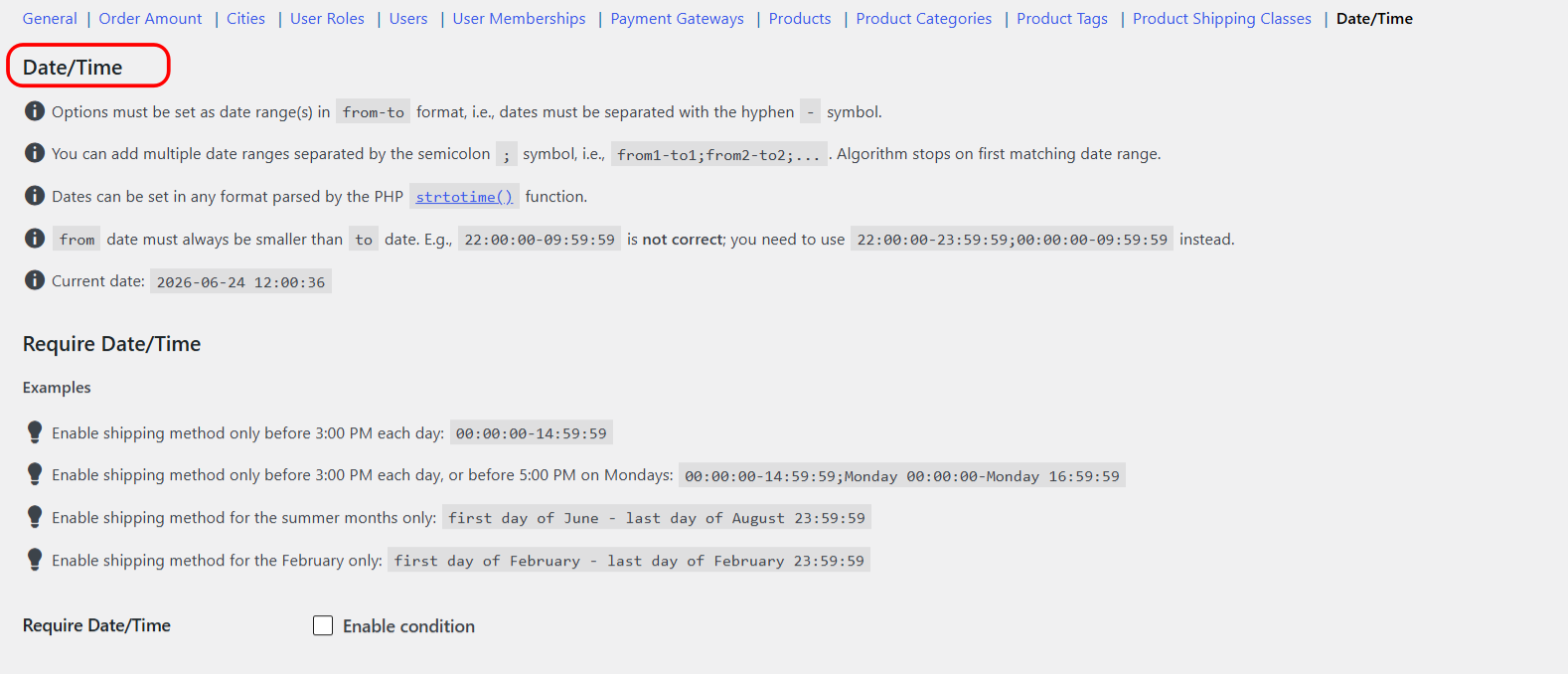
How it works #
- Require Date/Time (
date_time_incl): the shipping method appears only while the current time falls inside one of the ranges you set. - Exclude Date/Time (
date_time_excl): the shipping method is hidden while the current time falls inside one of the ranges you set.
Times are evaluated against your site time zone (the WordPress and WooCommerce setting), so set that correctly first.
The date and time format #
Getting the format right matters, because an invalid range is silently skipped. Follow these rules:
- Write one range as
from-to: a single hyphen separates the “from” side from the “to” side. - Each side must be free of hyphens and must be parseable by PHP
strtotime(). Do not use ISO dates like2024-05-10: the hyphens inside them break the parsing. Use hyphen-free, human-readable phrases instead. - The “from” must be earlier than the “to”.
- Join multiple ranges with a semicolon
;. The plugin stops at the first range that matches. - For a weekday plus a time, put a space between the day and the time, for example
Monday 00:00:00, never a hyphen.
Overnight ranges: because the “from” must be earlier than the “to”, a window that crosses midnight has to be split into two ranges. To cover 10:00 PM through 10:00 AM, write 22:00:00-23:59:59;00:00:00-09:59:59.
Verified examples #
These are the working formats. Use them as-is or adapt them:
| Goal | Value to enter |
|---|---|
| Only before 3:00 PM each day | 00:00:00-14:59:59 |
| Before 3:00 PM daily, or before 5:00 PM on Mondays | 00:00:00-14:59:59;Monday 00:00:00-Monday 16:59:59 |
| Summer months only (June to August) | first day of June - last day of August 23:59:59 |
| February only | first day of February - last day of February 23:59:59 |
| After 4:00 PM each day (use with Exclude) | 16:00:00-23:59:59 |
| After 4:00 PM daily and all weekend (use with Exclude) | 16:00:00-23:59:59;Saturday 00:00:00-Sunday 23:59:59 |
| Overnight window, 10:00 PM to 10:00 AM | 22:00:00-23:59:59;00:00:00-09:59:59 |
Step-by-step setup #
- Go to WPFactory > Conditional Shipping (also reachable at WooCommerce > Settings > Conditional Shipping).
- Open the Date/Time section.
- Tick Enable condition for Require Date/Time (to show a method only inside the range) or Exclude Date/Time (to hide a method inside the range).
- In the value field for the shipping method you want to restrict, enter a range using the format above.
- Save changes and test at cart or checkout during and outside the range.
Options reference #
| Label | Option ID | Type | Default | Free/Pro |
|---|---|---|---|---|
| Require Date/Time (enable condition) | wpjup_wc_cond_shipping_date_time_incl_enabled |
Checkbox | No | Free |
| Require Date/Time (value, per method) | wpjup_wc_cond_shipping_date_time_incl_method[{method_id}] |
Text | Empty | Free |
| Exclude Date/Time (enable condition) | wpjup_wc_cond_shipping_date_time_excl_enabled |
Checkbox | No | Free |
| Exclude Date/Time (value, per method) | wpjup_wc_cond_shipping_date_time_excl_method[{method_id}] |
Text | Empty | Free |
Troubleshooting #
- Nothing changes at the expected time: check your site time zone under WordPress and WooCommerce settings, since the range is evaluated against it.
- A range is ignored: make sure neither side contains a hyphen (no ISO dates), the “from” is earlier than the “to”, and a weekday and time are joined by a space, not a hyphen.
- An overnight window does not match: split it into two ranges around midnight, for example
22:00:00-23:59:59;00:00:00-09:59:59.
Get more control #
This feature is free. Conditional Shipping for WooCommerce: Restrict Shipping Options by Anything Pro adds per shipping-instance conditions, so you can apply a rule to one specific shipping method instance inside one specific zone rather than to the method type everywhere. See what Pro unlocks.