The general options for Variation Swatches for WooCommerce – Color & Image Swatches are at WooCommerce > Settings > Variation swatches. The free version has two options: Enable Plugin and Scripts Only on Product Page. Pro adds four: Only valid combinations, Add images on Gallery, Use Select2 and Load Select2.
This article lists every option on the screen, with its exact ID, default, and whether it is free or Pro.
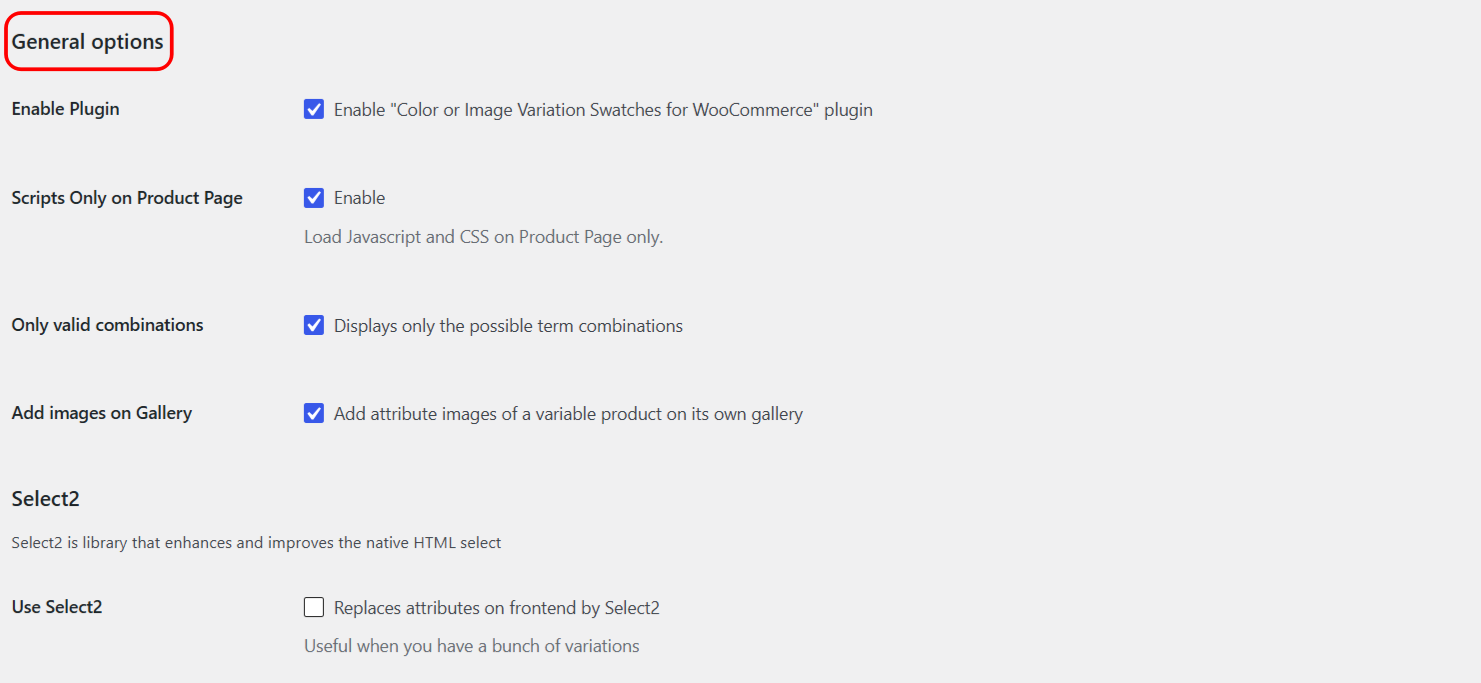
Free options #
| Label | Option ID | Type | Default | What it does |
|---|---|---|---|---|
| Enable Plugin | alg_wc_civs_enable |
Checkbox | Yes | Turns the frontend swatches on and off. When off, WooCommerce shows its normal variation dropdown. |
| Scripts Only on Product Page | alg_wc_civs_scripts_on_product_page |
Checkbox | Yes | Loads the swatch JavaScript and CSS on single product pages only. Turn off to load them on shop and category pages too. |
Pro options #
These four options appear only when the Pro version is active.
| Label | Option ID | Type | Default | What it does |
|---|---|---|---|---|
| Only valid combinations | alg_wc_civs_possible_combinations |
Checkbox | Yes | Greys out swatch combinations that do not exist, so shoppers only pick options they can actually buy. |
| Add images on Gallery | alg_wc_civs_add_images_on_gal |
Checkbox | Yes | Adds the images from an Image-type attribute to the variable product’s own gallery. |
| Use Select2 | alg_wc_civs_use_select_2 |
Checkbox | No | Replaces the attribute selectors with a searchable Select2 dropdown, useful when a product has many variations. |
| Load Select2 | alg_wc_civs_enqueue_select_2 |
Checkbox | Yes | Loads the Select2 library (version 4.0.3) on variable product pages. Keep it on whenever Use Select2 is on: the Select2 dropdowns are only activated when Variation Swatches loads the library itself, even if your theme or another plugin already provides Select2. |
Select2 needs both boxes: if you untick Load Select2, the Select2 dropdowns stay off even when Use Select2 is ticked and your theme already loads Select2, because Variation Swatches checks for its own copy of the library. Leave Load Select2 ticked to use Select2.
Each Pro option has its own guide:
- Show only valid variation combinations
- Add variation attribute images to the product gallery
- Use Select2 dropdowns for variations
Note: the swatch size, shape, and colors are not set here. There are no appearance controls on this screen. To resize or restyle swatches, add CSS: see How to change the size and shape of variation swatches.
Ready to set this up? #
Only valid combinations, gallery images, and Select2 are Pro features of Variation Swatches. If you are still on the free version, upgrading takes a couple of minutes and unlocks all four options above. Get Variation Swatches Pro.
Need a hand? Our team answers every ticket on the Variation Swatches support forum. For every option in one table, see the Variation Swatches Settings Reference.