- Can WooCommerce collect and validate VAT numbers without a plugin?
- What EU/UK VAT Manager does
- Install and activate
- First setup
- Main features
- Field, visibility and display options (General)
- Let customers decide, or pay VAT with a valid number (General)
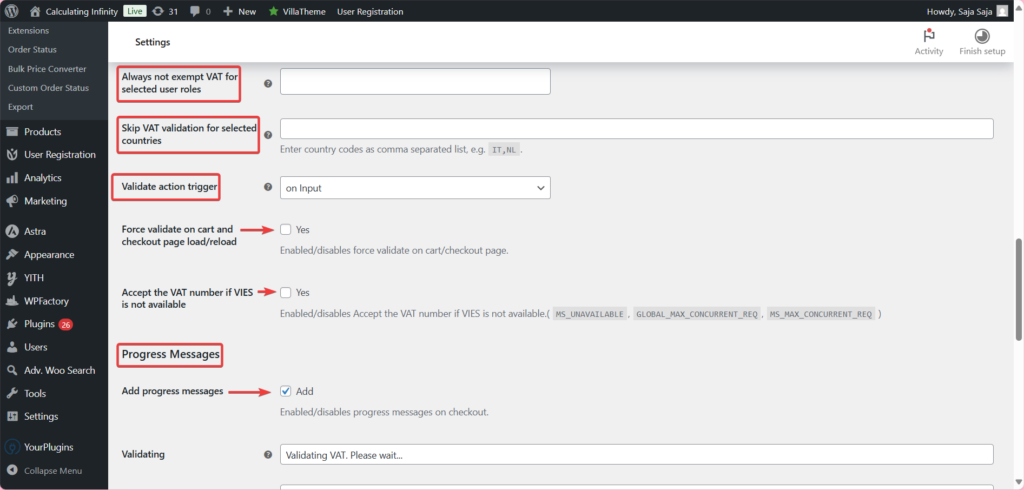
- Validation and VAT exemption (Validation)
- UK and non-EU numbers (Validation)
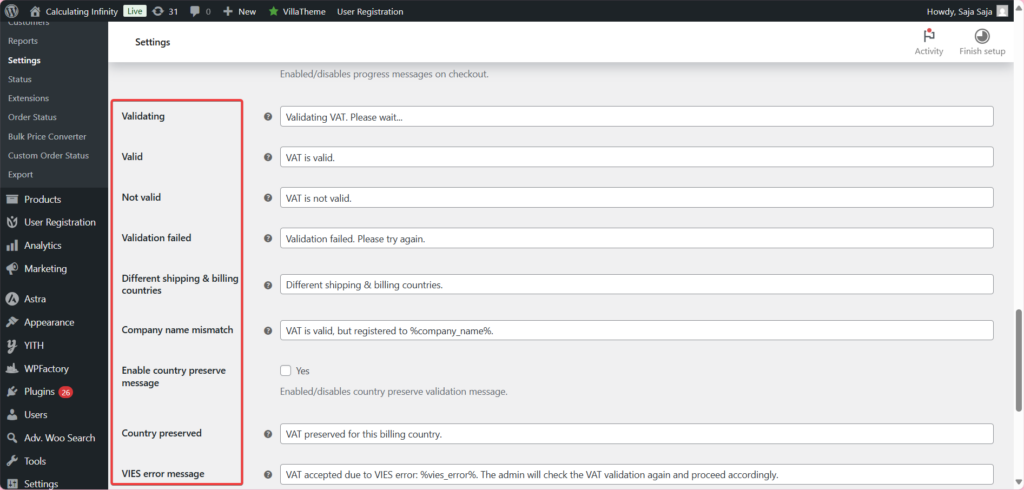
- Customer messages (Messages)
- Orders and admin (Admin)
- Block checkout and advanced tools (Advanced)
- Invoices (Compatibility)
- Free vs Pro
- Frequently asked questions
To add a VAT number field to WooCommerce checkout, install EU/UK VAT Manager for WooCommerce and go to WPFactory > EU VAT (also at WooCommerce > Settings > EU VAT). The free version adds an EU VAT Number field, checks each number against the VIES service, and removes VAT for validated business customers by default.
Can WooCommerce collect and validate VAT numbers without a plugin? #
No. WooCommerce core calculates tax from the rates you set under WooCommerce > Settings > Tax, but it has no VAT number field at checkout and no way to check a number against VIES. It also cannot remove VAT automatically for a customer with a valid business VAT number, so that needs custom code or a plugin.
What EU/UK VAT Manager does #
EU/UK VAT Manager adds a VAT number field to the checkout. As the customer types, the number is checked in real time against the EU VIES service. If it is valid, VAT is removed from the order (unless one of your “keep VAT” rules applies). If it is not valid, the customer sees a “not valid” message and cannot check out with that number. The number is saved with the order and shown to you in the admin.
Install and activate #
- Free: go to Plugins > Add New, search for EU/UK VAT Validation Manager for WooCommerce, click Install Now, then Activate.
- Pro: download EU/UK VAT Validation Manager for WooCommerce Pro from your WPFactory account and upload it at Plugins > Add New > Upload Plugin, then activate it.
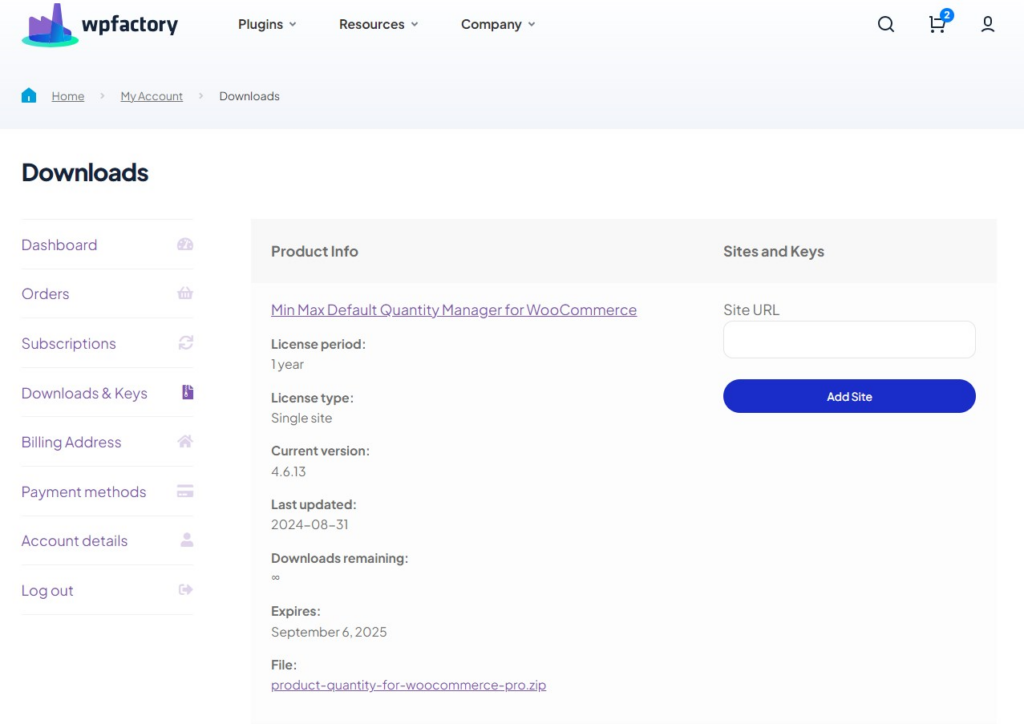
Full details are in installing EU/UK VAT Manager for WooCommerce.
First setup #
With the default settings the field already appears and validates. These steps make it fit a typical B2B store.
- Go to WPFactory > EU VAT. The General section opens.
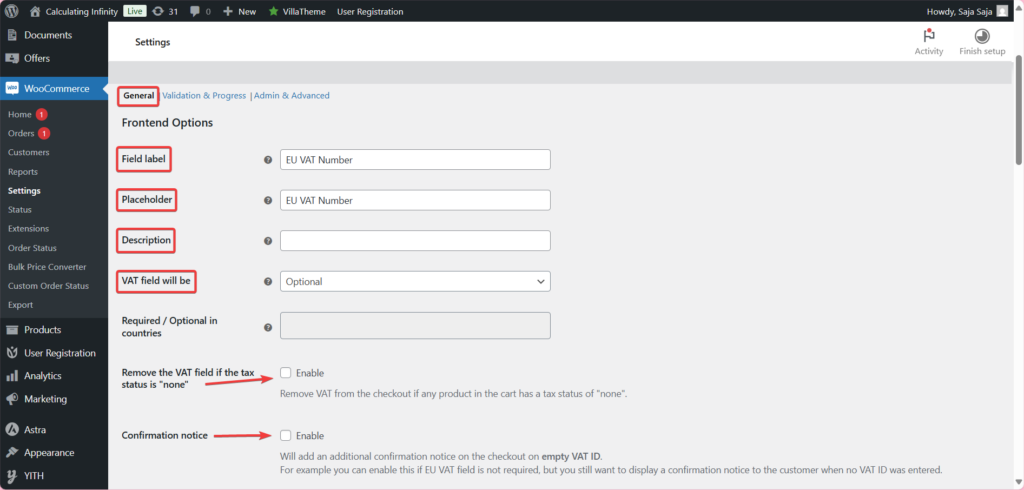
- Under Field Options, check Field label and Placeholder (both default to “EU VAT Number”) and add a Description if you want help text below the field.
- Choose VAT field will be: Optional (default), Required, Required in the following countries, Required in all countries except following countries or Required if customer fills the company field. Save changes.
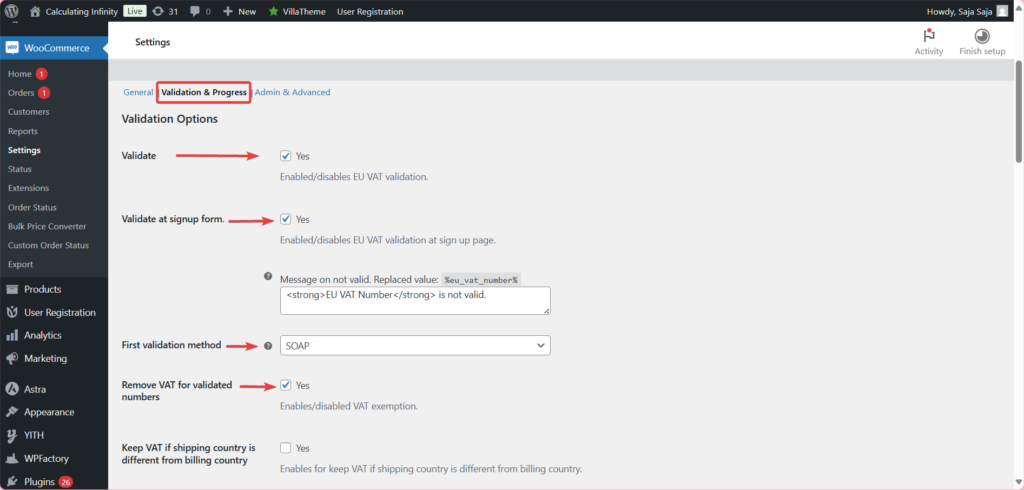
- Open the Validation section. Leave Validate on (default) and Remove VAT for validated numbers on (default).
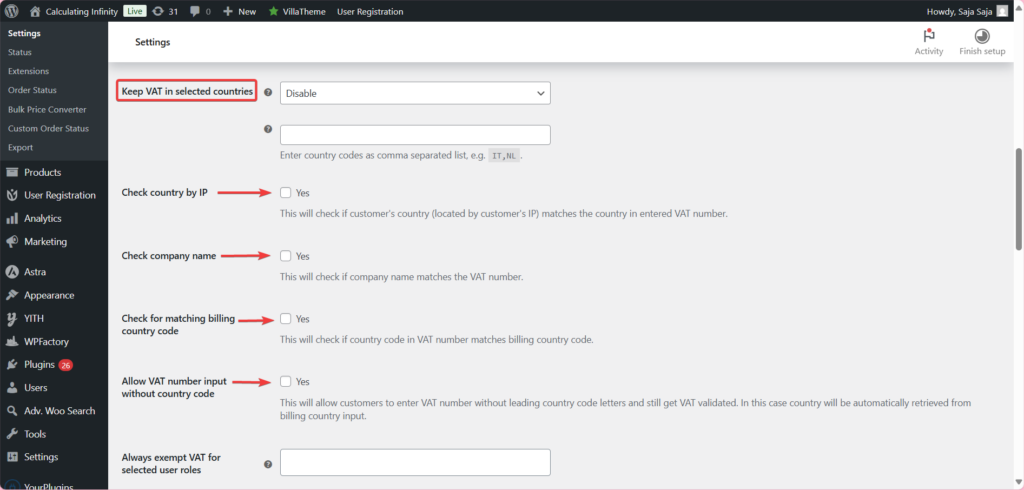
- If you sell from an EU country and must still charge VAT to local businesses, set Keep VAT in selected countries to Base (i.e., store) country (default: Disable). Save changes.
- Test at checkout with a valid VAT number: the progress message should say “VAT is valid.” and the tax line should drop to zero.
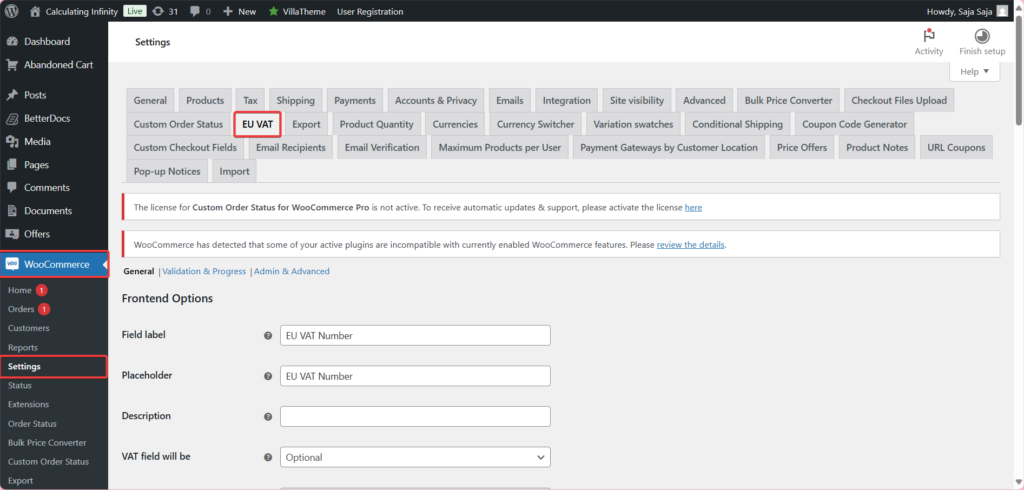
For a longer setup walkthrough, see how to set up EU VAT number validation in WooCommerce.
Main features #
Field, visibility and display options (General) #
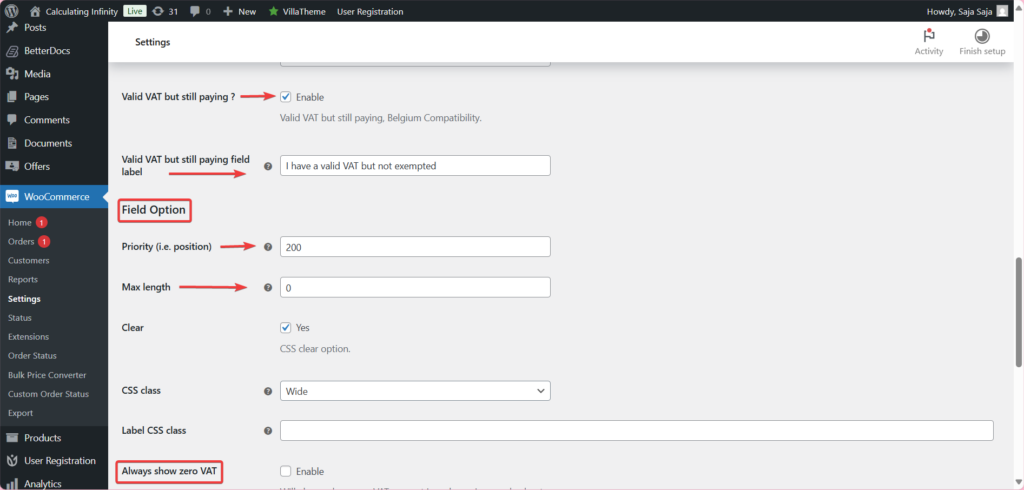
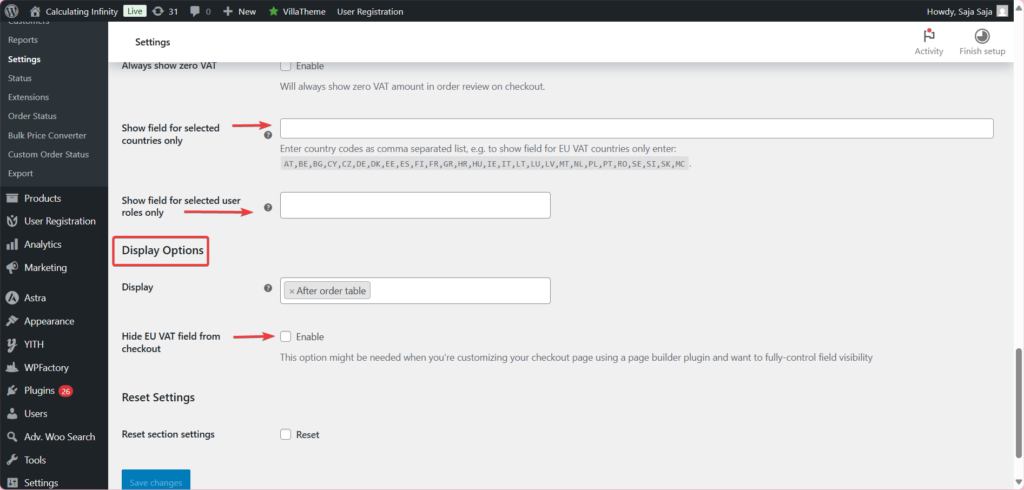
Set the field’s position (Priority (i.e., position), default 200), Max length and CSS class; show a Confirmation notice when the field is left empty; add the field to the sign-up form; and choose where the number is shown after checkout (Display: After order table by default, or In billing address). See advanced field, visibility and display options and adding the VAT field to the registration form.
Let customers decide, or pay VAT with a valid number (General) #
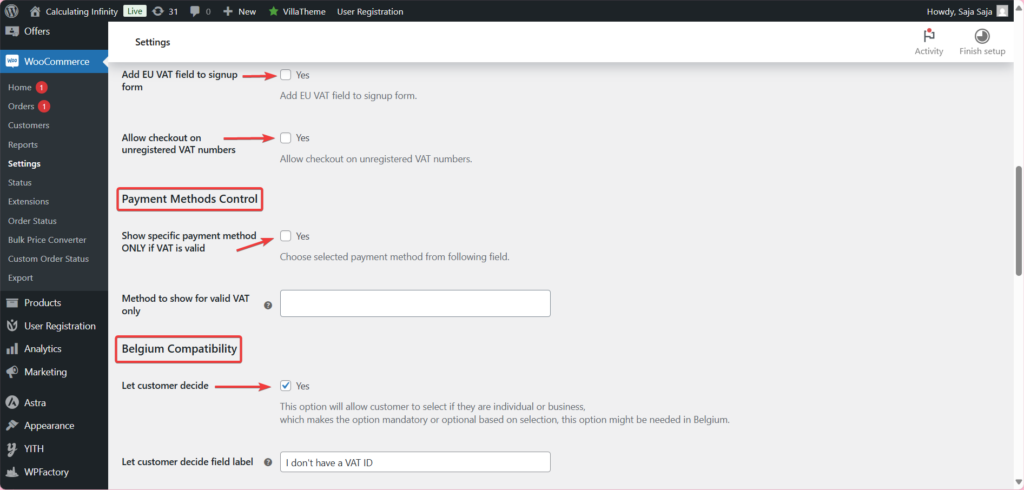
Let customer decide adds a checkbox (default label “I don’t have a VAT ID”) so individuals can skip the field. Valid VAT but still paying? adds a checkbox (default label “I have a valid VAT but not exempted”) for businesses that have a valid number but must still pay VAT. See how to make the VAT field required only for businesses.
Validation and VAT exemption (Validation) #
Choose the First validation method (SOAP by default, or cURL or Simple); if it fails, the plugin tries the other methods. Keep VAT when the shipping and billing countries differ, in chosen countries, or for chosen user roles, and exempt chosen roles always. See configuring EU VAT validation and keeping VAT instead of exempting.
UK and non-EU numbers (Validation) #
VIES covers EU countries only. Add a VATSense.com API key to validate UK and other non-EU numbers, and optionally use VATSense as a fallback when VIES is down. See validating UK and non-EU VAT numbers with VATSense.
Customer messages (Messages) #
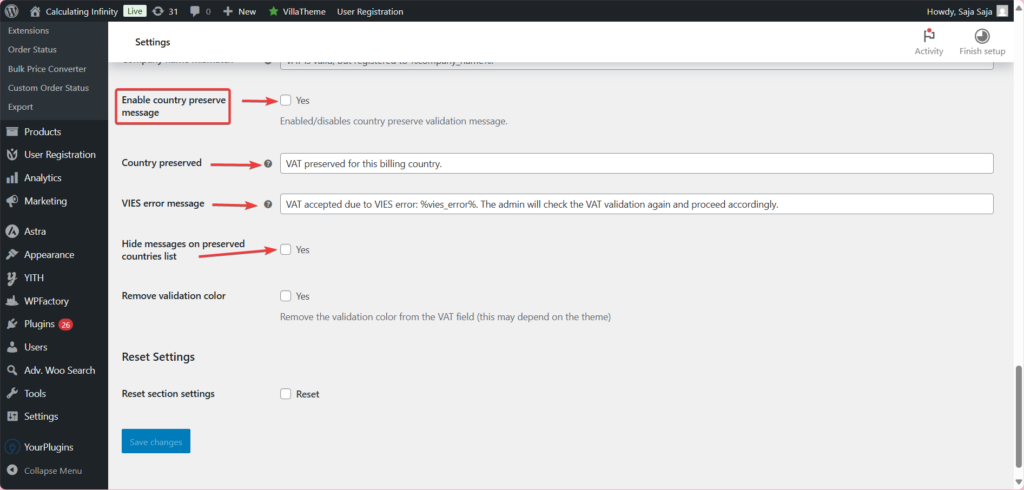
Add progress messages (default: on) shows texts such as “Validating VAT. Please wait…”, “VAT is valid.” and “VAT is not valid.” under the field; every text can be edited. See customizing the VAT validation messages.
Orders and admin (Admin) #
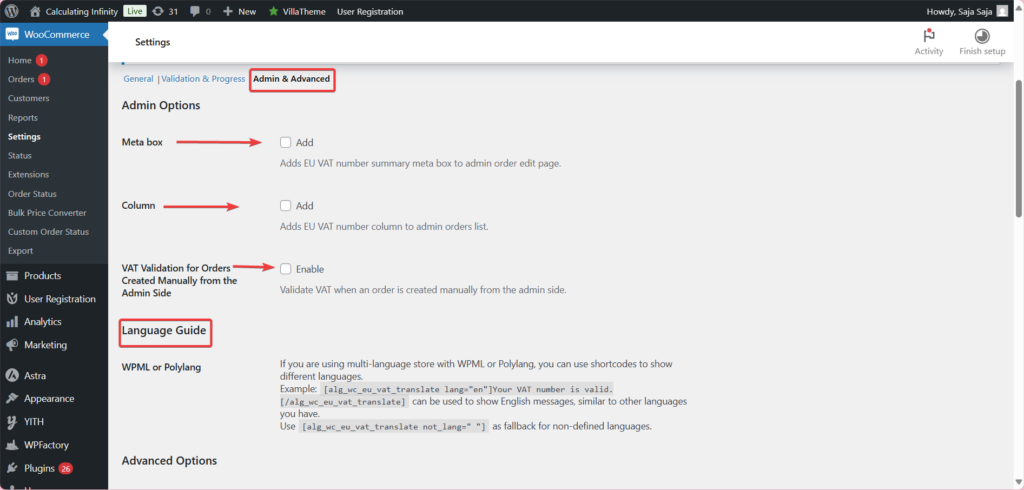
Add a VAT Meta box to the order edit page and a VAT Column to the orders list (both off by default), validate numbers on orders created manually in the admin, and add a VAT number summary to the admin new order email. See showing VAT numbers in admin orders and reports.
Block checkout and advanced tools (Advanced) #
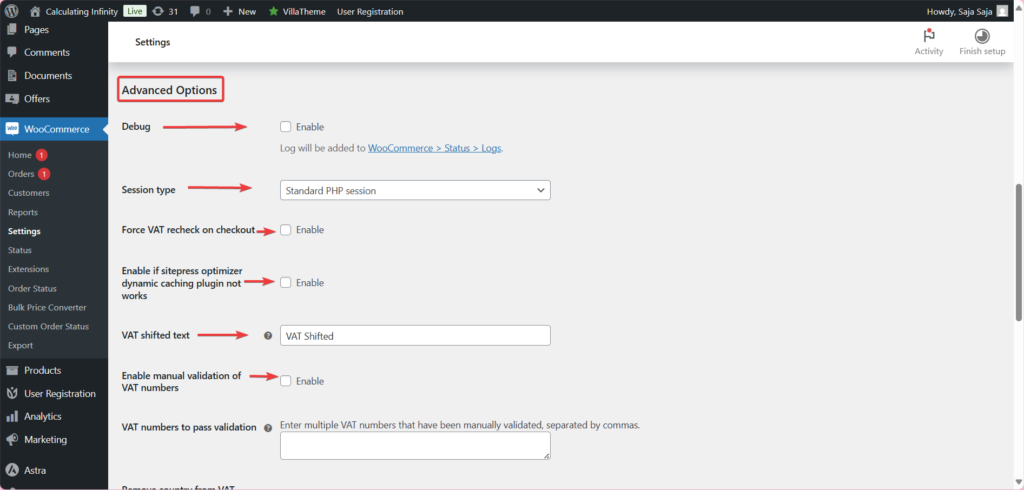
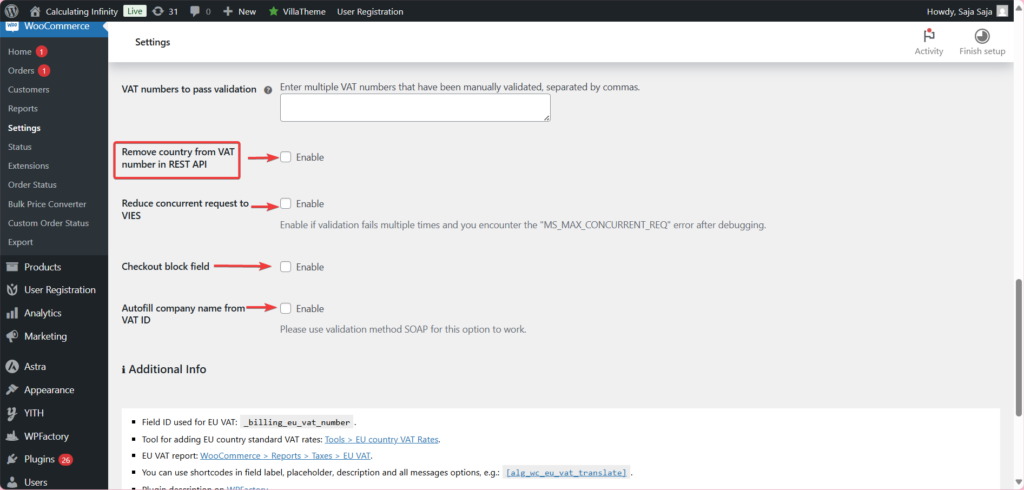
Turn on Checkout block field (default: off) for the block-based checkout. Other tools include Debug, Force VAT recheck on checkout, Manual validation of VAT numbers, Reduce concurrent request to VIES and Autofill company name from VAT ID. See enabling the VAT field in block-based checkout and the Advanced settings reference.
Invoices (Compatibility) #
The VAT number is added to PDF Invoices & Packing Slips for WooCommerce and YITH WooCommerce PDF Invoices & Packing Slips documents by default. See adding the VAT number to PDF invoices.
Free vs Pro #
VIES validation, VAT exemption and nearly every option are free. Six options are Pro:
| Option | Section | Free | Pro |
|---|---|---|---|
| Field, messages, validation methods, VAT exemption and keep-VAT rules | All | Yes | Yes |
| Allow checkout on unregistered VAT numbers | General | No | Yes |
| Show specific payment method only if VAT is valid | General | No | Yes |
| Show field for selected countries only | General | No | Yes |
| Show field for selected user roles only | General | No | Yes |
| Check country by IP | Validation | No | Yes |
| Check company name | Validation | No | Yes |
See restricting the VAT field and payment methods (Pro) and the Free vs Pro comparison.
Frequently asked questions #
Is the VAT number field required by default? #
No. VAT field will be is set to Optional by default. You can change it to Required, required only in (or in all except) chosen countries, or required when the customer fills in the company field. See how to make the VAT field required only for businesses.
Can it validate UK VAT numbers? #
Yes. VIES covers EU countries only, so UK numbers (and Australian, Norwegian and Swiss ones) are checked through VATSense. Add your key in VATSense.com API key in the validation settings, as described in validating UK and non-EU VAT numbers with VATSense.
Does the VAT field work with the block checkout? #
Yes, once you turn on Checkout block field in the Advanced options; it is off by default. See how to enable the VAT field in block-based checkout.
What happens when VIES is down? #
By default the number is not accepted. Turn on Accept the VAT number if VIES is not available in the Validation section, or enable the VATSense fallback. See EU VAT validation always fails and VIES IP blocking.
Can I add the VAT number to invoices? #
Yes. Integrations for PDF Invoices & Packing Slips for WooCommerce and YITH WooCommerce PDF Invoices & Packing Slips are on by default in the Compatibility section. See how to add the VAT number to PDF invoices.
Get more control #
VAT field, VIES validation and exemption are free. EU/UK VAT Manager for WooCommerce Pro adds payment method control, country and role visibility rules, IP country checks and company name checks. See what Pro unlocks.
Need a hand? Our team answers every ticket on the EU/UK VAT Manager support forum.