Custom checkout fields in emails and order pages #
Custom Checkout Fields for WooCommerce can add every submitted field to your WooCommerce order emails and to the customer-facing order pages, and it lets you control the surrounding markup with template textareas and placeholders. This reference lists each option, its default, and the placeholders you can use.
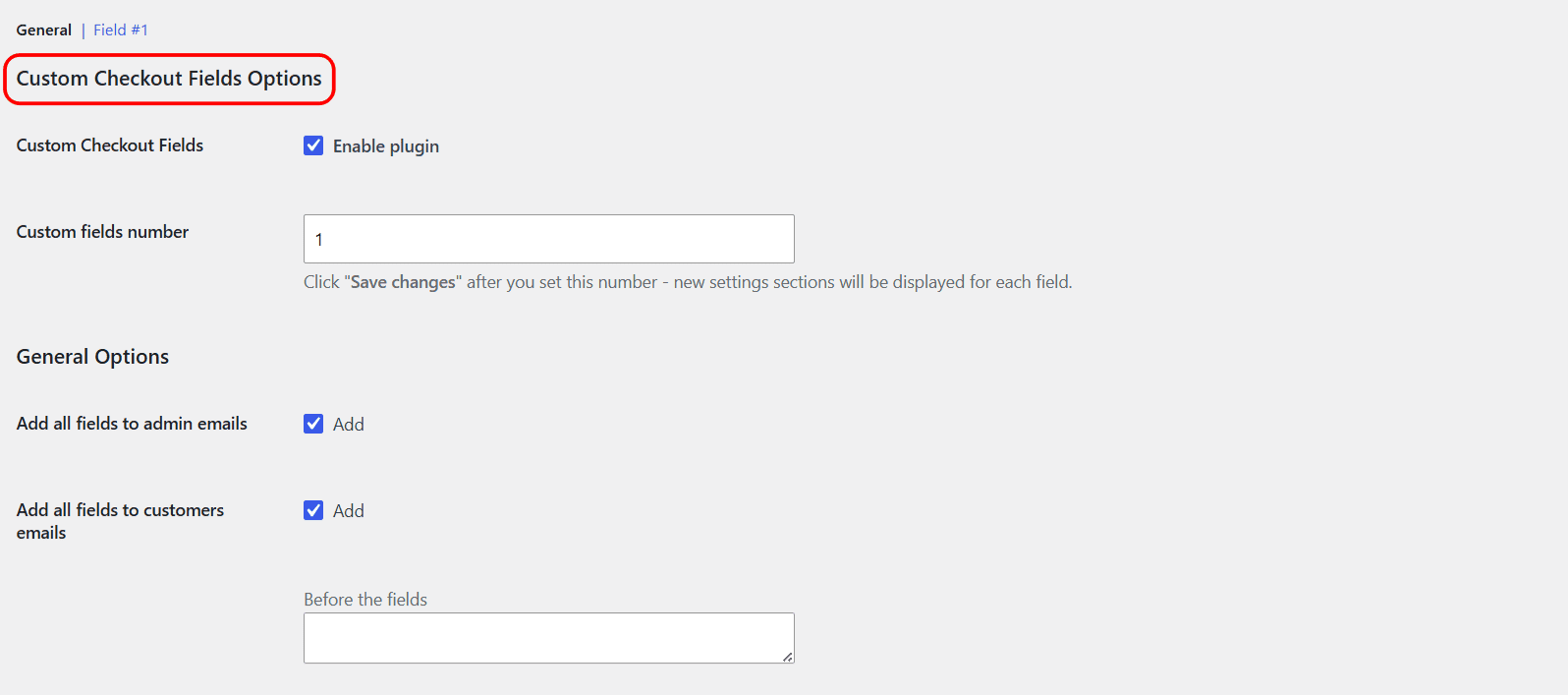
Where to find these options #
Go to WPFactory > Custom Checkout Fields (also reachable at WooCommerce > Settings > Custom Checkout Fields) and open the General section. The controls sit under General Options.
Email options #
| Label | Option ID | Default |
|---|---|---|
| Add all fields to admin emails | alg_wc_ccf_email_all_to_admin |
Yes |
| Add all fields to customers emails | alg_wc_ccf_email_all_to_customer |
Yes |
| Before the fields | alg_wc_ccf_emails_template_before |
Empty |
| Each field | alg_wc_ccf_emails_template_field |
<p><strong>%label%:</strong> %value%</p> |
| After the fields | alg_wc_ccf_emails_template_after |
Empty |
Order Received and View Order options #
These cover the “Order Received” (Thank You) page and the “View Order” page in the customer account.
| Label | Option ID | Default |
|---|---|---|
| Add all fields to “Order Received” and “View Order” pages | alg_wc_ccf_add_to_order_received |
Yes |
| Before the fields | alg_wc_ccf_order_received_template_before |
Empty |
| Each field | alg_wc_ccf_order_received_template_field |
<p><strong>%label%:</strong> %value%</p> |
| After the fields | alg_wc_ccf_order_received_template_after |
Empty |
Placeholders #
The Each field templates run once per field, with two placeholders:
| Placeholder | Replaced with |
|---|---|
%label% |
The field label. |
%value% |
The submitted value. Multiselect values are joined with commas. |
The Before the fields and After the fields templates print once, wrapping the whole block, so they are the place for an opening heading or a closing tag.
Duplicate field labels #
If a field uses the Duplicate option to repeat per product, the label of each copy is built from a template in the plugin’s Advanced Options:
| Label | Option ID | Default |
|---|---|---|
| For each product in cart | alg_wc_ccf_duplicate_label_template_each_product |
%product_title% |
| For each product item in cart | alg_wc_ccf_duplicate_label_template_each_product_item |
%product_title% (%item_nr%) |
| Glue | alg_wc_ccf_duplicate_label_glue |
: |
The Glue joins the base label and the per-product suffix, so a “Gift message” field for the product “Candle” reads “Gift message: Candle”.
Example #
To render each field as a table row in emails, set Before the fields to <table>, Each field to <tr><td>%label%</td><td>%value%</td></tr>, and After the fields to </table>.
Get more fields #
These template controls are free. Custom Checkout Fields for WooCommerce Pro lets you add up to 100 fields, all formatted by the same templates. See what Pro unlocks.