Show the selector only where you want it #
To limit the products per page selector to specific pages in Number of Products per Page – Pagination Manager for WooCommerce, go to WPFactory > Products per Page > Advanced and use the Scopes options. Add page types to Require to show it only there, or to Exclude to keep it off them. Exclude takes precedence.
Where to set scopes #
Go to WPFactory > Products per Page (also reachable at WooCommerce > Settings > Products per Page), then open the Advanced section and find the Scopes options.
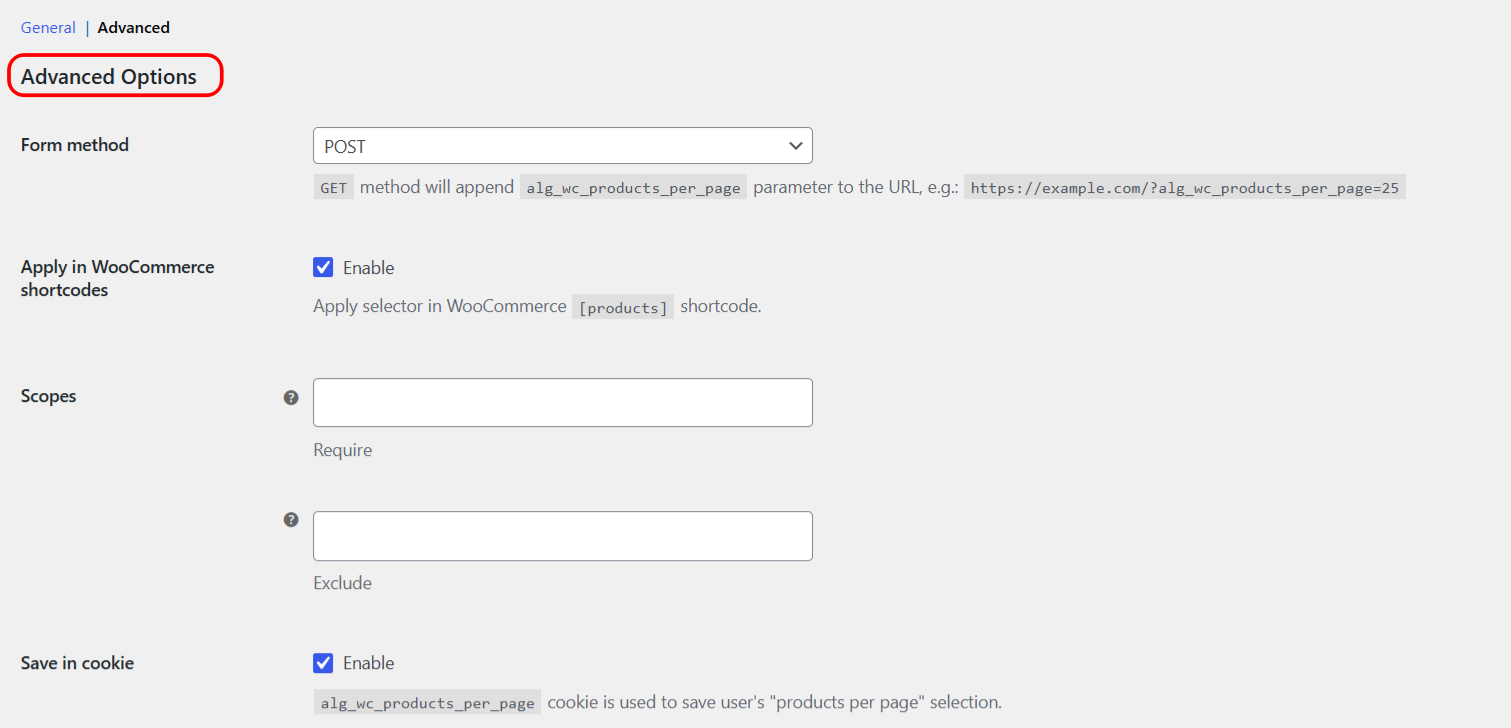
Require and Exclude #
| Setting | Option ID | Effect |
|---|---|---|
| Require | alg_wc_products_per_page_scopes[require] |
Apply only on the selected page types |
| Exclude | alg_wc_products_per_page_scopes[exclude] |
Never apply on the selected page types |
Both lists are empty by default, which means the selector applies everywhere. Exclude takes precedence: if a page matches both lists, the selector is not applied.
Available page types #
- Product category (
is_product_category) - Product tag (
is_product_tag) - Product taxonomy (
is_product_taxonomy) - Shop (
is_shop) - Archive (
is_archive) - Home (
is_home) - Front page (
is_front_page) - Single (
is_single) - Singular (
is_singular)
Examples #
- Shop and categories only: add Shop and Product category to Require.
- Everywhere except the front page: leave Require empty and add Front page to Exclude.
Get more control #
Scopes are free. Number of Products per Page – Pagination Manager for WooCommerce Pro adds an editable options list and a Products per Page widget. See what Pro unlocks.