Monitoring background processes #
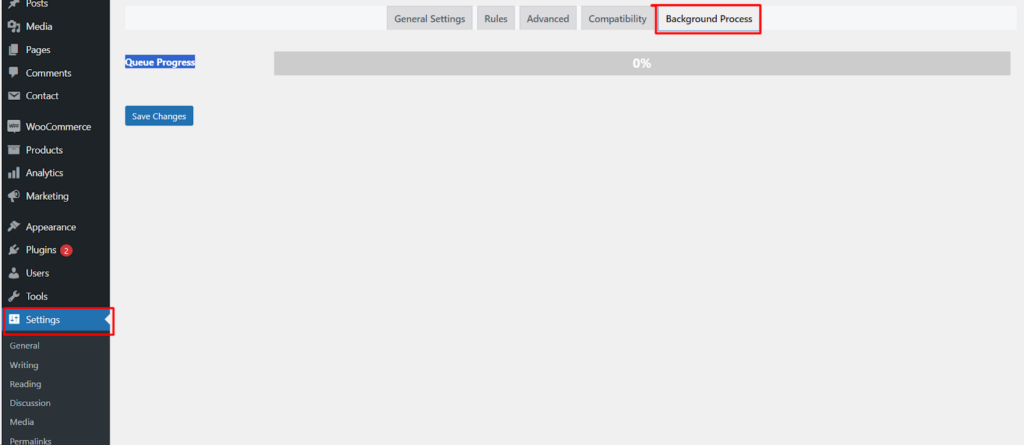
Rename Media Files: Improve Your WordPress SEO runs bulk and scheduled renaming through a background queue so large jobs do not slow down your dashboard. The Background Process tab lets you watch that queue and clear it if needed. This tab is a Pro-only feature.
Where the settings live #
Go to WPFactory > File Renaming in your WordPress admin. The settings page is titled File Renaming on Upload. Open the Background Process tab, which is added by Pro.
How the queue works #
When you run a bulk filename update from the Media Library or a scheduled filename update, Rename Media Files does not process every file at once. It adds the work to a background queue and processes it in batches. This keeps the admin responsive even when you are renaming a large number of files.
Background Process options #
- Queue Progress:
queue_progressshows a progress bar for the current queue, so you can see how far along the queued filename updates are. - Clear queue:
clear_queueempties the queue and stops any pending filename updates. It is off by default.
Options reference #
| Setting | Option ID | Default | Free/Pro |
|---|---|---|---|
| Queue Progress | queue_progress |
On | Pro |
| Clear queue | clear_queue |
Off | Pro |
Ready to set this up? #
This is a Pro feature of Rename Media Files. If you are still on the free version, upgrading unlocks this along with the rest of the Pro toolkit. Get Rename Media Files Pro.