Customer Email Verification for WooCommerce lets you decide where a customer lands after they verify or fail to verify, and how long an activation link stays valid. All of these settings live on the General sub-tab. This guide lists each one with its real option id.
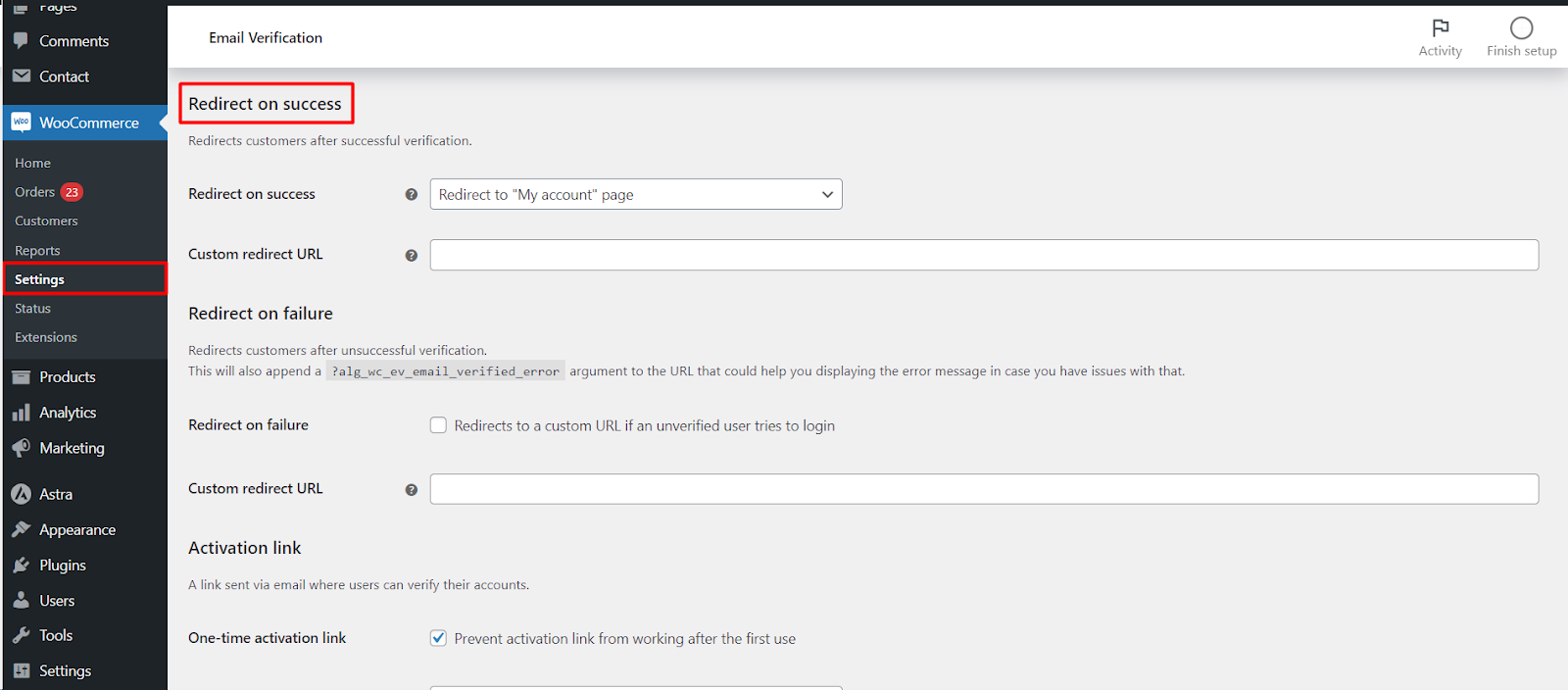
Where to find it #
Go to WPFactory > Email Verification (also reachable at WooCommerce > Settings > Email Verification) and open the General sub-tab.
Activation link #
| Label | Option ID | Default |
|---|---|---|
| One-time activation link | alg_wc_ev_one_time_activation_link |
Yes |
| Expire time | alg_wc_ev_expiration_time |
0 (ignored) |
| Expire time unit | alg_wc_ev_expiration_time_unit |
Seconds |
| Expire notice | alg_wc_ev_activation_code_expired_message |
Built-in text |
One-time activation link stops a link from working after its first use. Expire time is ignored when set to 0; set a number and pick Expire time unit (Seconds or Days) to make links expire. The Expire notice is shown when a customer clicks an expired link and supports the %resend_verification_url% placeholder.
Redirect on success #
Redirect on success (alg_wc_ev_redirect_to_my_account_on_success, default “Redirect to My account page”) sends a customer somewhere the moment they verify. The choices are: Do not redirect, My account page, Shop page, Home page, Custom URL, or the previous URL before the My account page. When you pick Redirect to custom URL, enter the address in Custom redirect URL (alg_wc_ev_redirect_on_success_url).
Redirect on failure #
Redirect on failure (alg_wc_ev_redirect_on_failure, default No) sends an unverified user who tries to log in to a custom URL set in Custom redirect URL (alg_wc_ev_redirect_on_failure_url). The plugin appends ?alg_wc_ev_email_verified_error to that URL so you can detect the failure and show your own message. Leave the URL empty to redirect back to the same page.
Get more control #
These redirect and activation link options are free. Customer Email Verification for WooCommerce Pro adds a custom verification URL parameter, content blocking and more. See what Pro unlocks.