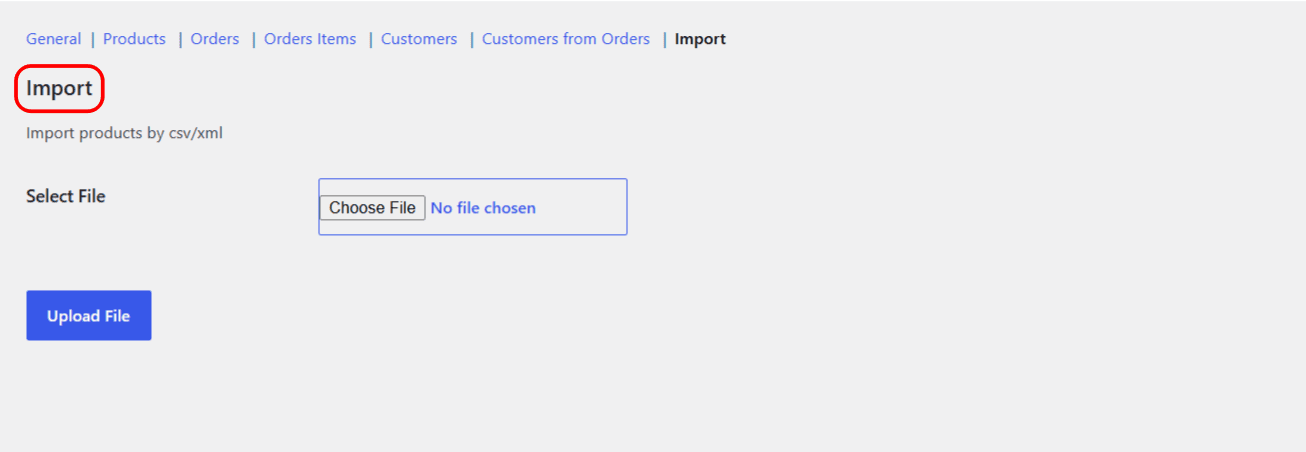
To import products from a CSV or XML file with Export Products, Orders & Customers for WooCommerce, go to WPFactory > Export and open the Import section. Choose your file under Select File, click Upload File, match each product field to a column, then click Run Import. The Import tool is free and creates new products.
Before you start #
- A CSV or XML file whose first row (CSV) or first item (XML) holds the column names.
- The import creates product posts. It is best suited to adding new products, not bulk-updating existing ones.
Step 1: open the Import section #
- Go to WPFactory > Export (also reachable at WooCommerce > Settings > Export).
- Open the Import section.
Step 2: upload your file #
- Under Select File, choose your
.csvor.xmlfile. - Click Upload File. The plugin stores the file and reads its column headers.
Step 3: match columns to product fields #
After uploading, you get a list of product fields, each with a dropdown of the columns found in your file. Point each product field at the matching column, then click Run Import. When it finishes you will see “Import done successfully”.
Fields you can import #
The importer maps to this set of product fields:
| Group | Fields |
|---|---|
| Core | Product ID, Name, SKU, Type (defaults to simple), Status (defaults to publish), Short Description, Description |
| Pricing and stock | Regular Price, Sale Price, Price, Total Stock, Stock Quantity, Manage Stock, Stock Status, Backorders |
| Shipping and flags | Width, Length, Height, Weight, Downloadable, Virtual, Sold Individually, Featured, Visibility, Image URL |
Tip: the easiest way to get a correctly shaped file is to run a Product export first, edit it in a spreadsheet, and import it back. The column names will already match the field list.
Good to know #
- Each imported row creates a product; the import is designed for adding products rather than updating existing ones by ID.
- Map either Total Stock or Stock Quantity, not both, since they write the same stock value.
- XML files must have items whose element names match the product field keys (the same shape the XML export produces).
Need a hand? #
Product import is free in Export Products, Orders & Customers for WooCommerce. Our team answers every ticket on the Export WooCommerce support forum.