Table of Contents
Resetting a settings section to its defaults #
Every section of Maximum Products per User for WooCommerce has a built-in reset control, so you can undo a misconfigured General, Limits, Guests, Frontend or other section without touching the rest. This is free.
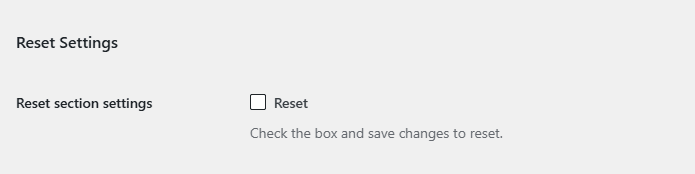
Where to find it #
Go to WPFactory > Max Products per User (also reachable at WooCommerce > Settings > Maximum Products per User), open the section you want to reset and scroll to the Reset Settings box at the bottom.
Step by step #
- Open the section whose options you want to clear.
- Tick Reset section settings (
wpfmppu_<section>_reset). - Click Save changes. Every option in that section returns to its default value.
Note: the reset applies only to the section you are viewing, and there is no undo. Note down any custom values you may want back before saving.
When to use it #
- You changed several options while testing and want a clean starting point.
- A section behaves unexpectedly and you want to rule out a stray setting.

Maximum Products per User for WooCommerce
Get more control
Section resets are free in Maximum Products per User for WooCommerce. Pro adds per-product, per-category and formula limits.