How to set input limits on a checkout field #
To control what a customer can type into a WooCommerce checkout field, use the Input Options in Custom Checkout Fields for WooCommerce. These options set a maximum text length, a minimum and maximum numeric value, and a step interval, and they map straight to the matching HTML attributes on the field.
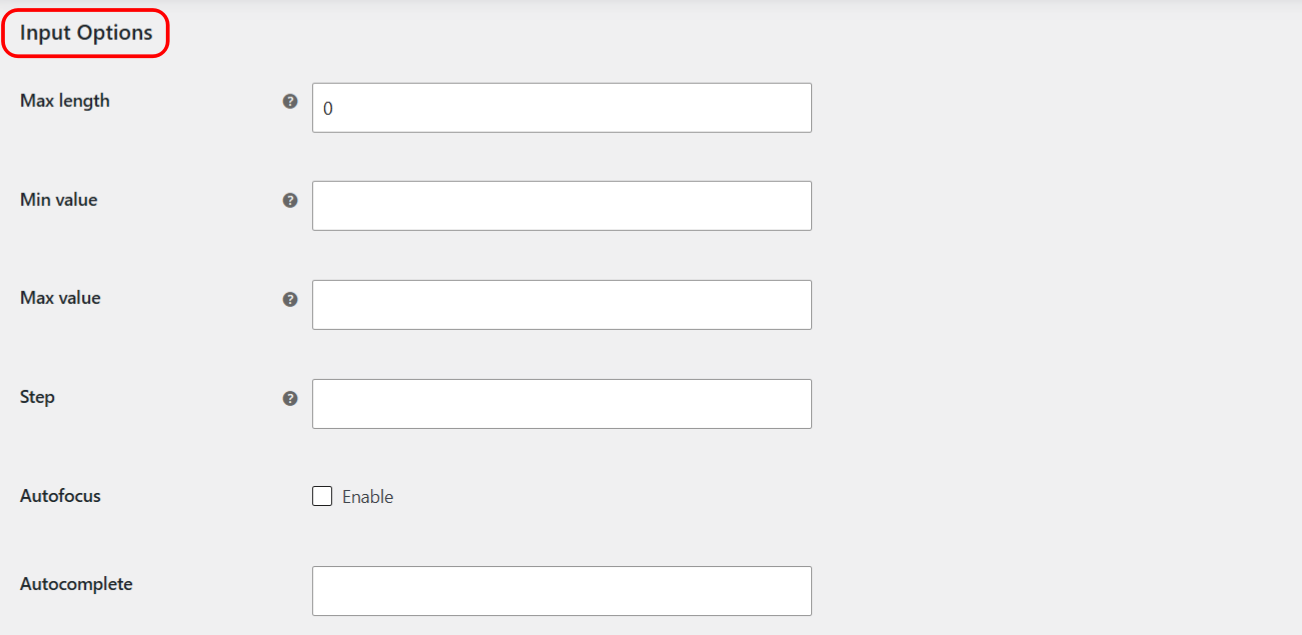
Where to find these options #
- Go to WPFactory > Custom Checkout Fields (also reachable at WooCommerce > Settings > Custom Checkout Fields).
- Open the field tab and scroll to Input Options.
Options reference #
| Label | Option ID | Default | What it does |
|---|---|---|---|
| Max length | alg_wc_ccf_maxlength_1 |
0 | Maximum number of characters, for example on a Text field. 0 leaves it unlimited. |
| Min value | alg_wc_ccf_min_1 |
Empty | Minimum value, for example on a Number or Range field. Leave blank to disable. |
| Max value | alg_wc_ccf_max_1 |
Empty | Maximum value, for example on a Number or Range field. Leave blank to disable. |
| Step | alg_wc_ccf_step_1 |
Empty | Legal number intervals, for example on a Number or Range field. Leave blank to disable. |
| Autofocus | alg_wc_ccf_autofocus_1 |
No | Adds the HTML autofocus attribute so the browser puts the cursor in this field on load. |
| Autocomplete | alg_wc_ccf_autocomplete_1 |
Empty | Free text that becomes the HTML autocomplete attribute value, for example off, name, or email. |
Which field types they apply to #
- Max length limits character count on text-style inputs such as Text, Textarea, Password, Email, Phone, Search, and URL.
- Min value, Max value, and Step apply to numeric inputs, that is the Number and Range types. They are written to the field only when you enter a value, so a blank one is simply left off.
- Autofocus and Autocomplete apply to any input-based field.
Note: Autocomplete is a value, not a switch. Type the autocomplete token you want, such as off. Leaving it blank keeps the browser default.
Example #
For a “Quantity of gift wraps” Number field that must be between 1 and 10 in steps of 1, set Min value to 1, Max value to 10, and Step to 1. To cap a “Delivery note” Text field at 200 characters, set Max length to 200.
Get more fields #
Input limits work on your single free field. Custom Checkout Fields for WooCommerce Pro lets you add up to 100 fields, each with its own input limits. See what Pro unlocks.