To show a WooCommerce checkout field only in certain situations, use the Visibility Options in Custom Checkout Fields for WooCommerce. Each field can be limited by what is in the cart, who the customer is, where they are, or the value of another field.
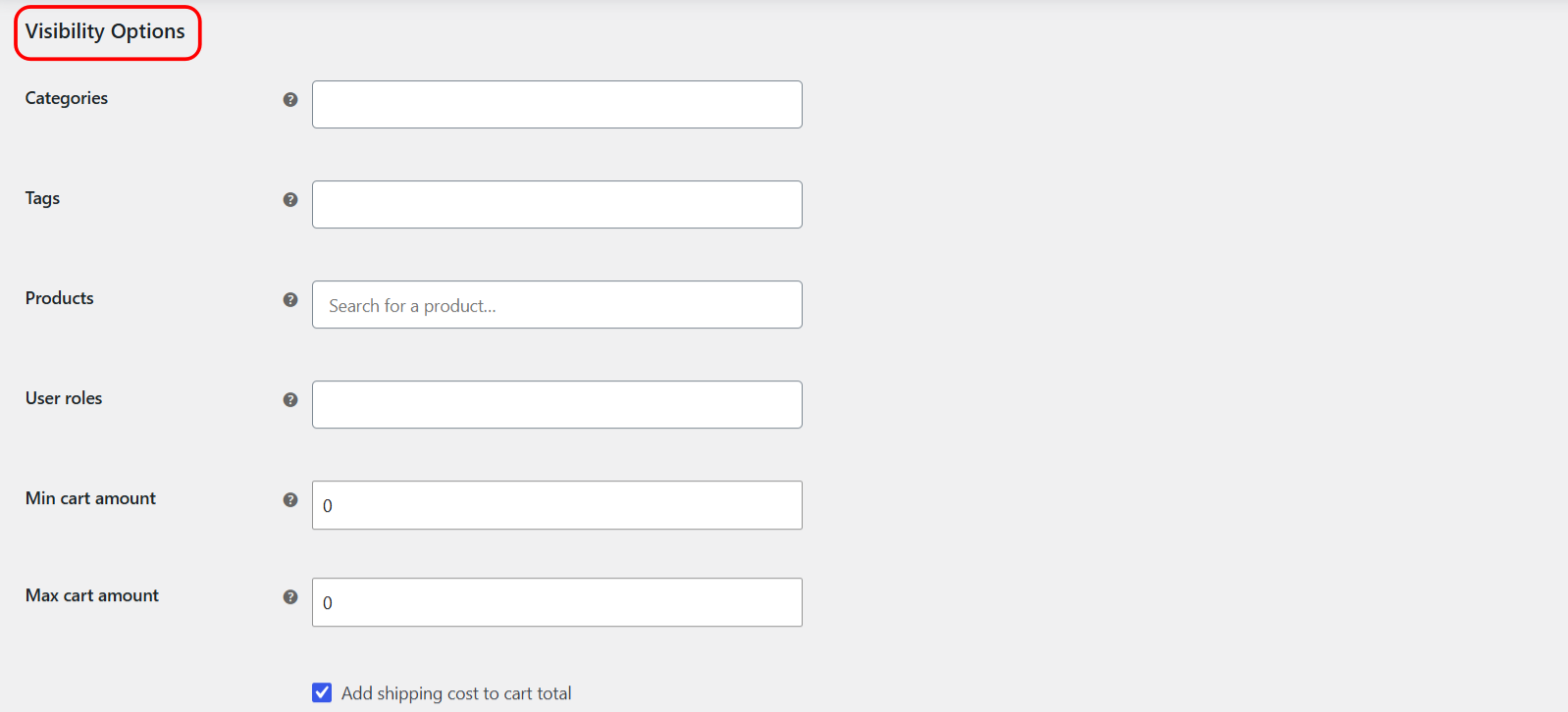
How visibility works #
By default a field shows for everyone. As soon as you set one or more visibility rules, the field only appears when all of them are satisfied. Leave a rule blank to ignore it.
Open the Visibility Options #
- Go to WPFactory > Custom Checkout Fields (also reachable at WooCommerce > Settings > Custom Checkout Fields).
- Open the field tab and scroll to Visibility Options.
Cart-based rules #
| Label | Option ID | Shows the field when |
|---|---|---|
| Categories | alg_wc_ccf_categories_in_1 |
The cart contains a product in a selected category |
| Tags | alg_wc_ccf_tags_in_1 |
The cart contains a product with a selected tag |
| Products | alg_wc_ccf_products_in_1 |
The cart contains a selected product |
| Product shipping classes | alg_wc_ccf_shipping_classes_in_1 |
The cart contains a product in a selected shipping class |
| Virtual products | alg_wc_ccf_virtual_products_1 |
Require or exclude when a virtual product is in the cart |
| Downloadable products | alg_wc_ccf_downloadable_products_1 |
Require or exclude when a downloadable product is in the cart |
| Min cart amount | alg_wc_ccf_min_cart_amount_1 |
The cart total is at least this amount (0 to ignore) |
| Max cart amount | alg_wc_ccf_max_cart_amount_1 |
The cart total is no more than this amount (0 to ignore) |
The Add shipping cost to cart total option (alg_wc_ccf_cart_total_shipping_1, default Yes) decides whether shipping is counted in the Min and Max cart amount checks.
Customer-based rules #
| Label | Option ID | Shows the field when |
|---|---|---|
| User roles | alg_wc_ccf_user_roles_in_1 |
The visitor has a selected role |
| Countries | alg_wc_ccf_countries_1 |
Combined with the Countries action below |
| Countries action | alg_wc_ccf_countries_action_1 |
Hide in selected countries, or show in selected countries only |
Guest visitors: logged-out shoppers count as the special role Guest. To show a field to visitors who are not logged in, include Guest in the User roles list.
Show or hide based on another field #
The By another field rule reacts live to a value the customer types or selects, without reloading the page.
| Label | Option ID | Default |
|---|---|---|
| By another field | alg_wc_ccf_visibility_by_field_1 |
Empty |
| Action | alg_wc_ccf_visibility_by_field_action_1 |
Check if not empty |
| Exact value | alg_wc_ccf_visibility_by_field_exact_value_1 |
Empty |
Enter the ID of the controlling field, for example billing_alg_wc_checkout_field_2. Choose Check if not empty to show your field once the other one has any value, or Check for an exact value and set the matching value. A required field that is hidden this way is not enforced while hidden.
Example #
To show a “Company VAT number” field only for wholesale customers spending at least 500, set User roles to your wholesale role and Min cart amount to 500 on that field.
Get more fields #
Visibility rules work on your single free field. Custom Checkout Fields for WooCommerce Pro lets you add up to 100 fields, each with its own rules. See what Pro unlocks.