To show a product’s cost or profit on any page, turn on the [wpfcogs_product_cost] and [wpfcogs_product_profit] shortcodes in Cost of Goods: Product Cost & Profit Calculator for WooCommerce at WPFactory > Cost of Goods > Shortcodes, then paste them where the value should appear. Both shortcodes are free.
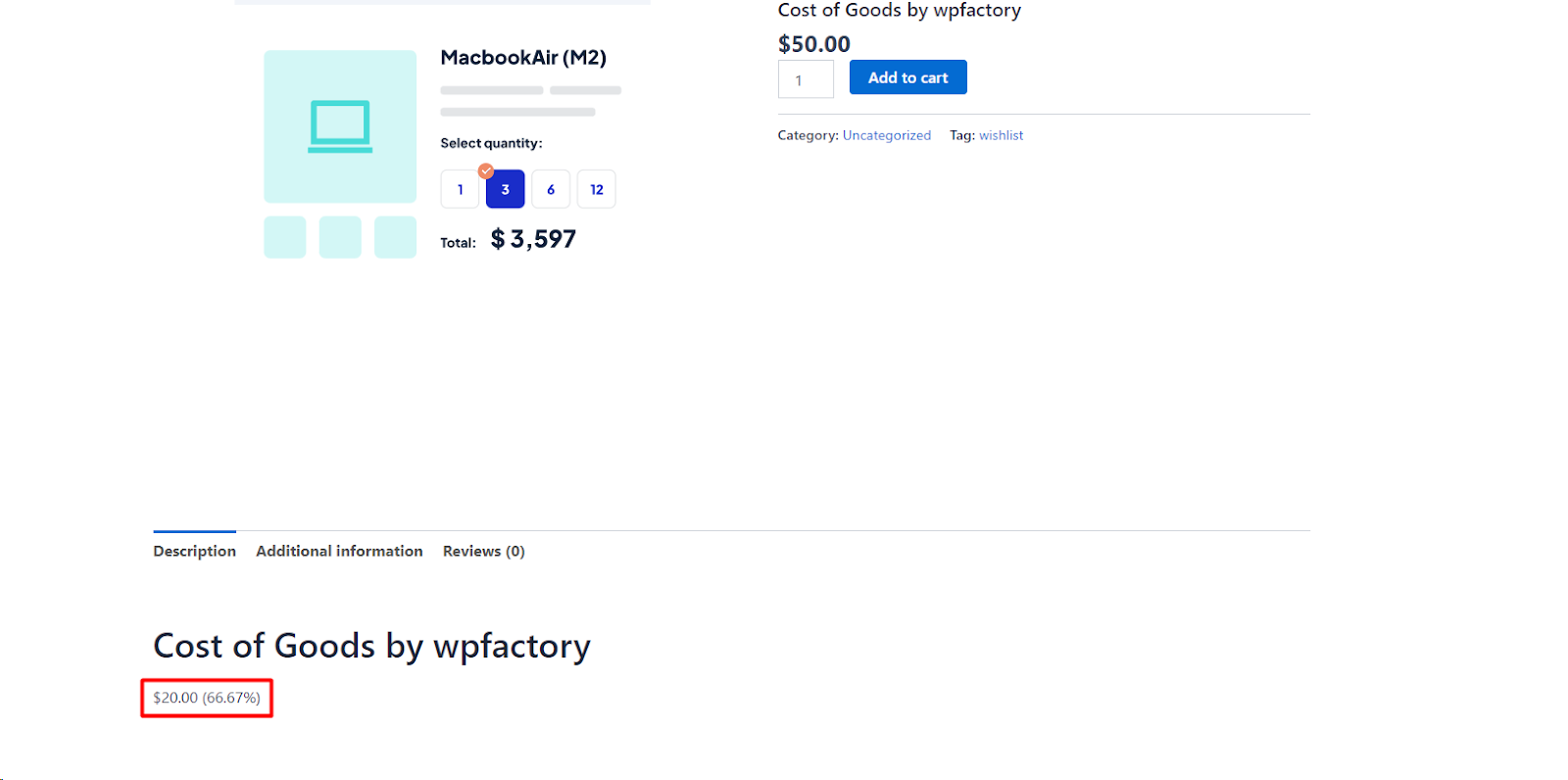
Step 1: Enable the shortcodes first #
Both shortcodes are off by default. Until you switch one on, the page prints the shortcode tag itself as plain text, for example [wpfcogs_product_cost], instead of a value.
- Go to WPFactory > Cost of Goods (also reachable at WooCommerce > Settings > Cost of Goods).
- Open the Shortcodes sub-tab.
- In the Product shortcodes group, tick [wpfcogs_product_profit] (“Displays the product profit”) and/or [wpfcogs_product_cost] (“Displays the product cost”).
- Click Save changes.
Step 2: Use the shortcodes #
Place either shortcode where you want the value to appear:
[wpfcogs_product_cost]
[wpfcogs_product_profit]
With no product_id, each shortcode reads the current product (for example on a single product template). To target a specific product, pass its ID:
[wpfcogs_product_cost product_id="123"]To show the profit margin instead of the markup percentage, change the profit template:
[wpfcogs_product_profit profit_template="%profit% (%profit_margin%)"]Shortcode reference #
| Shortcode | Enable option | Default | Shows |
|---|---|---|---|
[wpfcogs_product_cost] |
alg_wc_cog_shortcode_product_cost |
Off | The product cost. |
[wpfcogs_product_profit] |
alg_wc_cog_shortcode_product_profit |
Off | The product profit. |
Attributes #
product_id: the product to read. If empty, the current product is used.html_template: the wrapper HTML. Default for cost is<span class="wpfcogs-product-cost">{content}</span>; default for profit is<span class="wpfcogs-product-profit">{content}</span>. The{content}token is replaced by the value. Use the CSS classes to style the output.profit_template(profit only): the value format. It defaults to your Profit HTML template setting (Products sub-tab), which is%profit% (%profit_percent%)out of the box. Placeholders:%profit%,%profit_percent%,%profit_margin%.
What the values mean #
- Profit is the product price minus its cost. The price comes from Products > Get price method, which defaults to Get price excluding tax.
%profit_percent%is profit divided by cost (markup).%profit_margin%is profit divided by price.- The cost is formatted as a store price, using the Cost decimals setting in the Products sub-tab.
- For a variable product, both shortcodes show a range from the lowest to the highest variation value when the variations differ. A variation with no cost of its own uses the parent product’s cost.
- The shortcodes do not check who is viewing. Anyone who can see the page sees the number, so place them only in content meant for that audience.
If it does not work #
- The tag appears as text: the shortcode is not enabled in the Shortcodes sub-tab.
- Nothing appears: the shortcode is outside a product and has no
product_id, or the ID is not a product. On a normal page, always passproduct_id. - The cost shows 0: the product has no cost saved in its Cost field.
- A deprecation notice appears: you are using an old tag name (see below).
Using the old shortcode names #
The tags [alg_wc_cog_product_cost] and [alg_wc_cog_product_profit] were renamed in v4.1.6. They still work but now trigger a deprecation notice, so update any templates to the wpfcogs_ names above.
FAQ #
Are the cost and profit shortcodes free? #
Yes. Both shortcodes and their settings are part of the free version.
Can I show the cost of a product on a different page? #
Yes. Add product_id with the product’s ID, for example [wpfcogs_product_cost product_id="123"].
Does the profit include tax? #
Only if you set Get price method to Get price including tax. By default the price used is excluding tax.
Related guides #
- Product Cost and Profit Shortcodes Reference
- Add a Product Profit Column to the Admin Products List
- Add a Product Cost Column to the Admin Products List
Get more from Cost of Goods #
These shortcodes are free. Cost of Goods: Product Cost & Profit Calculator for WooCommerce Pro adds cost and profit across WooCommerce Analytics, order emails and more. See what Pro unlocks.
Need a hand? Our team answers every ticket on the Cost of Goods support forum.