WooCommerce Minimum Order Amount by Payment Method (Cash on Delivery and More)

Quick Answer: WooCommerce Minimum Order Amount by Payment Method
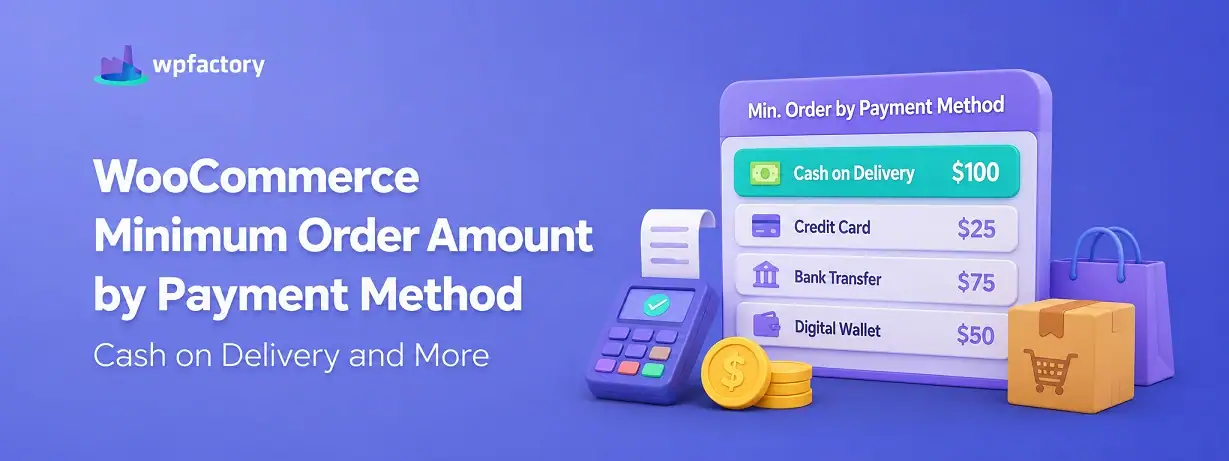
Tying a WooCommerce minimum order amount to a payment method means a gateway only appears once the cart clears a set value, so cash on delivery can require, for example, $50 before it shows at checkout. You can test any cart total against any gateway with the checker below, but the useful part is what it prevents: the small, high-risk orders that quietly make your most expensive payment method your least profitable one.
- Below the threshold → the gateway is hidden or blocked, steering the shopper to a cheaper option.
- At or above the threshold → the gateway appears and the order proceeds as normal.
Cash on delivery is the classic reason store owners want this, though the same rule works for any gateway you would rather not offer on tiny carts. Here is how to set it up, with a worked example and a live checker.
Not every payment method costs you the same to accept.
Cash on delivery ties up a courier, invites refused parcels, and carries a real risk of the customer simply not paying. Some gateways charge a flat fee that swallows the margin on a $10 order. Others are cheap and instant.
Treating them all as equally available on every cart, no matter how small, is where money leaks out. A $12 cash-on-delivery order can cost more to attempt than it will ever return.
The fix is to make the expensive methods earn their place. Set a WooCommerce minimum order amount on a payment method, and it only shows up once the cart is worth the risk or the fee. Below that line, the shopper sees your cheaper options instead.
What This Rule Actually Controls
This is a gateway visibility rule driven by the cart total. It does not change your prices or block the order outright. It decides which payment methods a shopper is allowed to use based on how much they are spending.
Picture two carts at your checkout. One holds $18 of goods, the other $180. With a $50 minimum on cash on delivery, the first cart never sees that option, while the second does.
The shopper with the small cart is not stuck. They still have your card and wallet options. They simply cannot pick the method that would have cost you the most to fulfil at that order size.
That is the whole mechanism. A WooCommerce minimum order amount attached to a gateway turns “always available” into “available when it makes sense.”
Why Cash on Delivery Is the Usual Trigger?
Most store owners who look for this rule are thinking about one method in particular.. cash on delivery.
It is easy to see why. Cash on delivery has the worst cost profile of any common option.
The parcel ships before a single unit of currency changes hands, so a refused or unpaid delivery means you eat the shipping both ways plus the handling.
On a large order, that risk is worth taking, because the margin covers the occasional loss. On a small order, the maths inverts.
A string of tiny cash-on-delivery orders can turn a profitable week into a flat one.
Requiring a minimum before cash on delivery appears is the direct answer. It keeps the method available for the orders that justify it and quietly removes it from the ones that do not.
The same logic extends to any gateway whose fees or risks bite hardest on low-value carts.
How to Set a Minimum Order Amount by Payment Method?
A quick note first, since it matters for planning.. gateway-based limits sit in the Pro version of the plugin, unlike role-based limits, which are free. If payment-method control is the feature you need, Pro is the tier to look at.
With that clear, the setup is short. Install and activate Order Minimum/Maximum Amount Limits, then open WooCommerce → Settings → Order Min/Max Amount.
Go to the Payment Gateways sub-tab and enable the section. For each gateway, enter the minimum, and optionally the maximum, order amount at which it should be offered.
Set cash on delivery to a minimum of $50, for instance, and leave your card gateway at 0 so it always shows. Turn on Hide unavailable payment gateways if you want methods that fail the test to disappear entirely rather than simply be unselectable.
Save, and the rule is live. Carts below the threshold no longer see the restricted method.
One practical tip from the plugin’s own guidance: checkout notices do not always refresh the instant a shopper switches gateway, so it is worth disabling checkout notices or adding extra message positions if you rely on them.
This is one branch of the broader WooCommerce quantity rules toolkit, so you can combine it with other order limits.
A Worked Example: Gating Cash on Delivery at $50
Numbers make the effect concrete. Take a store offering three payment methods: card with no minimum, bank transfer with no minimum, and cash on delivery gated at $50.
Here is what each cart total sees at checkout.
| Cart total | Card | Bank transfer | Cash on delivery ($50 min) |
|---|---|---|---|
| $20 | Shown | Shown | Hidden |
| $50 | Shown | Shown | Shown |
| $130 | Shown | Shown | Shown |
The $20 cart is the one that matters. The shopper keeps two ways to pay, so the sale is not lost, but the method that would have cost you the most on such a small order is off the table.
That is the quiet win of a WooCommerce minimum order amount on a gateway. You are not turning customers away, you are guiding them toward the payment method that keeps the order profitable.
Show costly payment methods only when the cart justifies them.
Set a WooCommerce minimum order amount per gateway, and hide methods like cash on delivery on small carts, with Order Minimum/Maximum Amount Limits (Pro). Used by 4,000+ stores, it puts your payment risk back under your control.
Try It: Payment Method Availability Checker
Enter a cart total and pick a method to see whether it would be offered at checkout. The threshold in this demo matches the example above, so you can watch cash on delivery appear and disappear as the total crosses $50.
Amount by Payment Method vs Amount by Role
These two rules often get mentioned together, so it helps to keep them straight.
A minimum by payment method looks at how the customer wants to pay. A minimum by user role looks at who the customer is. They can run side by side, and they answer different questions.
If your goal is “cash on delivery needs $50,” that is a payment-method rule. If your goal is “wholesale accounts need $500,” that is a role rule, covered in our guide on setting a minimum order amount by user role. One key difference to note.. role limits are free, while payment-gateway limits are a Pro feature.
Many stores use both, a role floor to protect wholesale pricing and a gateway floor to protect against risky payment methods.
Common Scenarios by Store Type
Gateway-based minimums show up wherever payment cost or risk varies by order size.
- Cash-on-delivery markets: require a minimum before cash on delivery appears, cutting refused-parcel losses.
- High card-fee regions: gate flat-fee gateways so small orders steer toward cheaper methods.
- Manual bank transfer: set a floor so the admin effort of reconciling a transfer is worth it.
- Local pickup plus delivery: offer certain methods only on the larger orders that justify them.
- Mixed catalogs: keep premium payment options aligned with premium cart sizes.
Getting the Threshold Right
Setting the rule is the easy half. Choosing the number is where the value is, and a threshold that is too high or too low quietly undoes the benefit.
Set it too low and the rule barely does anything. If cash on delivery is a problem on $15 orders and you gate it at $10, almost every risky order still slips through.
The floor has to sit above the point where the method stops paying for itself.
Set it too high and you frustrate genuine buyers. A shopper with a legitimate $40 order who is forced onto a method they distrust may simply leave.
The floor should remove the unprofitable orders, not the profitable ones sitting just under it.
The sensible way to land on a number is to look at your own costs. Work out roughly what an average small order of that payment type costs you in fees, failed deliveries, or admin time, then set the floor at the point where the order comfortably covers that cost.
Review it after a few weeks against real data rather than guessing once and forgetting it.
It also helps to write a clear message for the blocked state. Instead of a method silently vanishing, a short note like “Cash on delivery is available on orders over $50” tells the shopper exactly why, and often nudges them to add one more item rather than switch method.
Related Resources
Keep shaping how your checkout behaves with these guides:
- WooCommerce Quantity Rules: The Complete Guide
- WooCommerce Minimum Order Amount by User Role
- How to Limit Order Minimum and Maximum Amounts in WooCommerce
- WooCommerce Minimum Order Amount for Better Profit Margins
- Restricting Order Min/Max Amounts Per Anything in WooCommerce
Put your payment methods on a WooCommerce minimum order amount
Gate cash on delivery and other costly gateways behind a cart threshold with Order Minimum/Maximum Amount Limits (Pro). Show each method only when the order is big enough to make it worth it.
Every WPFactory plugin ships with a 14-day money-back guarantee, so you can set your gateway rules, watch the risky small orders drop, and decide with nothing at risk.
Frequently Asked Questions
Can WooCommerce set a minimum order amount for a payment method?
Not by itself. Core WooCommerce cannot tie a gateway to a cart total. With Order Min/Max Amount you can set a WooCommerce minimum order amount per gateway, so a method like cash on delivery only appears once the cart reaches your threshold.
How do I require a minimum for cash on delivery in WooCommerce?
In the plugin’s Payment Gateways section, set a minimum for the cash-on-delivery gateway, for example $50. Below that total the method is hidden, and at or above it the method appears. This helps offset the higher risk of cash on delivery on small orders.
Is minimum order amount by payment method a free feature?
No. Payment-gateway limits are part of the Pro version of Order Min/Max Amount. Role-based limits are free, but gating individual payment methods by cart value requires Pro.
Can I hide a payment method completely instead of just blocking it?
Yes. Enable the “hide unavailable payment gateways” option, and methods that fail the cart-value test disappear from checkout entirely rather than showing as unselectable. It makes for a cleaner checkout.
Will this work with the WooCommerce checkout block?
Yes, though checkout notices do not always refresh the moment a shopper switches gateway. The plugin’s guidance suggests disabling checkout notices or adding extra message positions so the messaging stays accurate on the block checkout.
Can I set both a minimum and a maximum for a gateway?
Yes. Each gateway can take a minimum, a maximum, or both, so you can offer a method only within a cart-value window when that suits your risk or fee structure.