What Is Product Bundle Pricing? Definition, Strategies & WooCommerce Setup Guide

Quick answer: Product bundle pricing is selling several products together at one price, usually lower than buying them separately. Common types are pure bundles (only sold together), mixed bundles, volume bundles, cross-sell bundles and subscription bundles. In WooCommerce you can set it up without code using quantity-based pricing and bundle discounts, as shown below.
If you run a WooCommerce store, you’ve probably wrestled with at least one of these: low Average Order Value (AOV), carts abandoned at checkout, products that just won’t move, or customer acquisition costs that keep climbing.
Product bundle pricing addresses all of them at once – by giving customers a compelling reason to buy more in a single visit, while rewarding them with a discounted rate on complementary products. Done well, it lifts conversions, builds customer loyalty, and makes your pricing work harder without requiring constant manual intervention.
For WooCommerce businesses, the real challenge isn’t coming up with bundle ideas – it’s managing them efficiently. Without the right tools, pricing updates become a time sink, and errors creep in fast. That’s where no-code WooCommerce plugins make a genuine difference. WPFactory provides 65+ WooCommerce plugins designed to automate pricing, checkout optimization, inventory synchronization, cross-sell bundles, and sales workflows for growing stores.
Whether you sell fashion, electronics, subscriptions, or digital downloads, a well-structured bundle pricing strategy can increase conversions by 20-30%, improve AOV, and cut the time you spend managing promotional pricing. WPFactory plugins also support WooCommerce Blocks and HPOS compatibility, so your store stays performant as it scales.
What Is Product Bundle Pricing in WooCommerce?
Product bundle pricing is a pricing strategy where multiple products are grouped and sold at a combined discounted price. In WooCommerce, this is typically implemented using bundle pricing plugins that automate pricing rules, discounts, inventory synchronization, checkout optimization, and conversion-focused pricing logic.
Unlike standard WooCommerce grouped products, advanced bundle pricing gives store owners far more control:
- Apply dynamic discounts automatically
- Create fixed or flexible bundles
- Offer mix-and-match product combinations
- Set category-based bundle rules
- Synchronize inventory across bundled items
- Customize checkout and pricing displays
- Create cross-sell bundles for related products
- Automate conditional pricing rules without coding
WPFactory plugins simplify this with no-code rule builders – visual interfaces that let store owners and agencies configure advanced pricing logic without touching a line of PHP. Stores using automated WooCommerce bundle pricing commonly report 15-30% increases in cart value and faster campaign setup times compared to manual pricing workflows.
Why Bundle Pricing Increases Average Order Value
Bundle pricing works because it taps into something straightforward: customers respond to visible value. When shoppers see a clear saving on products they already want together, they’re more likely to increase their cart size, complete the purchase, and come back for more.
Key Benefits of Bundle Pricing
| Benefit | Impact on WooCommerce Stores |
| Higher AOV | Stores commonly see 15-30% larger cart values |
| Faster Inventory Movement | Bundles help sell low-performing products |
| Better Customer Experience | Customers find complementary products faster |
| Improved Conversion Rates | Discounted bundles reduce buying hesitation |
| Stronger Customer Loyalty | Bundled value increases repeat purchases |
| Faster Campaign Management | No-code pricing automation reduces manual setup time |
Take a WooCommerce electronics store as an example. Rather than listing a smartphone, protective case, wireless charger, and screen protector as four separate purchases, the store can offer them as a plugin bundle with a visible savings percentage at checkout. The customer gets a better deal. The store gets a larger order.
WPFactory bundle and dynamic pricing plugins allow these offers to update automatically based on cart conditions, quantity thresholds, customer roles, or product categories – so you can launch promotional campaigns quickly and trust that pricing stays consistent across the store.
Types of Product Bundle Pricing Strategies
There’s no single bundle model that works for every store. The right approach depends on your product type, customer behavior, and what you’re trying to achieve commercially.
Pure Bundling
Products are only available as part of a bundle.
Example: A software onboarding package including a video course, templates, and support access.
Mixed Bundling
Products are available individually or as part of a discounted bundle.
Example: A skincare store selling a cleanser, moisturizer, and serum separately – or together at a 15% saving.
Volume Bundle Pricing
Discounts increase as customers buy more.
Example:
- Buy 2 → 10% discount
- Buy 3 → 15% discount
- Buy 5 → 25% discount
Cross-Sell Bundles
Related products are grouped together to increase cart value naturally.
Example: A gaming laptop, mouse, keyboard, and headset – products customers typically need together anyway.
Subscription Bundles
Recurring products combined into monthly or annual plans.
Example: A coffee subscription paired with filters and a premium mug.
WPFactory plugins support conditional pricing rules, dynamic pricing automation, and no-code bundle management directly inside WooCommerce – so you can run seasonal campaigns, category-based offers, and cross-sell promotions without custom development work.
How to Set Up Bundle Pricing in WooCommerce Without Coding
A lot of store owners assume advanced pricing requires a developer. It doesn’t. Modern no-code WooCommerce plugins handle the complexity through clean visual interfaces, leaving you in control of the logic without writing a single line of code.
Step 1: Install a WooCommerce Bundle Pricing Plugin
Look for a plugin that supports:
- Dynamic pricing
- Conditional discounts
- Inventory synchronization
- WooCommerce Blocks compatibility
- HPOS support
- Cross-sell bundle automation
- Checkout optimization
Step 2: Create Product Bundles
Inside WooCommerce:
- Select the products to bundle
- Define your pricing logic
- Set bundle discounts
- Configure visibility rules
- Enable inventory synchronization
Example: A fashion store creates a bundle – jacket, T-shirt, sneakers – with a 20% saving when purchased together.
Step 3: Configure Conditional Pricing Rules
Advanced WooCommerce bundle pricing often requires more nuance: user-role discounts, country-based offers, cart subtotal thresholds, category restrictions, or quantity thresholds.
Step 4: Optimize Checkout Experience
Display savings percentages, recommended add-ons, dynamic pricing updates, and mobile-friendly bundle layouts at checkout. Reducing friction here is where conversions are actually won or lost.
Step 5: Track Performance
Keep a close eye on AOV growth, conversion rate changes, inventory movement, bundle performance, and customer retention. Stores using optimized bundle pricing commonly report 20-30% increases in bundle-driven revenue – alongside a significant reduction in the time spent managing promotional pricing manually.
Best WooCommerce Bundle Pricing Plugins Compared
Choosing the right plugin comes down to your pricing complexity, store size, automation requirements, and WooCommerce compatibility needs.
| Feature | WPFactory | Booster.io | YITH Product Bundles | Manual WooCommerce Setup |
| No-Code Setup | Yes | Partial | Yes | No |
| Dynamic Pricing Rules | Advanced | Basic | Medium | Limited |
| Conditional Discounts | Yes | Limited | Yes | No |
| Inventory Synchronization | Yes | Partial | Yes | No |
| WooCommerce Blocks Support | Yes | Varies | Varies | Limited |
| HPOS Compatibility | Yes | Varies | Varies | No |
| Checkout Optimization | Advanced | Basic | Medium | No |
| Bundle Analytics | Yes | Limited | No | No |
| Plugin Ecosystem | 65+ plugins | Smaller bundle | Medium | N/A |
| Scalability | High | Medium | Medium | Low |
Essential Features in a WooCommerce Bundle Pricing Plugin
Not all WooCommerce bundle plugins give you the same operational flexibility. Here’s what actually matters.
Dynamic Pricing Automation
Look for plugins that automatically apply discounts, detect cart conditions, and update pricing in real time. Manual pricing updates don’t scale – and on a busy promotional weekend, the gap shows.
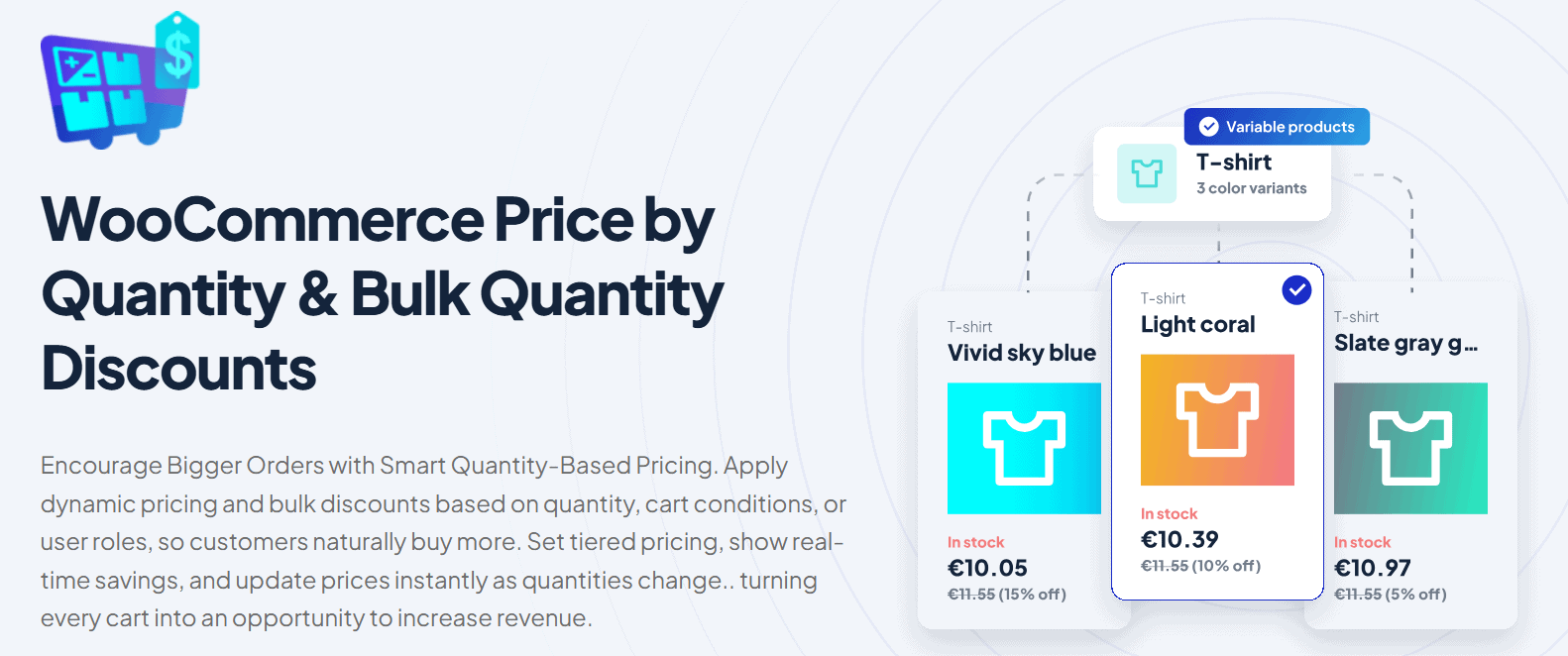
And this is exactly what WooCommerce Price by Quantity & Bulk Quantity Discounts offers: automated discount rules, smart cart condition detection, and real-time pricing updates that keep promotions running smoothly.
Inventory Synchronization
Without synchronized inventory, bundles can oversell products and create fulfillment issues that damage customer trust. This isn’t optional – it’s a foundational requirement for any store running active promotions.
WooCommerce Blocks Compatibility
Modern WooCommerce stores increasingly rely on Checkout Blocks. Bundle pricing plugins should support Cart Blocks, Checkout Blocks, and dynamic pricing updates – or you’ll hit compatibility issues as WooCommerce on WordPress continues to evolve.
HPOS Compatibility
High-Performance Order Storage (HPOS) improves WooCommerce scalability and order processing speed. Plugins should support HPOS to stay compatible long-term and avoid performance bottlenecks as your order volume grows.
Bundle Analytics
Strong reporting helps you identify best-performing bundles, conversion rates, bundle-driven revenue, and seasonal pricing opportunities. Without it, you’re optimizing blind.
WPFactory plugins include operational tools designed to simplify these workflows for store owners and agencies, while supporting long-term WooCommerce scalability.
Common Bundle Pricing Mistakes to Avoid
Over-Discounting Products
Deep discounts erode margins fast. Most successful WooCommerce stores keep bundle discounts between 10-25% – enough to drive purchases without undermining profitability.
Creating Confusing Bundles
Bundles should feel intuitive. If a customer has to think hard about why the products are grouped, the bundle isn’t working. The value proposition should be immediately obvious.
Ignoring Mobile Checkout
More than 50% of eCommerce traffic is mobile. Bundle layouts must stay clean, fast, and easy to navigate on smaller screens – or you’ll lose conversions right at the finish line.
Not Tracking Inventory
Poor inventory synchronization leads to overselling during promotions. That erodes customer trust in a way that’s genuinely hard to recover from.
Using Too Many Pricing Rules
Complex pricing conditions can confuse customers and introduce checkout friction that quietly kills your conversion rate. Keep rules clear and purposeful.
WooCommerce Bundle Pricing Examples by Industry
Fashion Stores
Bundle: Hoodie, joggers, sneakers. Goal: Increase seasonal collection sales and improve cross-sell opportunities.
Electronics Stores
Bundle: Laptop, mouse, keyboard, warranty extension. Goal: Increase AOV with high-margin accessories.
Beauty Stores
Bundle: Cleanser, toner, moisturizer. Goal: Improve repeat purchase behavior and customer loyalty.
Subscription Businesses
Bundle: Monthly coffee delivery, accessories, and premium membership perks. Goal: Increase customer lifetime value and build recurring revenue.
Frequently Asked Questions
What is the difference between product bundles and grouped products in WooCommerce?
Grouped products only display related items together, while product bundle pricing adds dynamic discounts, conditional pricing rules, inventory synchronization, and automated checkout logic. Advanced bundle plugins provide significantly more flexibility for conversion optimization and sales automation. For stores looking to increase Average Order Value or run structured promotions, a dedicated plugin bundle setup is the more capable option.
Can I create WooCommerce product bundles without coding?
Yes. No-code WooCommerce plugins from WPFactory allow store owners and agencies to create advanced bundle pricing rules using visual interfaces instead of custom PHP development. You define the logic – quantities, discounts, conditions, customer roles – and the plugin handles everything else automatically, including real-time pricing updates and inventory synchronization at checkout. The same no code approach applies to delivery through WooCommerce conditional shipping rules.
Does bundle pricing improve conversion rates?
Many eCommerce stores report conversion improvements between 15-30% when using optimized product bundles with clear savings visibility, cross-sell bundles, and relevant product combinations. The key factor is relevance – bundles that group products customers genuinely want together perform significantly better than arbitrary combinations offered purely for a discount.
How do I prevent inventory problems with bundled products?
Use plugins that support inventory synchronization. This ensures stock levels automatically update across all bundled items after purchases and promotional campaigns. Without this, a high-traffic promotion can quickly result in oversold products, fulfillment delays, and customer service issues that are far more costly than the revenue gained.
Are WooCommerce bundle pricing plugins compatible with Checkout Blocks?
Modern plugins increasingly support WooCommerce Blocks compatibility, but support varies by provider. WPFactory plugins are designed to support WooCommerce Blocks, HPOS compatibility, and modern checkout optimization workflows – making them a reliable choice for stores building on the current WordPress and WooCommerce block-based infrastructure.
What products work best for bundle pricing?
Complementary products typically perform best – electronics accessories, skincare routines, clothing collections, office setups, and subscription packages are all strong candidates. The common thread is that customers already expect to use these products together, which means the bundle removes a decision rather than creating one.
Is dynamic pricing better than fixed bundle discounts?
Dynamic pricing gives you more flexibility because discounts can shift based on quantity, cart totals, customer roles, or seasonal campaigns. Fixed discounts are simpler to set up but less adaptable for stores running frequent or varied promotions. For most growing WooCommerce stores, dynamic pricing delivers better long-term results – especially when managed through a no-code interface that doesn’t require developer input every time conditions change. One of the most popular formats is a WooCommerce BOGO deal, which we cover step by step.
Build Smarter WooCommerce Bundle Pricing Workflows
Product bundle pricing remains one of the most reliable levers for increasing Average Order Value, improving conversion rates, and making the buying experience feel genuinely valuable rather than transactional. The stores that get the most out of it combine a clear pricing strategy with automation tools that reduce manual work and scale as the business grows.
WPFactory gives WooCommerce store owners and agencies the infrastructure to build that — with 65+ plugins covering sales optimization, operations automation, checkout optimization, and customer satisfaction. From dynamic bundle discounts to inventory synchronization, WooCommerce Blocks compatibility, and HPOS-ready workflows, everything is designed for how modern ecommerce actually operates.
If you’re managing seasonal campaigns, complex pricing conditions, or a large product catalog, the right plugin setup will save you hours and protect your margins. That’s what WPFactory is built for.
→Explore the full WPFactory plugin ecosystem and find the right bundle pricing setup for your store