To automate WooCommerce order statuses, install Scheduled & Automatic Order Status Controller for WooCommerce and create a rule that moves an order from one status to another after a set amount of time or when your conditions are met. A typical example: automatically change an order to Cancelled when 24 hours have passed since it was set to Pending payment.
What Order Status Rules does #
- Time based triggers: change a status a set number of seconds, minutes, hours, days or weeks after the order entered its current status. Set the value to 0 for an immediate change.
- Conditional logic: restrict a rule by order amount, quantity, payment gateway, shipping method, country, products, categories, tags, stock status, coupons, users, roles, billing emails, order meta and dates.
- Hands-off processing: rules run automatically on order status changes and on a schedule (WP Cron or Action Scheduler), so orders progress without manual work.
Requirements #
- WooCommerce, active.
- WordPress 4.4 or newer.
Install from the WordPress plugin directory (free version) #
- In your WordPress dashboard, go to Plugins > Add New.
- Search for Order Status Rules for WooCommerce (published by WPFactory).
- Click Install Now, then Activate.
Install the Pro version (manual upload) #
- Buy and download the Pro ZIP from the Order Status Rules product page.
- Go to Plugins > Add New and click Upload Plugin.
- Select the ZIP, click Install Now, then Activate. If the free version is already active, the Pro version takes over automatically.
The free and Pro versions share the same feature set for a single rule. Pro removes the one-rule limit so you can run as many rules as you need. See the difference between the free and Pro versions for the exact boundary.
Open the settings #
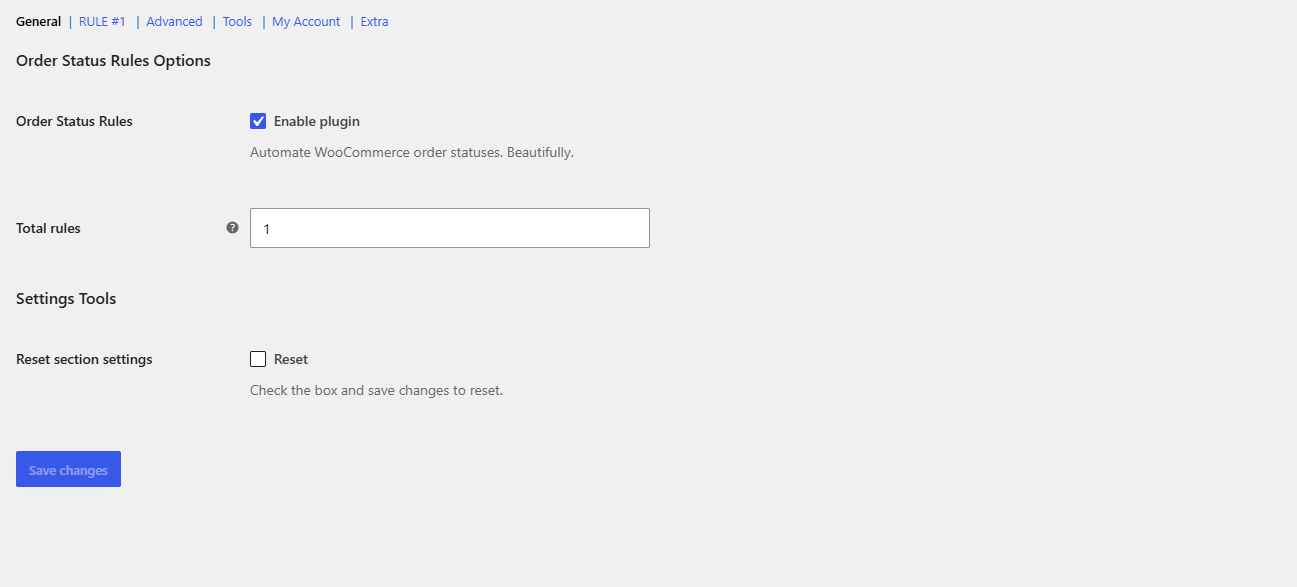
After activation, go to WPFactory > Order Status Rules (also reachable at WooCommerce > Settings > Order Status Rules). The plugin is enabled by default. Start on the Rule #1 section to build your first rule.
Ready to automate more than one rule? #
Running a single rule is free. Scheduled & Automatic Order Status Controller for WooCommerce Pro lets you create unlimited rules, so you can automate cancellations, completions and every other transition side by side. See what Pro unlocks.