To automatically cancel unpaid WooCommerce orders, create a rule that moves orders from Pending payment to Cancelled after a set time. Scheduled & Automatic Order Status Controller for WooCommerce does this for you and releases the stock those orders were holding.
Before you start #
- WooCommerce, active.
- Order Status Rules installed. A single rule is enough, so the free version covers this.
Set up the rule #
Go to WPFactory > Order Status Rules (also reachable at WooCommerce > Settings > Order Status Rules) and open the Rule #1 section.
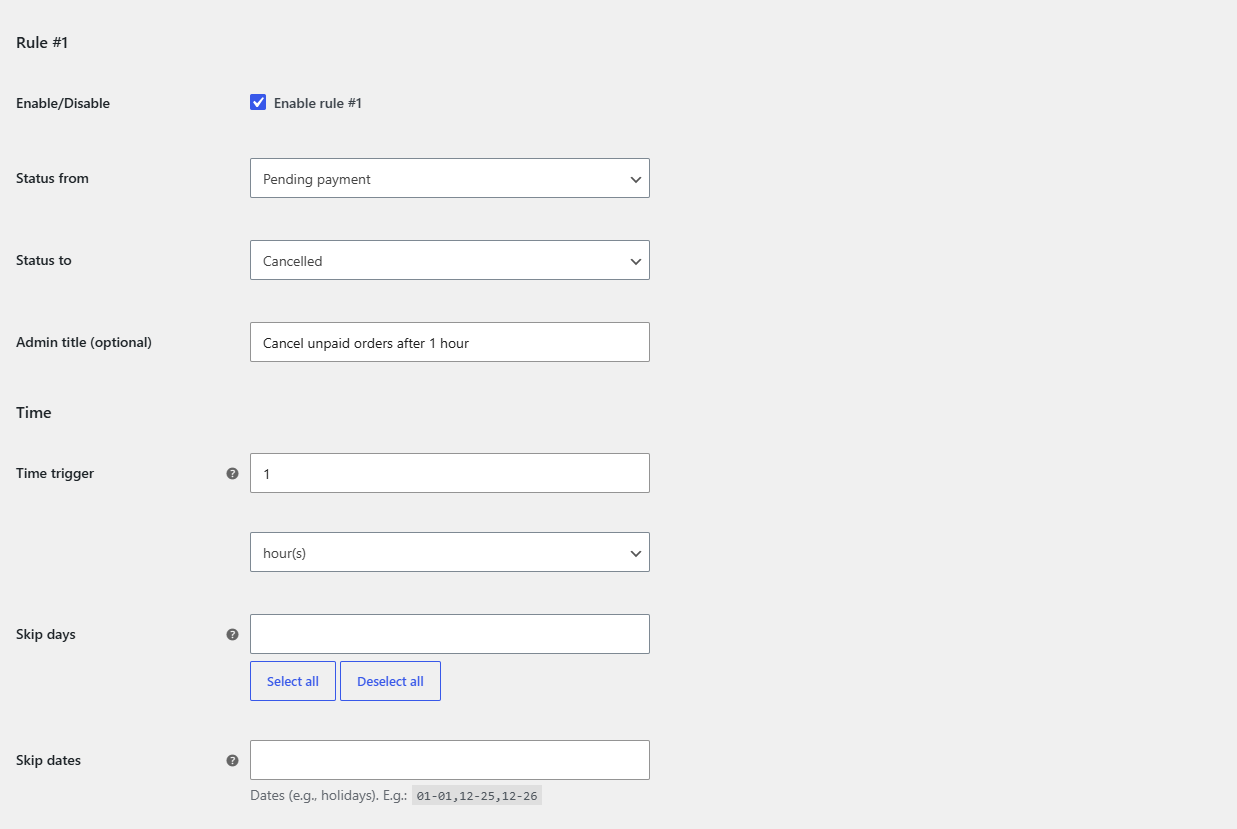
- Tick Enable rule #1.
- Set Status from to Pending payment.
- Set Status to to Cancelled.
- Set Time trigger to the delay you want, for example
24, and leave the unit on hour(s). The order is cancelled 24 hours after it entered Pending payment. - Optionally add an Admin title such as “Cancel unpaid after 24h” for the order note.
- Click Save changes.
Narrow it down (optional) #
Every condition below is optional and ignored when empty:
- Use Payment gateways to cancel only orders placed with offline gateways such as Direct bank transfer, while leaving instant-payment orders alone.
- Use Order Minimum/Maximum Amounts to skip cancelling very large orders you would rather chase manually.
- Use Skip days or Skip dates to avoid cancelling over weekends or holidays.
Apply it to existing orders #
New orders are handled automatically. To clear orders that are already pending, open the Tools section, tick Run all rules now and save.
Make sure it keeps running #
Rules run on order status changes and on a schedule. Confirm Use WP cron or Use Action Scheduler is enabled in the Advanced section so pending orders are re-checked over time. See the guide on automatic processing for the options.
Do more with your automations #
Cancelling unpaid orders is one rule, which is free. To also auto-complete paid orders or run other transitions at the same time, Order Status Rules Pro removes the single-rule limit. See what Pro unlocks.