The Checkbox, Datepicker, and Weekpicker field types in Custom Checkout Fields for WooCommerce each add their own options group to the field tab. This guide covers the stored checkbox values and the full date-selection controls.
Before you start #
- Go to WPFactory > Custom Checkout Fields (also reachable at WooCommerce > Settings > Custom Checkout Fields).
- Open a field tab and set Type to Checkbox, Datepicker, or Weekpicker. The matching options group then applies.
Checkbox Type Options #
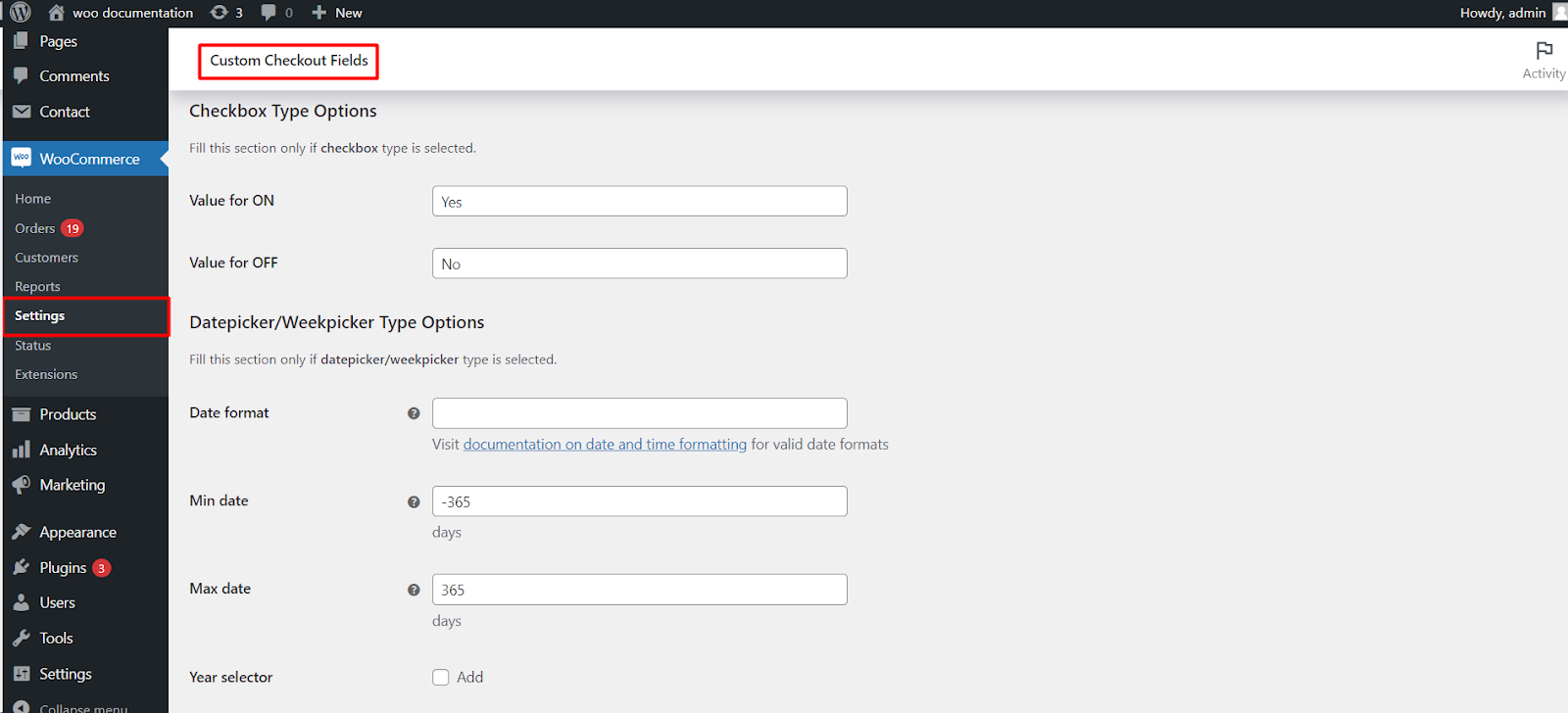
A checkbox stores one of two text values, which is what appears in emails, on the order, and in exports.
| Label | Option ID | Default |
|---|---|---|
| Value for ON | alg_wc_ccf_type_checkbox_yes_1 |
Yes |
| Value for OFF | alg_wc_ccf_type_checkbox_no_1 |
No |
To pre-tick the box, set the field’s Default value to 1; use 0 to leave it clear.
Datepicker / Weekpicker Type Options #
| Label | Option ID | Default |
|---|---|---|
| Date format | alg_wc_ccf_type_datepicker_format_1 |
Empty (uses your WordPress date format) |
| Min date (days) | alg_wc_ccf_type_datepicker_mindate_1 |
-365 |
| Max date (days) | alg_wc_ccf_type_datepicker_maxdate_1 |
365 |
| Year selector | alg_wc_ccf_type_datepicker_changeyear_1 |
No |
| Year selector: year range | alg_wc_ccf_type_datepicker_yearrange_1 |
c-10:c+10 |
| First week day | alg_wc_ccf_type_datepicker_firstday_1 |
Sunday |
| Datepicker: Exclude days | alg_wc_ccf_type_datepicker_excludedays_1 |
None |
| Datepicker: Exclude months | alg_wc_ccf_type_datepicker_excludemonths_1 |
None |
| Datepicker: Exclude dates | alg_wc_ccf_type_datepicker_excludedates_1 |
Empty |
| Datepicker: Timepicker addon | alg_wc_ccf_type_datepicker_timepicker_addon_1 |
No |
Notes #
- Min date and Max date are a number of days relative to today. Enter
-30for 30 days in the past or30for 30 days ahead. Set either to0for today. Both fields accept shortcodes. - Year selector: year range uses colon-separated syntax: absolute
2020:2025, relative to today-10:+10, or relative to the selected yearc-10:c+10. A hyphen between the two values, such as2020-2025, is not valid here. This range only changes the year dropdown; use Min date and Max date to actually restrict which dates can be picked. - Exclude dates takes a comma-separated list in
YYYY-MM-DDformat and supports the*wildcard, for example****-12-25,****-01-01to block every Christmas and New Year’s Day. - Weekpicker uses the same options group but selects a whole week rather than a single day.
Adding a time to the date #
Enable Datepicker: Timepicker addon to let customers pick a time alongside the date. It adds its own time format (alg_wc_ccf_type_datepicker_timepicker_addon_timeformat_1, default HH:mm) plus optional Min time and Max time. This is separate from the standalone Timepicker field type, which is covered in Configuring timepicker fields.
Get more fields #
These date options work on your single free field. Custom Checkout Fields for WooCommerce Pro lets you add up to 100 fields, so you can combine several date and text fields on one checkout. Get Custom Checkout Fields Pro.