WooCommerce Order Fulfillment: Automation, Plugins & Setup Guide

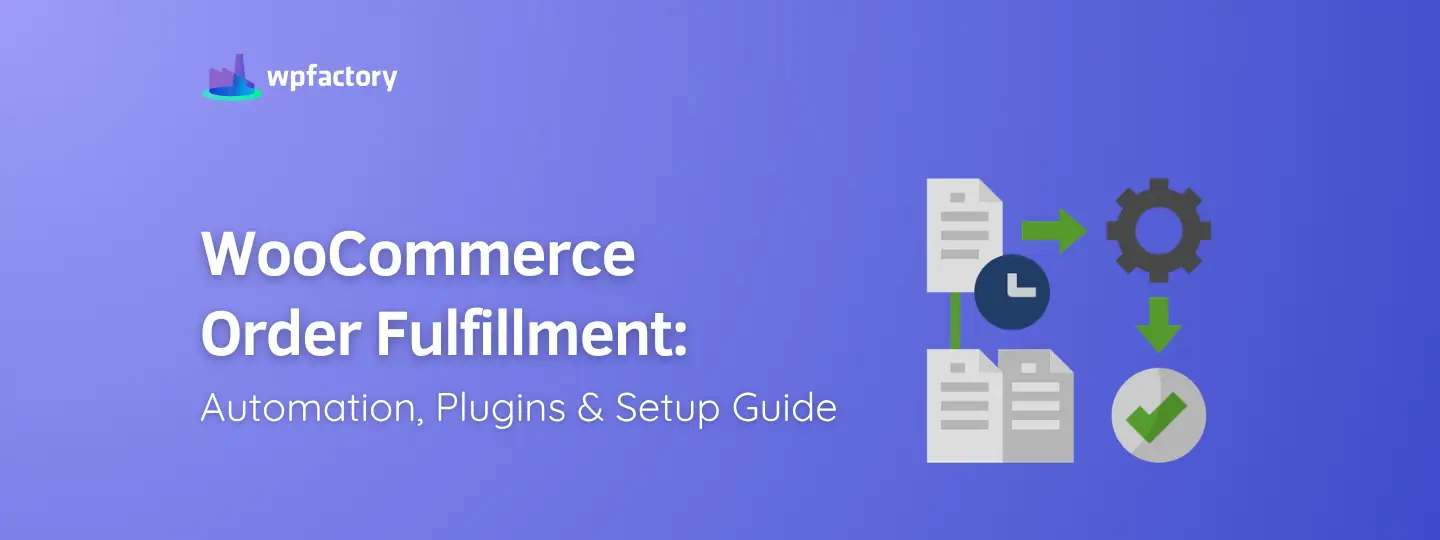
Quick answer: Order fulfillment is everything that happens after checkout: verifying, picking, packing, shipping, tracking, customer notifications and returns. WooCommerce stores handle it in-house, through a third-party logistics (3PL) provider or by dropshipping. As order volume grows, automate status changes, tracking emails and notifications with custom order statuses and custom emails, as shown below.
Managing shipping operations manually gets harder fast. A store processing 20 orders a day can get by with spreadsheets and manual updates. Once you’re handling 100+ daily orders, though, things break down quickly – delayed shipments, warehouse stock mismatches, fulfillment bottlenecks, and a growing pile of customer support requests.
Efficient fulfillment workflows cover every stage after checkout: verification, picking, packing, shipping, tracking, notifications, returns, and inventory synchronization. Research from multiple eCommerce operations studies shows that fulfillment delays can increase refund requests and support tickets by more than 25%, especially for stores without automated tracking visibility.
That’s why more WooCommerce businesses are turning to no-code fulfillment automation plugins rather than building custom systems or relying on manual processes.
This guide walks through how WooCommerce Fulfillments works in WooCommerce 10.2+, compares fulfillment models and plugins, and shows how store owners can automate workflows for physical, digital, subscription–based, and hybrid stores.
What Is WooCommerce Order Fulfillment?
WooCommerce order fulfillment is the end-to-end operational workflow that moves an order from payment confirmation to successful delivery. It covers order verification, inventory confirmation, picking and packing, shipping label creation, tracking number assignment, customer notifications, partial fulfillments, split shipments, and returns processing. Modern WooCommerce stores automate these stages using no-code fulfillment plugins, inventory management tools, and workflow automation systems – including integrations with carriers such as DHL, UPS, FedEx, and USPS.
What that looks like in practice varies quite a bit:
- A digital products store may auto-fulfill downloadable items instantly after payment.
- A fashion retailer may split shipments between regional warehouses.
- A wholesale store may batch-process 500+ daily orders without touching them manually.
- A subscription store may trigger recurring shipment workflows every month automatically.
WPFactory plugins – including Conditional Shipping for WooCommerce, Order Status Control for WooCommerce, and Multiple Email Recipients for WooCommerce – help store owners automate these repetitive tasks using configurable workflow rules rather than expensive custom development.
Mini Case Study
A mid-sized apparel store operating across the USA and Europe implemented automated warehouse routing and tracking workflows using WPFactory operational plugins. After automating shipment notifications and inventory synchronization, the store reduced manual processing time by 38%, lowered shipping-related support tickets by 27%, and improved same-day fulfillment rates from 61% to 84% within three months.
How WooCommerce Fulfillments Work in WooCommerce 10.2+
WooCommerce introduced native Fulfillments functionality to manage shipments directly from the WooCommerce dashboard – no third-party tools required for the basics.
Here’s what that includes.
Fulfillment Statuses
Store owners can track and manage draft fulfillments, fulfilled orders, partial fulfillments, and split shipments. This gives both merchants and support teams clearer visibility into where each order stands at any given moment.
Tracking Numbers and Shipping Providers
WooCommerce Fulfillments integrates with major carriers, including DHL, UPS, FedEx, and USPS. Tracking details can automatically appear in customer emails, account dashboards, and shipment confirmation notifications.
Stores with automated tracking notifications often reduce “Where Is My Order?” (WISMO) support requests by 20%–35% – especially when updates fire immediately after shipment processing rather than on a delay.
Digital Product Auto-Fulfillment
WooCommerce handles virtual and downloadable products automatically after payment confirmation. No staff intervention required. Customers receive their orders instantly, and your team doesn’t have to touch a thing.
REST API and Workflow Extensions
For developers and agencies, the WooCommerce REST API opens up connections to external ERPs, warehouse management systems, and third-party shipping platforms. WPFactory extends these capabilities with no-code automation rules for store owners who want that same flexibility — without the development costs.
WooCommerce Fulfillment Methods: In-House vs 3PL vs Dropshipping
There’s no single fulfillment model that works for every store. The right choice depends on your order volume, inventory complexity, shipping regions, and operational costs.
| Fulfillment Method | Best For | Advantages | Challenges |
| In-House Fulfillment | Small stores | Full operational control | Time-consuming scaling |
| 3PL Fulfillment | Growing brands | Faster logistics and warehousing | Monthly fulfillment costs |
| Dropshipping | Low inventory risk stores | Minimal upfront inventory | Less shipping control |
| Hybrid Fulfillment | Multi-channel stores | Flexible scaling | Operational complexity |
In-House Fulfillment
Small WooCommerce stores often manage packing and shipping internally. You get strong quality control and direct oversight — but staffing and warehouse costs climb fast as order volume grows.
3PL Fulfillment
Third-party logistics providers like ShipBob handle warehousing, packaging, and shipping for you. Stores shipping internationally often use 3PL integrations to cut delivery times across the USA, UK, Europe, Australia, and Canada.
Dropshipping
With dropshipping, suppliers fulfill orders directly. WooCommerce automation plugins keep inventory availability, shipping statuses, and tracking numbers synchronized between suppliers and your storefront automatically.
Hybrid Fulfillment
Many medium-sized businesses blend local warehouses, supplier fulfillment, retail inventory, and digital product delivery into a single workflow. Conditional shipping logic, dynamic warehouse assignment, and rule-based fulfillment routing handle exactly these kinds of multi-source operations.
Best WooCommerce Order Fulfillment Plugins Compared
Native WooCommerce fulfillment tools cover the basics well. But stores that need advanced automation, inventory synchronization, batch processing, return workflows, and detailed operational controls typically look to plugins.
Top Fulfillment Plugin Categories
- Tracking automation plugins
- Inventory synchronization plugins
- Shipping rules plugins
- Batch order processing tools
- Customer notification automation
- Return workflow management
- Multi-location inventory tools
- Warehouse routing automation
- REST API workflow connectors
WPFactory vs Booster.io vs Manual WooCommerce Setup
| Feature | WPFactory Plugin Bundle | Booster.io | Manual WooCommerce Setup |
| No-code workflow automation | Yes | Partial | No |
| WooCommerce operational plugins | 65+ plugins | 100+ modules | Limited |
| Batch fulfillment processing | Yes | Limited | Manual |
| Inventory workflow automation | Yes | Partial | Manual |
| Tracking number automation | Yes | Yes | Manual |
| Rule-based fulfillment logic | Yes | Partial | No |
| Customer notification workflows | Yes | Yes | Manual |
| Multi-location inventory workflows | Yes | Limited | No |
| Warehouse routing automation | Yes | Limited | No |
| Returns workflow automation | Yes | Partial | Manual |
| Core Web Vitals optimization support | Yes | Limited | No |
| Technical setup required | Low | Medium | High |
| Typical pricing structure | Bundle pricing | Modular pricing | Developer costs |
| Estimated setup time | 1–3 hours | 3–6 hours | Several days |
How to Automate WooCommerce Order Fulfillment Without Coding
No-code fulfillment automation reduces manual errors, speeds up shipping workflows, and lets your team focus on higher-value work instead of repetitive processing tasks.
Common Automation Workflows
Store owners commonly automate order status changes, tracking number emails, inventory synchronization, digital product delivery, shipping provider assignment, warehouse routing, return approval workflows, fraud review triggers, and split shipment notifications.
Example Workflow
A WooCommerce electronics store processing 300 orders daily might automate the entire sequence: payment verification → inventory checks → warehouse assignment → DHL label generation → tracking email notifications → fulfillment status updates → return authorization routing. Each step runs automatically using WooCommerce operational plugins – no custom code required.
Benefits of No-Code Fulfillment Automation
Stores running automated fulfillment workflows consistently report faster order processing, fewer shipping mistakes, reduced support tickets, better customer retention, lower operational costs, improved shipping transparency, and higher warehouse efficiency. Some stores see fulfillment processing speed improve by 25%–40% after implementing automated order routing and tracking workflows. Once order volume pushes past what a team can handle manually, automation stops being optional.
Managing Tracking Numbers and Customer Notifications
Tracking visibility is one of those things customers notice immediately when it’s missing – and rarely comment on when it works. The data backs this up: stores with automated tracking notifications routinely reduce WISMO support tickets by 20%–35%.
WooCommerce fulfillment plugins help automate carrier tracking updates, shipment confirmation emails, delivery status notifications, split-shipment updates, customer account tracking visibility, SMS shipping alerts, and conditional notifications based on order rules. Major carrier integrations include DHL, UPS, FedEx, and USPS.
Beyond standard carrier updates, conditional notification logic can trigger messages based on shipping method, order value, customer role, fulfillment location, or warehouse assignment. A store shipping internationally, for example, can automatically notify customers when customs processing delays occur or when split shipments leave from different fulfillment centers – proactively, before customers have to ask.
WooCommerce Inventory Sync and Multi-Location Fulfillment
Inventory synchronization becomes a real operational challenge once you’re running multiple warehouses, retail locations, suppliers, or fulfillment partners. Stock mismatches and overselling tend to happen at exactly the worst moments – during high-traffic sales periods.
Common inventory challenges include overselling products, warehouse stock mismatches, delayed stock updates, incorrect shipping locations, return inventory conflicts, and supplier synchronization delays.
Multi-location fulfillment plugins address these directly by helping stores route orders automatically, synchronize stock levels, assign warehouses dynamically, prevent overselling, improve shipping speed, prioritize nearest warehouse fulfillment, and balance inventory across regions.
A WooCommerce retailer with warehouses in the USA and Europe, for instance, can automatically route each order to the closest inventory location – cutting both shipping costs and delivery times.
WooCommerce Fulfillment KPIs and Performance Metrics
Knowing what to measure is just as important as building the workflows. These are the metrics that actually tell you whether your fulfillment operation is running well.
| KPI | Why It Matters |
| Order processing time | Measures operational speed |
| Shipping accuracy rate | Reduces returns and complaints |
| Fulfillment cost per order | Improves profitability |
| Return rate | Identifies operational problems |
| Tracking visibility rate | Improves customer satisfaction |
| Same-day fulfillment percentage | Supports conversion optimization |
High-performing eCommerce stores typically maintain shipping accuracy rates above 98% and same-day fulfillment rates between 80%–95% for in-stock products.
Stores that implement automated fulfillment workflows regularly report 25%–40% faster order processing, 20%–35% fewer tracking-related support tickets, and 15%–30% lower manual processing costs. Better delivery transparency also tends to show up in customer retention numbers over time.
Practical WooCommerce Fulfillment Setup Walkthrough
Here’s how a WooCommerce apparel store handling both physical and digital products across two warehouse locations might set this up from scratch.
Step 1 → Configure Fulfillment Rules (Estimated: 20–30 minutes)
Start by setting rules for physical products, digital downloads, international orders, high-priority shipping, and warehouse assignment. Inside WooCommerce, configure conditional fulfillment logic based on product category, shipping destination, order value, customer role, and inventory location.
Step 2 → Enable Tracking Automation (Estimated: 15–20 minutes)
Configure automatic tracking number generation, carrier assignment, customer email notifications, and fulfillment status updates. Many stores assign DHL or UPS carriers automatically based on shipping zones and order weight thresholds.
Step 3 → Set Inventory Synchronization (Estimated: 30–45 minutes)
Connect inventory updates between WooCommerce, your warehouses, suppliers, and any 3PL systems you’re working with. Automation triggers can update stock levels immediately after shipment confirmation or return processing – keeping your numbers accurate in real time.
Step 4 → Automate Customer Notifications (Estimated: 15 minutes)
Set up automated messages for each key stage: order received, order packed, shipment dispatched, delivery completed, and return initiated. Conditional workflows let you send different messages to wholesale customers, VIP buyers, or international shoppers without building separate flows manually.
Step 5 → Monitor Fulfillment KPIs
Track shipping delays, return rates, processing times, support ticket volume, fulfillment costs, and warehouse efficiency on a regular cadence. Most stores review these weekly – particularly before peak sales periods when small inefficiencies compound quickly.
FAQ
What is the difference between WooCommerce fulfillment and shipping?
Shipping is one component of a broader process – moving a package from origin to destination. WooCommerce order fulfillment covers the complete operational workflow that surrounds it: order verification, inventory management, picking and packing, shipping, tracking number assignment, customer notifications, and returns processing. Fulfillment starts the moment a payment is confirmed and ends only when the customer considers the order resolved, including any returns or exchanges that follow delivery.
Can WooCommerce handle partial fulfillments?
Yes. WooCommerce Fulfillments supports both partial fulfillments and split shipments natively in WooCommerce 10.2+. You can ship available products immediately while holding back the backordered items, dispatching them separately once stock is confirmed. Each shipment maintains its own tracking visibility and triggers its own customer notifications, so buyers stay informed throughout – even when an order ships in multiple batches from different fulfillment locations.
How do I automate WooCommerce order fulfillment?
The most practical approach for most stores is using no-code WooCommerce plugins that handle tracking numbers, inventory synchronization, shipping rules, customer notifications, warehouse routing, and workflow automation without requiring custom development. Plugins like those in the WPFactory bundle let you configure rule-based fulfillment logic through the WordPress dashboard – covering everything from carrier assignment and label generation to return approval workflows and split-shipment notifications.
Which WooCommerce fulfillment method is best for scaling stores?
Many growing stores use hybrid fulfillment models that combine local warehouses, 3PL providers, and dropshipping suppliers. This improves shipping flexibility while reducing the operational bottlenecks that come with relying on a single method. As order volumes grow across different regions – particularly across the USA, UK, Europe, Australia, and Canada – hybrid models allow stores to route each order to the most cost-efficient and geographically optimal fulfillment source automatically.
Can WooCommerce auto-fulfill digital products?
Yes. WooCommerce handles automatic fulfillment for downloadable and virtual products immediately after successful payment confirmation. No staff intervention is required – customers receive access to their purchase instantly, and the order is marked fulfilled without any manual processing. For stores selling a mix of physical and digital items, WooCommerce can split fulfillment automatically: digital components deliver immediately while physical items follow the standard warehouse workflow.
What are the benefits of fulfillment automation?
Automation reduces shipping errors, speeds up processing times, improves customer satisfaction, lowers operational costs, cuts manual administrative work, and improves inventory visibility across warehouses and fulfillment locations. Stores that implement automated fulfillment workflows typically see order processing speeds improve by 25%–40%, tracking-related support tickets drop by 20%–35%, and manual processing costs decrease by 15%–30%. These gains compound as order volumes grow, making automation increasingly valuable as a business scales.
Do WPFactory plugins support fulfillment automation?
Yes. WPFactory provides 65+ WooCommerce operational automation plugins that collectively support fulfillment workflows, inventory synchronization, notification automation, conditional shipping logic, warehouse routing, and rule-based processing – all through no-code configuration tools inside the WordPress dashboard. Individual plugins handle specific workflow components, while the bundle gives growing stores a coordinated system for end-to-end fulfillment automation without building anything from scratch.
Can WooCommerce fulfillment workflows connect with REST APIs?
Yes. The WooCommerce REST API allows stores to connect fulfillment workflows with ERPs, warehouse management systems, shipping carriers, and third-party logistics platforms for advanced automation. This makes it possible to synchronize order data, inventory levels, and shipment statuses across multiple systems in real time – particularly useful for stores using external WMS platforms or enterprise 3PL integrations that operate outside the native WooCommerce environment.
What KPI is most important for WooCommerce fulfillment?
Order processing time and shipping accuracy rate are two of the most critical metrics because they directly affect customer satisfaction, operational costs, and the likelihood of repeat purchases. A high shipping accuracy rate – typically above 98% for well-run operations – keeps return rates low and support tickets down. Fast order processing time, particularly same-day fulfillment for in-stock products, has a direct impact on customer trust and conversion rates for stores where delivery speed is a competitive factor.
Streamline WooCommerce Fulfillment With No-Code Automation
WooCommerce order fulfillment touches everything that happens after checkout – and customers judge their experience almost entirely on how that part goes. Get it right, and you build loyalty. Get it wrong, and no amount of great marketing will fix the churn.
Native WooCommerce Fulfillments features give you a solid foundation: shipment management, tracking numbers, split shipments, and partial fulfillments built right in. But stores processing serious order volumes need more advanced workflow automation, inventory synchronization, warehouse routing, and operational controls that native tools don’t cover on their own.
That’s the gap WPFactory is built to fill. With 65+ no-code plugins designed for operations automation, inventory management, customer communication, and sales optimization, store owners can reduce manual work significantly while improving fulfillment accuracy and delivery transparency.
Whether you’re shipping within one country or scaling across the USA, UK, Europe, Australia, and Canada, the right fulfillment automation makes operations faster, leaner, and easier to manage as you grow.
→ Explore WPFactory’s WooCommerce Fulfillment Plugins