Show conversion rates and prices to customers #
To display conversion rates on the frontend with Payment Gateway Currency for WooCommerce, go to WPFactory > Payment Gateway Currency > Convert Currency > Info, tick Frontend info, choose where the info appears in Positions, such as cart totals, checkout, order details, or emails, and save. Custom templates and exceptions are optional.
Where to find it #
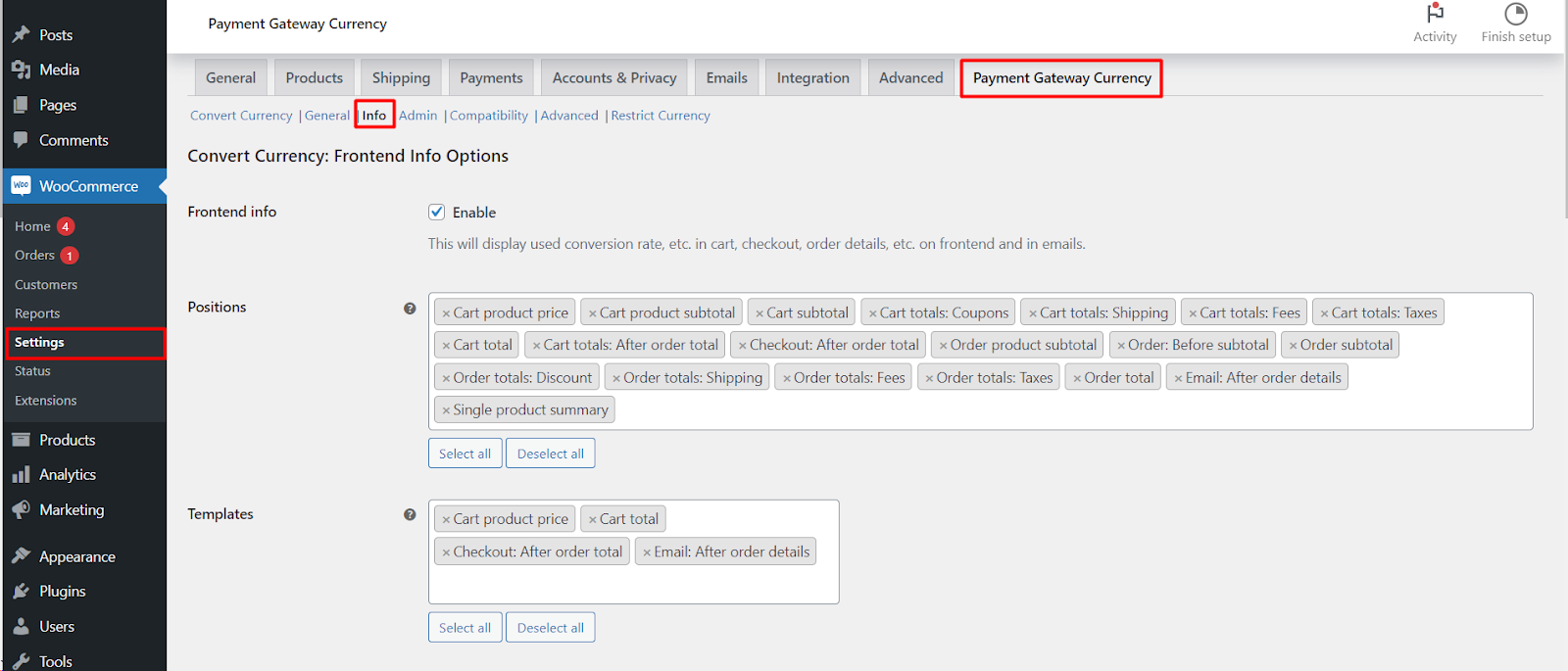
Go to WPFactory > Payment Gateway Currency (also reachable at WooCommerce > Settings > Payment Gateway Currency), then open the Info sub-tab under Convert Currency.
Turn it on and pick positions #
- Tick Frontend info (
alg_wc_pgbc_convert_currency_show_info, defaultNo). - In Positions (
alg_wc_pgbc_convert_currency_info_hooks) choose where the info appears. Available positions include Cart product price, Cart product subtotal, Cart subtotal, Cart totals (Coupons, Shipping, Fees, Taxes), Cart total, Checkout after order total, Order product subtotal, Order subtotal, Order totals (Discount, Shipping, Fees, Taxes), Order total, Email after order details, and Single product summary. - Save. The Positions choice is affected by the Convert on setting in the General sub-tab.
Templates and exceptions #
- Templates (
alg_wc_pgbc_convert_currency_info_hooks_custom_templates): select the positions you want a custom template for. After saving, editable template fields appear in the Custom Templates section. - Extra templates (
alg_wc_pgbc_convert_currency_info_hooks_extra_template[{scope}]): set a different template for the Cart or AJAX (mini-cart) rendering of a position. - Exceptions (
alg_wc_pgbc_convert_currency_info_hooks_exceptions[{scope}]): hide selected positions on the Cart, Checkout, or AJAX context.
Template placeholders #
Price positions accept these placeholders; general positions accept the last three only.
| Placeholder | Value |
|---|---|
%price% |
The converted price, in the gateway’s currency. |
%unconverted_price% |
The original price, in the shop currency. |
%convert_rate% |
The conversion rate applied. |
%convert_currency% |
The gateway’s currency code. |
%shop_currency% |
The shop’s default currency code. |
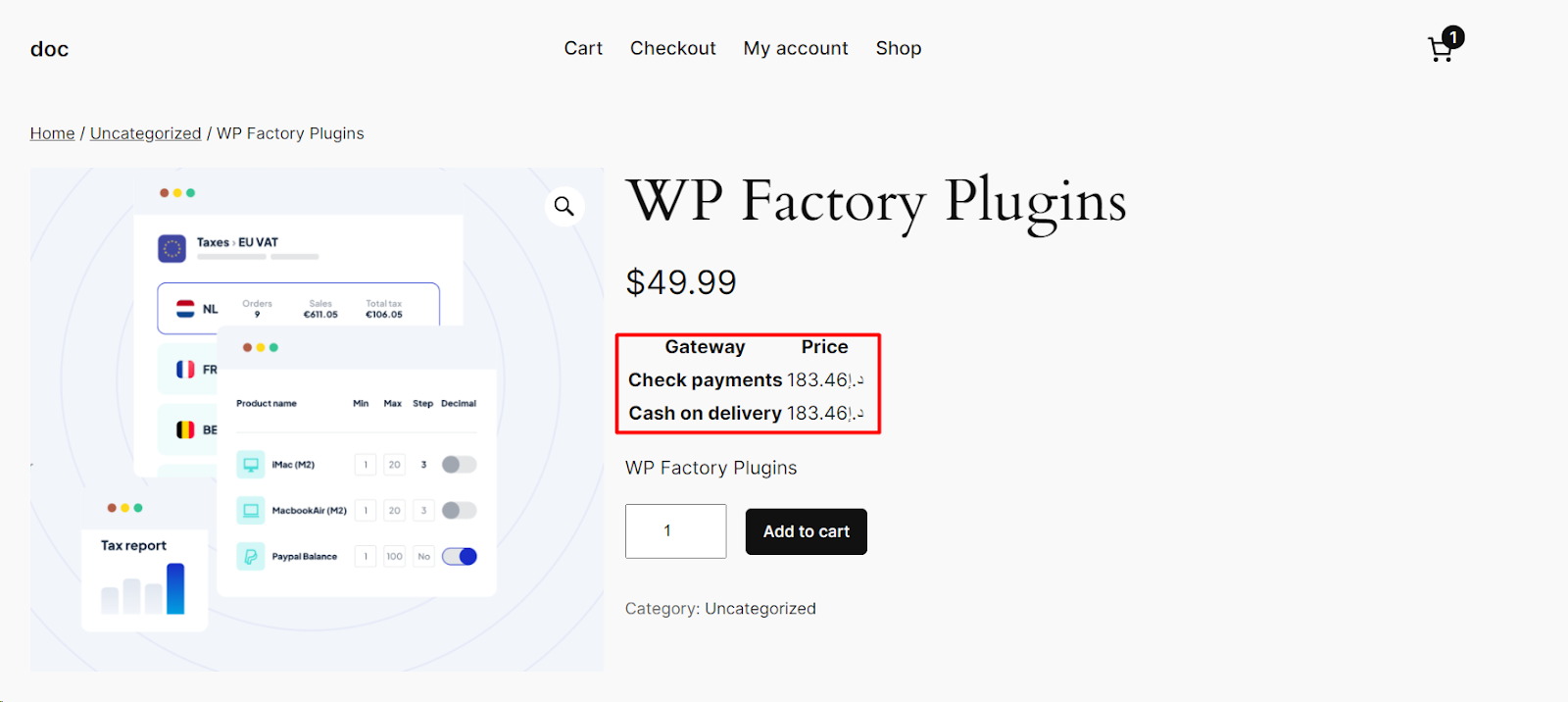
For the full per-position placeholder list and the default templates, see Frontend info placeholders and templates reference. The Single product summary position outputs the [alg_wc_pgbc_product_price_table] shortcode, covered in the product price table shortcode.
Compatibility option #
WooCommerce Dynamic Pricing & Discounts (alg_wc_pgbc_convert_currency_info_compatibility_rp_wcdpd, default No): enable this to stop that RightPress plugin from also printing a cart product price when you display info there.
Get more control #
Frontend info is free. Payment Gateway Currency for WooCommerce Pro applies conversion and its info display to any gateway on your store. See what Pro unlocks.