The Tools section of Scheduled & Automatic Order Status Controller for WooCommerce lets you run every rule on demand and shows when the next automatic run is scheduled. It is useful for applying a new rule to existing orders without waiting for the next cron event.
Where to find the tools #
Go to WPFactory > Order Status Rules (also reachable at WooCommerce > Settings > Order Status Rules) and open the Tools section.
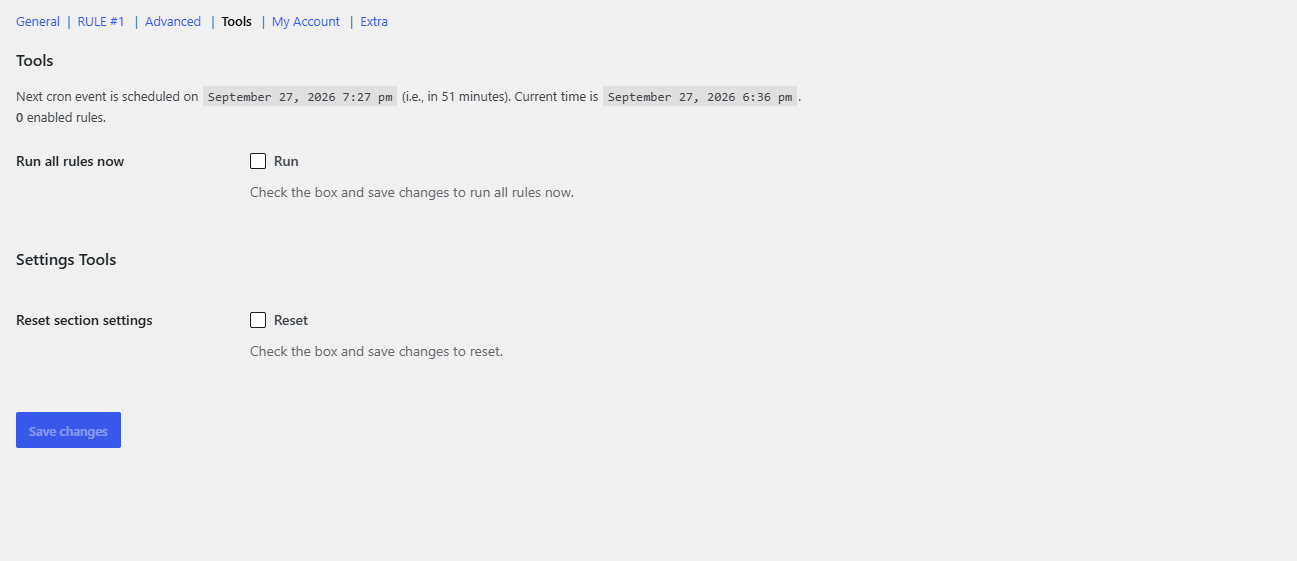
What the Tools section shows #
- Next cron event: when WP Cron is enabled, the section header shows the date and time of the next scheduled run and how long until it happens, plus the current server time. If WP Cron is disabled, this line does not appear.
- Enabled rules: the header also lists how many rules are enabled and their rule numbers, so you can confirm a rule is active before running it.
- Run all rules now (
alg_wc_order_status_rules_run_now, default No): tick the box and click Save changes to process all enabled rules immediately against your existing orders. - Reset section settings (
alg_wc_order_status_rules_tools_reset): at the bottom of the section, resets the Tools options to defaults.
Note: “Run all rules now” respects the Orders Query options in the Advanced section, including Order types, sorting and Max orders. If Max orders is set to a positive number, only that many orders are updated per run.
When to use it #
- After creating or editing a rule, to apply it to orders that are already in the “Status from” state.
- To test a rule and confirm it moves the expected orders.
- On a site where you rely on a real server cron job instead of WP Cron.
Do more with Pro #
The Tools section is free. To run several rules together, Order Status Rules Pro removes the single-rule limit. Get Order Status Rules Pro.