To set purchase limits per customer, go to WPFactory > Max Products per User > Limits in Maximum Products per User for WooCommerce. Enable All products for one store-wide limit (free), or per product, category or tag limits (Pro). Enter a positive number; 0 means no limit and -1 blocks the purchase.
Setting limits at the level you need #
Maximum Products per User can apply a limit to your whole catalog, to a category or tag, or to a single product. The store-wide level is free; per-product and per-taxonomy limits are Pro features.
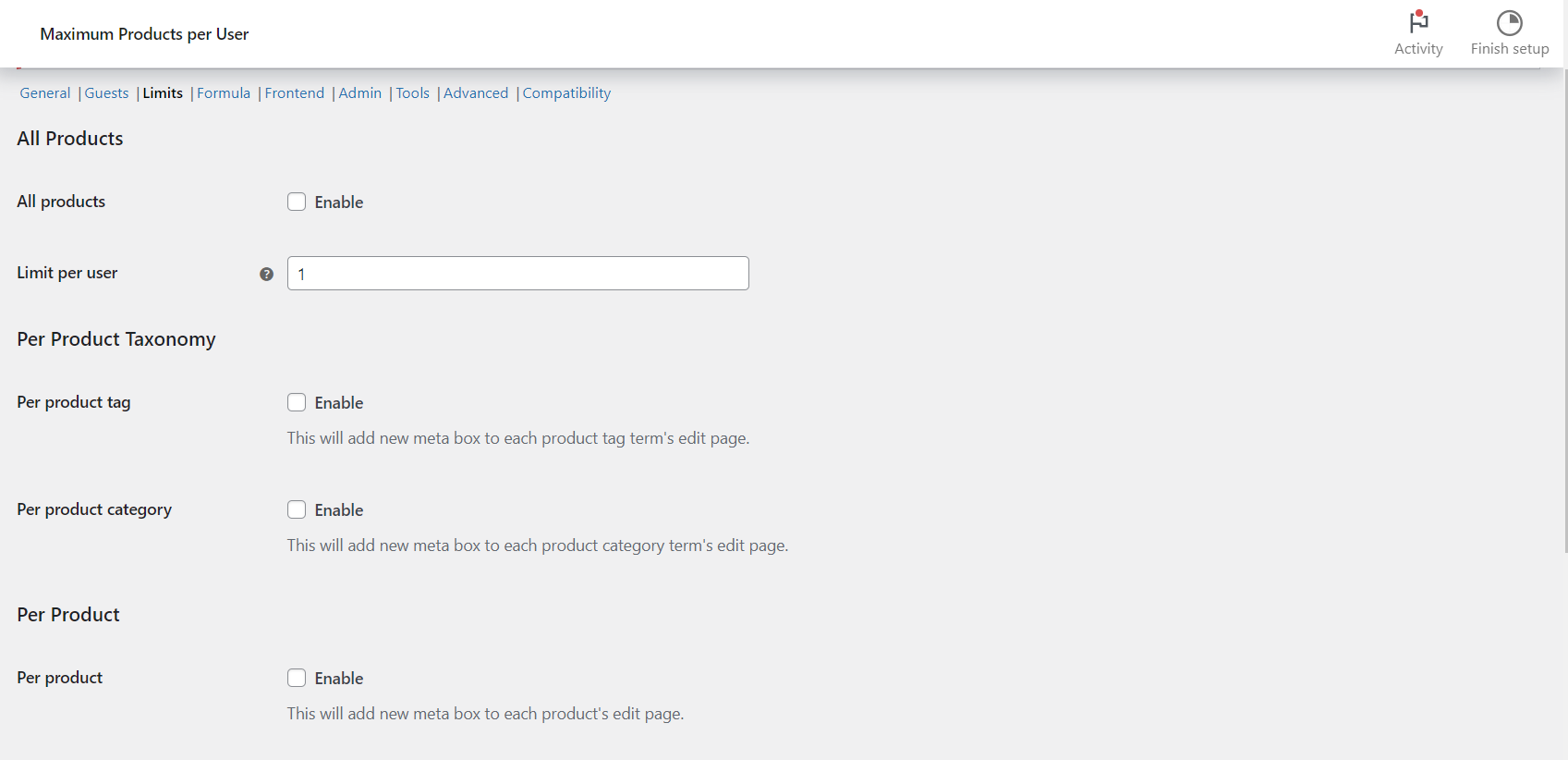
Where to find it #
Go to WPFactory > Max Products per User (also reachable at WooCommerce > Settings > Maximum Products per User), then open the Limits section.
The three levels #
| Level | Enable option ID | Default | Free/Pro |
|---|---|---|---|
| All Products (one limit for the whole store) | wpjup_wc_maximum_products_per_user_global_enabled |
No | Free |
| Per product category | alg_wc_mppu_product_cat_enabled |
No | Pro |
| Per product tag | alg_wc_mppu_product_tag_enabled |
No | Pro |
| Per product | wpjup_wc_maximum_products_per_user_local_enabled |
No | Pro |
All Products (free) #
- Turn on All products. It is off by default, so nothing is limited until you enable it.
- Set Limit per user (
wpjup_wc_maximum_products_per_user_global_max_qty, default1). Enter the highest quantity of each product one customer may buy.0applies no limit. Do not use-1for “no limit”: any quantity is above-1, so it blocks every purchase. - If you enabled User roles in the General section, a per-role Limit per user field appears for each role. A role value of
0falls back to the main limit, and-1stops that role from buying.
Per product and per taxonomy (Pro) #
- Enable Per product, Per product category or Per product tag.
- Per product: edit a product and use the new Maximum Products per User box to set its Limit per user. A value of
0falls back to the All Products limit if that section is on, otherwise no limit applies. A value of-1blocks the product for everyone it applies to. - Per category / tag: edit the category or tag term and set its Limit per user field.
Tip: to limit different products together, assign them to a shared category or tag and set the limit on that term. This is the standard way to cap a group of products with one number.
Choosing the right level #
Use All Products for a single blanket rule. Use per category or per tag for groups such as limited editions or promotional lines. Use per product when a specific item needs its own cap.
Special values at a glance #
| Value | All Products limit | Per role, per product or per term limit |
|---|---|---|
| Positive number (for example 2) | Each customer can buy up to that quantity. | Each customer can buy up to that quantity. |
0 |
No limit. | Falls back to the next level (for a product, the All Products limit if it is on). |
-1 |
Blocks the purchase. | Blocks the purchase. |
Get more control #
The store-wide limit is free. Per-product, per-category and per-tag limits are Pro features of Maximum Products per User for WooCommerce. Get Maximum Products per User Pro.
Need a hand? Our team answers every ticket on the Maximum Products per User support forum.