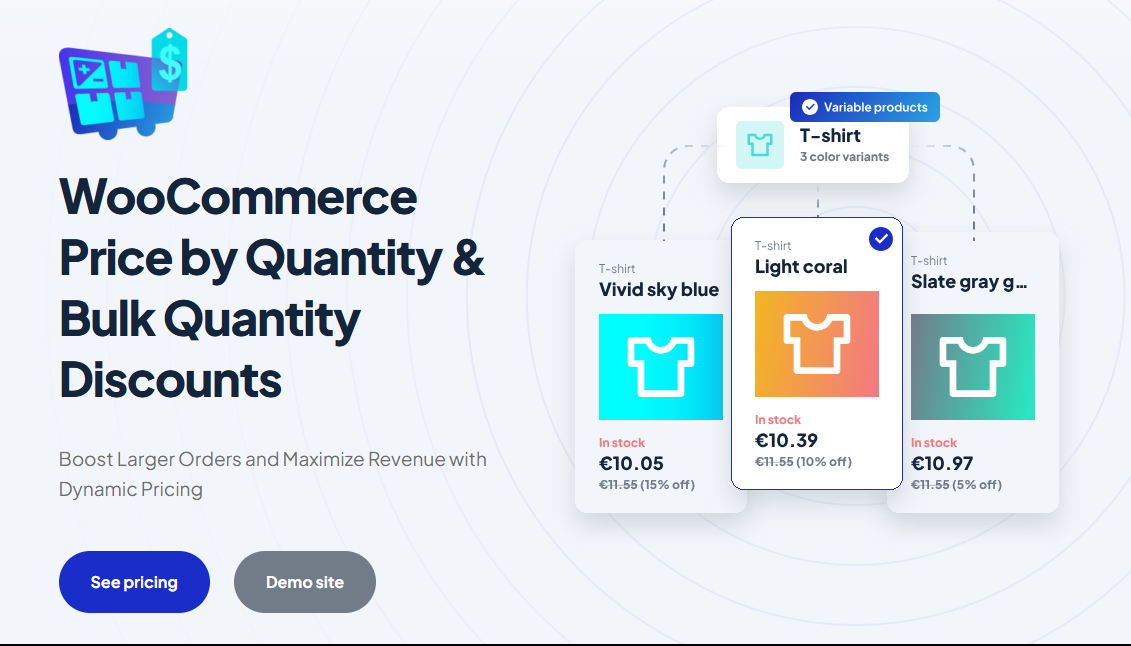
WooCommerce Price by Quantity & Bulk Quantity Discounts adds tiered “buy more, pay less” pricing to WooCommerce: store-wide, per product, per user role and, in Pro, per variation, category or tag. All settings are at WPFactory > Product Price by Quantity (also reachable at WooCommerce > Settings > Product Price by Quantity).
What it does #
Price by Quantity lowers the unit price when a customer buys more. You define levels, such as 10% off from 5 items and 20% off from 10 items, and the discount is applied to the cart price automatically. You can also show the discounts to customers with a pricing table, a live price on the product page, or information in the cart.
Install and activate #
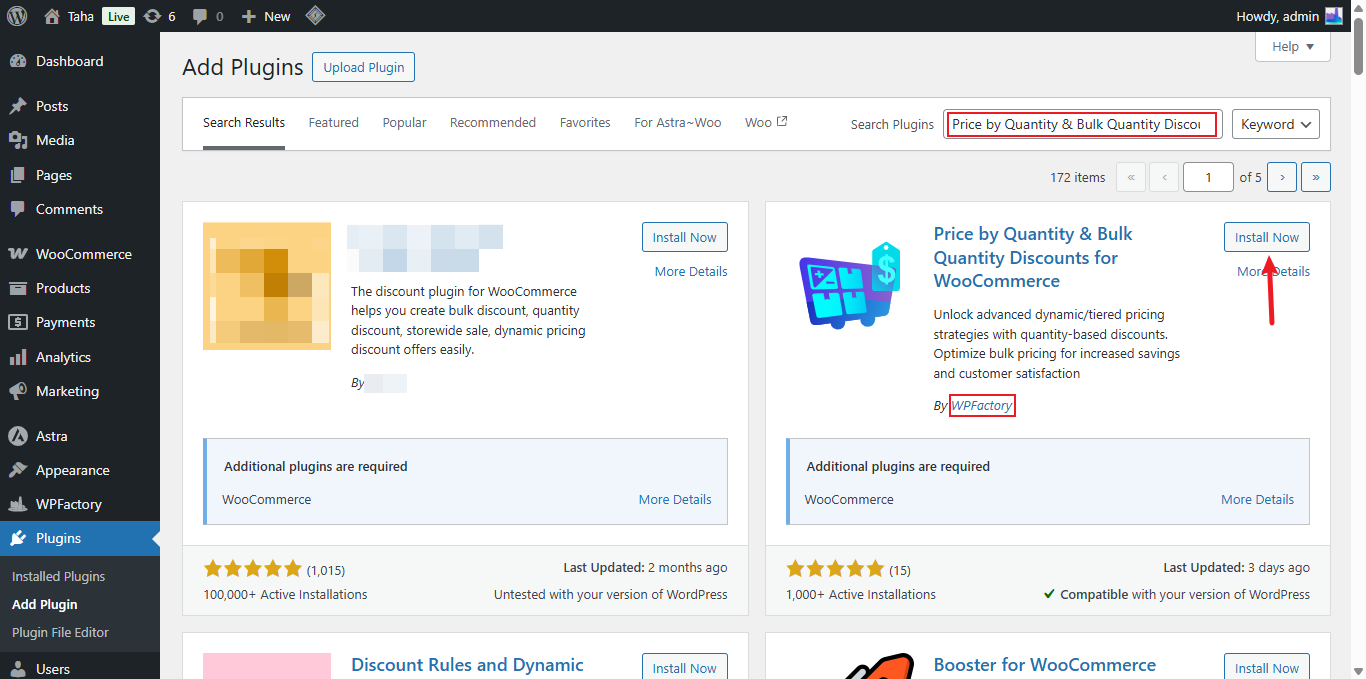
- Free version: go to Plugins > Add New, search for Price by Quantity & Bulk Quantity Discounts for WooCommerce, click Install Now, then Activate. WooCommerce must be active.
- Pro version: download Price by Quantity & Bulk Quantity Discounts for WooCommerce Pro from your WPFactory account, go to Plugins > Add New > Upload Plugin, upload the ZIP and activate it.
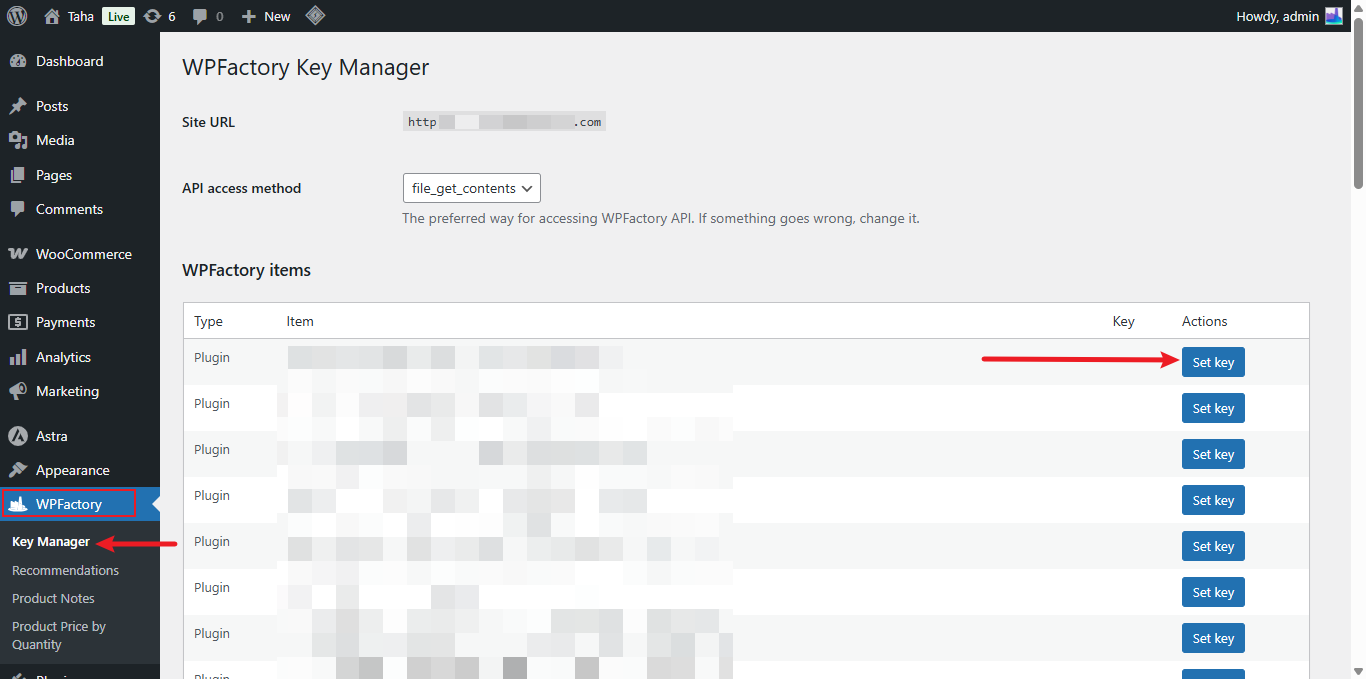
After installing Pro, go to WPFactory > Key Manager and enter your license key to enable updates.
First setup: a store-wide quantity discount #
This setup works in the free version and applies to every product.
- Go to WPFactory > Product Price by Quantity. In the General section, make sure All products is checked (it is on by default), then save.
- Open the All Products section. Leave Discount type on Percent (default) or choose Fixed.
- Set Number of levels (default: 1) and click Save changes so the level fields appear.
- For each Level #, enter the Min quantity and the Discount. For example, Level #1: Min quantity 5, Discount 10.
- Save, then add 5 of any product to the cart to see the discounted price.
By default the discount is based on the quantity of each product line (Quantity calculation: Single product quantity). To count all items in the cart together, change it to Total cart quantity in the General section. The full walkthrough is in how to implement dynamic pricing structures.
Main features #
Per-product pricing (Free) #
With Per product enabled in the General section (default: on), each product edit page has a Product Price by Quantity box where you set its own levels, with Percent, Fixed or Price directly as the discount type. See how to set quantity discounts on a single product.
Pricing by user role (Free) #
The User Roles section lets you set separate levels for roles such as wholesale customers. See how to set different quantity pricing by user role.
Required and excluded products (Free) #
The Advanced Options of the All Products section have Required products and Excluded products lists to limit where the store-wide levels apply. See how to configure wholesale offers with conditions.
Live price by quantity (Free) #
The Price Display by Qty section updates the price on the product page as the customer changes the quantity (off by default). See how to show the real-time price by quantity.
Pricing table shortcodes (Free) #
Show levels anywhere with [alg_wc_ppq_table], [alg_wc_product_ppq_table], [alg_wc_ppq_data] and [alg_wc_product_ppq_data]. See the Price by Quantity shortcodes and the placeholders reference.
Per variation, category and tag pricing (Pro) #
Enable Per variation, Per product category or Per product tag in the General section to set levels at those levels, and group the quantity by product parent, category or tag. See quantity pricing per variation and quantity discounts by category and tag.
Automatic pricing table and cart info (Pro) #
The Info section can add the discount pricing table to the single product and shop pages, replace the displayed price, and show savings in the item subtotal and cart totals.
Quantity dropdown (Pro) #
The Qty Dropdown section replaces the quantity field with a dropdown of your levels. See how to replace the quantity input with a dropdown.
Products list shortcode (Pro) #
[alg_wc_ppq_products_list] builds a table of products with their bulk prices. See how to build a bulk pricing products list.
Free vs Pro #
| Feature | Free | Pro |
|---|---|---|
| All products levels (Percent or Fixed) | Yes | Yes |
| Per product levels (Percent, Fixed, Price directly) | Yes | Yes |
| User Roles section | Yes | Yes |
| Quantity calculation: Single product or Total cart quantity | Yes | Yes |
| Quantity calculation: Group by product parent, category or tag | No | Yes |
| Per variation, Per product category, Per product tag | No | Yes |
| Price Display by Qty section | Yes | Yes |
| Table and data shortcodes | Yes | Yes |
| Info: Item price in cart | Yes | Yes |
| Info: Item subtotal, cart and checkout totals, pricing table on product and shop pages, Replace Price | No | Yes |
| Qty Dropdown section | No | Yes |
[alg_wc_ppq_products_list] shortcode |
No | Yes |
FAQ #
Why are some options greyed out? #
Per variation, Per product category, Per product tag, the “Group by” quantity calculations, the Qty Dropdown and most Info options are Pro. In the free version they are disabled and marked as needing Pro.
Can I add a fee instead of a discount? #
Yes. Enter a negative number in a level’s Discount field to add a fee instead.
Does the discount combine with coupons? #
By default, yes. To apply quantity discounts only when no other cart discount is applied, check Other cart discounts in the General section (default: off). See how to fix discount conflicts.
Are discounted prices rounded? #
Rounding in the General section is on by default and rounds prices to your WooCommerce number of decimals. See decimal and separator issues.
Which rule wins if a product has several? #
Per-product levels, when enabled on the product and filled in, are used first. Next come category or tag levels (Pro), and the All Products levels apply only when neither is set. If your prices do not match what you expect, see fix per-tag and per-product discount display issues.
Ready for more pricing control? #
Store-wide, per-product and user role levels are free. WooCommerce Price by Quantity & Bulk Quantity Discounts Pro adds per-variation, category and tag pricing, the quantity dropdown and automatic pricing tables. See what Pro unlocks.
Need a hand? Our team answers every ticket on the Price by Quantity support forum.