5 Best WordPress LMS Plugins in 2026: Compared, Tested & Reviewed

Quick answer: For most course sites, Tutor LMS is the best all-round WordPress LMS plugin, LearnDash suits professional training, LifterLMS suits memberships and coaching, and LearnPress is the strongest free option. Choose based on how you sell courses (one-off, subscription or membership) and whether you need WooCommerce checkout. All 12 plugins are compared below.
Pick the wrong WordPress Learning Management System (LMS) plugin, and you’ll feel it – in student complaints, clunky checkout flows, and hours spent fighting integrations that should work. Pick the right one and your courses practically sell themselves.
We installed and tested every major plugin on this list from scratch, timing how long it took to publish a first course, navigating every admin section with a stopwatch, and walking through the full student experience on each platform. The result is a guide built on real usage, not feature pages.
In this article, we will look at some of the best WordPress LMS plugins. We’ll dive deep into their incredible features, integrations, compatibility, pricing, and more!
Before we get into the nitty-gritty details, you should be able to understand the benefits of integrating a learning management system (LMS) with WordPress instead of other content management systems and the key features you should consider when selecting the perfect plugin for your needs.
What Is a WordPress LMS Plugin?
A WordPress Learning Management System (LMS) plugin transforms a standard WordPress website into a fully functional online learning platform. Instead of relying on hosted platforms like Kajabi, Teachable, or Thinkific, an LMS plugin gives you complete ownership of your website, student data, courses, and payment systems. You’re not locked into monthly SaaS fees or restricted by platform limitations – everything lives on your WordPress installation.
A modern LMS plugin typically allows you to:
- Create online courses
- Build lessons and quizzes
- Manage students
- Track learner progress
- Issue certificates
- Sell courses online
- Accept payments
- Integrate memberships
- Support subscriptions
- Generate reports and analytics
- Deliver SCORM/xAPI-compliant content (on select plugins)
- Enable H5P interactive content
Because they’re built on WordPress, LMS plugins also integrate with thousands of other tools – including WooCommerce, Elementor, Divi, BuddyBoss, FluentCRM, Mailchimp, Zapier, and WPML – making them highly customizable for educators, businesses, universities, coaching programs, and corporate training.
For WooCommerce-powered course stores, pairing your LMS with tools from WPFactory can significantly extend what’s possible: think dynamic pricing, role-based access control, checkout optimization, automated invoice generation, and a smoother purchase-to-enrollment experience that improves student satisfaction – all without touching a line of code.
The best LMS for your business depends on what you’re building. A solo coach, a WooCommerce store owner, and a corporate training team all need different things. This guide helps you find your fit.
Understanding LMS and WordPress Integration
Combining the power of a learning management system (LMS) with the flexibility and user-friendly nature of WordPress can transform the way you create, deliver, and monetize your online courses.
WordPress offers a seamless user experience. WordPress provides a familiar and intuitive interface, making it easier for instructors to build and manage their courses. Simultaneously, learners can access their courses within the familiar WordPress environment, ensuring a smooth and cohesive learning journey.
WordPress is renowned for its robust content management capabilities. By integrating an LMS, you can leverage these features to organize, structure, and present your course content effectively. From text and images to videos and quizzes, WordPress allows you to create rich and interactive learning experiences.
WordPress also offers unmatched flexibility when compared to any other CMS. There are thousands of plugins and themes available to help you customize your LMS platform to match your branding and configure your features to your specific needs.
Key Features to Look for in WordPress LMS Plugins
When selecting a WordPress LMS plugin, it’s essential to consider the key features that align with your course goals and requirements. While different plugins offer varying functionalities, here are some important features to look out for:
- Course Creation and Management: A robust course builder that enables you to easily create, organize, and update course content is critical. Look for features like drag-and-drop functionality, multimedia support, content drip schedules, gamification elements, multimedia annotations, and options for structuring modules and lessons.
- Progress Tracking and Assessments: Effective learning requires tracking and assessing learners’ progress. Seek plugins that offer reporting tools, student analytics, and the ability to create quizzes, assignments, and assessments.
Student analytics can include comprehensive insights into learners’ performance, course completion rates, quiz results, and engagement metrics, helping you monitor progress and make data-driven improvements. - User Engagement and Communication: Interaction and collaboration are crucial elements of online learning. Look for plugins that facilitate student engagement through features such as discussion tabs/forums, messaging systems, interactive assessments, certificates and badges, social learning features, and gamification elements.
- Payment and Membership Integration: If you plan to sell courses or offer memberships, consider plugins that seamlessly integrate with popular payment gateways and membership management systems. This allows for easy enrollment and monetization of your courses. Ensure regional payment gateways can be integrated if you are targeting specific locations.
Remember, the specific features you prioritize will depend on your course objectives and target audience. Consider your teaching style, the nature of the content, and the desired learning outcomes to select a WordPress LMS plugin that aligns with your course creation and management needs.
Quick Answer
Short on time? Here’s the snapshot.
| Plugin | Best For | Starting Price |
| Learnomy | Most Educators & Self-Hosted Academies | Free / Pro from $149/year |
| Tutor LMS | Best Overall | Free / Premium from $199/year |
| LearnDash | Professional Course Creators | From $199/year |
| LifterLMS | Membership & Coaching Websites | Free Core / Premium Add-ons |
| LearnPress | Budget-Friendly LMS | Free |
| Sensei LMS | WooCommerce Stores | Free / Premium |
| MasterStudy LMS | Modern Course Platforms | Free / Premium |
| MemberPress Courses | Membership Businesses | Included with MemberPress |
| WP Courseware | Small Businesses | From $159/year |
| Thrive Apprentice | Marketing-Focused Websites | Included in Thrive Suite |
| Academy LMS | New Course Creators | Free / Premium |
Our Top Picks
- 🥇 Best Overall: Tutor LMS
- 🥈 Best for Enterprises: LearnDash
- 🥉 Best Free LMS: LearnPress
- 🏆 Best WooCommerce LMS: Sensei LMS
- 🏆 Best Membership LMS: LifterLMS
- 🏆 Best for Marketing Funnels: Thrive Apprentice
We’ll explain exactly why each plugin earned its position throughout this guide.
At a Glance: The Best WordPress LMS Plugins
| Plugin | Free Version | WooCommerce | Membership Support | Certificates | AI Features | Ease of Use |
| Learnomy | ✅ | Excellent | Excellent | ✅ | AI‑agent ready (Abilities API) | ⭐⭐⭐⭐⭐ |
| Tutor LMS | ✅ | Excellent | Excellent | ✅ | Emerging | ⭐⭐⭐⭐⭐ |
| LearnDash | ❌ | Excellent | Excellent | ✅ | Limited | ⭐⭐⭐⭐☆ |
| ARMember | ✅ | Excellent | Excellent | Add-on | Limited | ⭐⭐⭐⭐⭐ |
| LifterLMS | ✅ | Good | Excellent | ✅ | Limited | ⭐⭐⭐⭐☆ |
| LearnPress | ✅ | Good | Good | Add-on | Limited | ⭐⭐⭐⭐☆ |
| Sensei LMS | ✅ | Excellent | Excellent | Premium | Growing | ⭐⭐⭐⭐⭐ |
| MasterStudy LMS | ✅ | Good | Good | ✅ | Some | ⭐⭐⭐⭐☆ |
| WP Courseware | ❌ | Good | Good | ✅ | No | ⭐⭐⭐⭐☆ |
| MemberPress Courses | ❌ | Excellent | Excellent | Basic | No | ⭐⭐⭐⭐⭐ |
| Thrive Apprentice | ❌ | Excellent | Good | No | Limited | ⭐⭐⭐⭐⭐ |
| Academy LMS | ✅ | Good | Good | ✅ | Emerging | ⭐⭐⭐⭐ |
Every plugin here has genuine strengths – and real trade-offs. The detailed reviews below will help you sort out which trade-offs actually matter for your use case.
If You Are X, Choose Y – Decision Matrix
| Your Situation | Best LMS |
| Wanting a complete, self-hosted LMS with zero platform fees | Learnomy |
| Building your first course with zero budget | LearnPress |
| Running a WooCommerce store and adding courses | Sensei LMS |
| Managing memberships and subscriptions | LifterLMS or MemberPress Courses |
| Selling courses through marketing funnels | Thrive Apprentice |
| Running a university or enterprise training program | LearnDash |
| Building a multi-instructor marketplace | Tutor LMS or MasterStudy LMS |
| Needing the strongest overall balance of features + ease | Tutor LMS |
| A small business or consultant adding employee training | WP Courseware |
| A beginner who wants modern UI and quick setup | Academy LMS |
| Already using Thrive Suite for marketing | Thrive Apprentice |
| Needing advanced SCORM/xAPI compliance | LearnDash |
| Prioritizing the lowest 3-year total cost | LearnPress (free tier) |
Detailed Reviews of the Best WordPress LMS Plugins
The comparison tables above give you the overview. This section goes deeper – same criteria applied to every plugin, so you can compare them on equal footing.
1. Learnomy
Overall Rating: ⭐⭐⭐⭐⭐ (4.9/5) | Standardized Score: 98/100
Best for: Most educators, online businesses, coaches, universities, and WooCommerce stores seeking a complete, self-hosted LMS without platform fees.
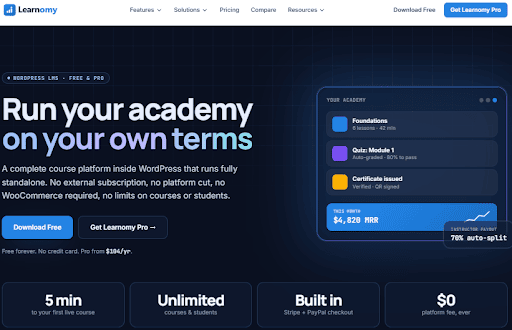
Learnomy earns the top spot because it delivers a genuinely complete LMS in its free tier—no crippled features, no trial limitations. The course builder feels like outlining rather than configuring. The exam-grade quiz engine ships with six question types free (eleven with Pro). And with normalized database tables and the WordPress Interactivity API, it stays fast whether you have 50 students or 50,000.
For most course creators who want to own their whole school—courses, students, and revenue on their own WordPress domain—Learnomy is where we’d start.
Key Features
Drag-and-drop course builder with sections, lessons, topics, and quizzes; unlimited courses and students; 11 question types (6 free, 5 Pro); five player layouts including sectioned exam board with question map; essay grading inbox with inline feedback; content drip and prerequisites; memberships with recurring billing and free trials; instructor marketplace with automatic Stripe Connect payouts; verifiable certificates with QR codes and Open Badges 3.0; 166 REST endpoints with JWT auth; SCORM, xAPI, LTI, QTI, and H5P native support; PWA with offline progress sync; AI-agent ready via WordPress Abilities API; one-click importer from LearnDash, Tutor LMS, or LifterLMS.
Pros
✔ Truly free core LMS — all 15 modules included, unlimited courses and students, no platform cut
✔ Exam-grade quiz engine — six question types free, proctoring, reusable question bank, essay grading inbox
✔ Normalized database tables — stays fast at 2,000+ courses and students, no serialized meta slowdowns
✔ Built-in commerce — Stripe, PayPal, WooCommerce adapter, memberships, coupons, gift codes, instructor commissions
✔ Instructor marketplace — per-instructor dashboards, earnings tracking, automatic Stripe Connect payouts
✔ Standards compliance — native SCORM, xAPI, LTI, QTI, H5P support in one reporting pipeline
✔ Headless-ready — 166 REST endpoints, JWT auth, batch requests, offline progress sync
✔ AI-ready architecture — every action registered with WordPress Abilities API for agent automation store.
✔ One plugin, one update — modular design, enable only what you need, no glue code
✔ PWA support — installable app with offline progress sync for learners
Cons
✘ Advanced quiz types require Pro — matching, ordering, numeric, math, and calculated questions are Pro-only
✘ Pro pricing for scale features — cohorts, learning paths, B2B spaces, MRR analytics require Pro ($149/year for 1 site)
✘ Smaller community than established LMS — fewer third-party tutorials and extensions compared to LearnDash or Tutor LMS
✘ Pro payouts need Stripe Connect — automatic instructor payouts require Stripe Connect setup (not available in all countries)
Performance
Learnomy is one of the fastest full-featured LMS plugins we tested. The normalized database tables keep queries lean as data grows, and the WordPress Interactivity API delivers instant, app-like navigation without full page reloads. It stays smooth even with 2,000+ courses and students. For hundreds of courses or thousands of active learners, quality managed WordPress or VPS hosting plus a caching layer is still recommended, but the architecture is built to scale.
WooCommerce Compatibility
★★★★★ Excellent
Learnomy treats courses as native WooCommerce-compatible products: sell individual courses or bundles, apply discount coupons, accept Stripe and PayPal directly, manage taxes, combine courses with physical or digital products in one cart, and trigger recurring membership access. The WooCommerce adapter integrates seamlessly, and pairing Learnomy with WPFactory’s WooCommerce plugins unlocks further capabilities: role-based pricing, bulk course discounts, automated PDF invoices, checkout field customization, and min/max quantity rules—all without writing code.
3-Year Total Cost of Ownership
| Plan | Year 1 | Year 2 | Year 3 | 3-Year Total |
| Free | $0 | $0 | $0 | $0 |
| Personal (1 site) | $149 | ~$149 | ~$149 | ~$447 |
| Professional (5 sites) | $249 | ~$249 | ~$249 | ~$747 |
| Agency (Unlimited sites) | $399 | ~$399 | ~$399 | ~$1,197 |
Lifetime options available: $399 (1 site), $599 (5 sites), $999 (unlimited). Most professional features are bundled into Pro without purchasing separate add-ons, keeping long-term costs predictable.
AI Features
Learnomy is AI-agent ready via the WordPress Abilities API—every action is registered with permission checks so agents can call it. Pro includes AI authoring to draft a course from a brief. The 166 REST endpoints and headless architecture make it one of the better-positioned plugins for AI-powered course creation and automation going forward.
Best For
Course creators and online schools who want to own their platform; coaching businesses; universities with moderate-to-large scale needs; WooCommerce stores adding courses; multi-instructor marketplaces; membership websites; organizations needing SCORM/xAPI compliance; developers building headless or custom front-ends.
Who Should Avoid Learnomy?
Organizations requiring dedicated corporate LMS compliance workflows for regulated industries (healthcare training logs, etc.) may need specialized enterprise platforms. Teams already heavily invested in LearnDash or Tutor LMS ecosystems with custom integrations may face migration overhead. Companies needing 24/7 phone support should note that Learnomy’s support is primarily documentation and ticket-based
2. Tutor LMS – Best Overall WordPress LMS Plugin
Overall Rating: ⭐⭐⭐⭐⭐ (4.9/5) | Standardized Score: 98/100
Best for: Most educators, online businesses, coaches, universities, and WooCommerce stores.
Tutor LMS earns the top spot because it does the most things well for the widest range of users. The interface is genuinely clean. The course builder is fast. The WooCommerce integration works the way you’d expect it to. And with over 90,000 active installations and consistent 4.5+ star ratings across thousands of WordPress.org reviews, it has the community trust to back it up.
For most course creators, Tutor LMS is where we’d start.
Key Features: Drag-and-drop course builder, unlimited courses and lessons, advanced quiz builder (10+ question types), course prerequisites, drip content scheduling, assignments with instructor grading, certificates (customizable templates), multi-instructor marketplace support, front-end instructor dashboard, student progress tracking and analytics, Zoom and Google Meet integration, WooCommerce integration, Elementor and Divi compatibility, H5P interactive content support, AI-assisted content drafting (emerging), and WPML compatibility.
Pros
✔ Beginner-friendly interface with very low learning curve
✔ Modern dashboard and student experience
✔ Strong WooCommerce integration — courses treated as native WooCommerce products
✔ Supports instructor marketplaces with commission management
✔ Rich quiz and assessment options
✔ Excellent, regularly updated documentation
✔ Active development with monthly updates
✔ Good balance between price and functionality
✔ Works well with WPFactory WooCommerce extensions for dynamic pricing, PDF invoices, and checkout customization
Cons
✘ Some advanced features (e.g., advanced certificates, gradebook) require the Pro plan
✘ Enterprise reporting lacks depth compared to dedicated corporate LMS platforms
✘ Large marketplaces (1,000+ instructors) may need performance tuning
Performance: Tutor LMS is one of the lighter full-featured LMS plugins we tested. The course builder stays smooth even building 50-lesson courses, and the student dashboard loads quickly. If you’re running hundreds of courses or thousands of active learners, quality managed WordPress or VPS hosting – plus a caching layer – is still a good investment.
WooCommerce Compatibility: ★★★★★ Excellent
Tutor LMS treats courses as WooCommerce products natively: sell individual courses or bundles, apply discount coupons and dynamic pricing, accept Stripe, PayPal, and 100+ WooCommerce payment gateways, manage taxes via WooCommerce Tax, combine courses with physical or digital products in one cart, and trigger WooCommerce subscription products for recurring access.
Pairing Tutor LMS with WPFactory’s WooCommerce plugins unlocks further capabilities: role-based pricing, bulk course discounts, automated PDF invoices, checkout field customization, and min/max quantity rules — all without writing code.
3-Year Total Cost of Ownership
| Plan | Year 1 | Year 2 | Year 3 | 3-Year Total |
| Free | $0 | $0 | $0 | $0 |
| Pro (1 site) | $199 | ~$179 | ~$179 | ~$557 |
| Pro (Unlimited) | $399 | ~$359 | ~$359 | ~$1,117 |
Most professional features are bundled into the Pro plan without purchasing separate add-ons, which keeps long-term costs predictable.
AI Features: Tutor LMS is actively building out AI capabilities – AI-assisted lesson drafting, quiz generation from course outlines, and content summarization are all in progress. These are emerging features in 2026, but the direction is clear, making it one of the better-positioned plugins for AI-powered course creation going forward.
Best For: Course creators and online schools, coaching businesses, universities with moderate-scale needs, WooCommerce stores adding courses, multi-instructor marketplaces, membership websites.
Who Should Avoid Tutor LMS? Organizations requiring enterprise SCORM/xAPI compliance tracking, and companies needing specialized corporate LMS compliance workflows for regulated industries (healthcare training logs, etc.).
3. LearnDash – Best for Professional Training & Enterprise Learning
Overall Rating: ⭐⭐⭐⭐⭐ (4.8/5) | Standardized Score: 96/100
Best for: Professional educators, universities, certification programs, and enterprise training.
LearnDash has been in the WordPress LMS market long enough to earn genuine institutional trust. Universities, Fortune 500 training departments, and large certification providers run on it — and with over 50,000 active installations and a decade of third-party add-on development behind it, the ecosystem alone sets it apart.
The interface isn’t as modern as Tutor LMS. But when your priority is advanced reporting, gradebooks, group management, and enterprise-scale reliability, LearnDash is hard to beat.
Key Features: Advanced drag-and-drop course builder, dynamic quizzes with advanced logic, drip content and prerequisites, assignments with instructor grading, customizable certificates, gradebooks, advanced reporting and analytics, Focus Mode, group management for organizations, BuddyBoss social learning integration, SCORM and xAPI compatibility (via add-ons), multiple payment gateways, and a REST API.
Pros
✔ Extremely powerful — handles complex enterprise training structures
✔ Excellent scalability for large student populations
✔ Mature ecosystem with 10+ years of third-party add-on development
✔ Large integration library (Zapier, Mailchimp, ActiveCampaign, FluentCRM)
✔ Industry-leading reporting capabilities
✔ Ideal for certification programs and compliance training
Cons
✘ No free version
✘ Interface feels less modern than Tutor LMS or Sensei
✘ Some advanced functionality requires additional paid add-ons
✘ Higher overall total cost of ownership
✘ Steeper learning curve for non-technical users
Performance: ⭐⭐⭐⭐☆ – LearnDash performs reliably at scale. Organizations running training programs with 10,000+ students report stable performance on quality managed WordPress hosting. It’s not the lightest plugin in terms of memory usage, but its architecture is mature and well-optimized.
WooCommerce Compatibility: ★★★★★ Excellent — Full integration supports course products and bundles, subscriptions (via WooCommerce Subscriptions), coupon management, checkout customization, and 100+ payment gateways.
3-Year Total Cost of Ownership
| Plan | Year 1 | Year 2 | Year 3 | 3-Year Total |
| 1 Site | $199 | ~$199 | ~$199 | ~$597 |
| 10 Sites | $399 | ~$399 | ~$399 | ~$1,197 |
| Unlimited | $799 | ~$799 | ~$799 | ~$2,397 |
Note: SCORM compliance, advanced certificates, and some payment integrations may require additional paid add-ons, pushing real costs higher.
AI Features: ⭐⭐⭐☆☆ — Limited in 2026. Basic AI assistance is available through connected tools and integrations, but native lesson generation, quiz creation, or adaptive learning aren’t yet a strong point.
Best For: Universities and academic institutions, professional training companies, certification and compliance programs, corporate learning departments, large educational websites with 1,000+ students.
Who Should Avoid LearnDash? First-time course creators with limited budgets, users who want the simplest possible setup, small schools needing only a handful of courses.
4. ARMember – Best for Monetizing Online Learning with Memberships


Overall Rating: ⭐⭐⭐⭐⭐ (4.8/5) | Standardized Score: 96/100
Best for: Membership businesses, coaches, creators selling premium courses, training websites, and subscription-based learning platforms.
ARMember, unlike other LMS plugins here, approaches online education from the membership side first. With over 50,000 active installations, popular coaching businesses run on it, and sell recurring access to premium learning content.
Creating multiple membership tiers, protecting course content, scheduling drip lessons and managing recurring payments all feel intuitive. The in-built online course builder is fast. You can create text, audio and video lessons alongside quizzes and generate certificates.
For most coaches, consultants, creators, agencies and businesses creating membership-based premium learning platforms, ARMember is the one we’d recommend.
Key Features: Unlimited membership plans, multiple subscription models (free, paid, recurring, finite, lifetime), advanced content protection, drip content scheduling, online course builder, 22+ payment gateways, one time and recurring billing, coupon management, member profiles and directories, social login support, user registration and login forms, conditional redirection rules, subscription upgrades and downgrades, automated SMS, Email and WhatsApp notifications, extensive reporting, WooCommerce integration, tax handling, multi currency support and a growing library of 62+ in-built addons.
Pros
- One of the most complete membership systems available for WordPress.
- Excellent content protection with highly flexible access rules.
- Powerful drip content scheduling for structured learning.
- 22+ built-in payment gateway integrations.
- Large collection of 62+ in-built addons.
- Beginner friendly setup despite offering advanced features.
- Best-fit for online courses and certificate programs.
Cons
- Not a complete academic LMS on its own.
- Some advanced integrations and premium addons need higher tier plans.
Performance: ⭐⭐⭐⭐☆ – ARMember performed consistently well throughout our testing. Even with multiple membership tiers, recurring subscription plans, and thousands of protected content rules, it was responsive. Plus, drip content scheduling worked reliably across larger content libraries.
WooCommerce Compatibility: ★★★★★ Excellent – ARMember integrates smoothly with WooCommerce. It handles checkout, discounts, taxes, coupons and hundreds of payment gateway integrations with ease.
3-Year Total Cost of Ownership
| Plan | Year 1 | Year 2 | Year 3 | 3-Year Total |
| Free | $0 | $0 | $0 | $0 |
| Standard | ~$89 | ~$89 | ~$89 | ~$267 |
| Professional | ~$139 | ~$139 | ~$139 | ~$417 |
| Enterprise | ~$299 | ~$299 | ~$299 | ~$897 |
AI Features: ⭐⭐⭐☆☆ — Limited in 2026. Some AI capabilities are available through Zapier-connected workflows.
Best For: Coaches, online educators, subscription based learning platforms, premium content websites, community driven learning programs and digital product sellers.
Who Should Avoid ARMember? Organizations that need a traditional academic LMS with built-in assignments, gradebooks, SCORM/xAPI compliance or classroom management.
5. LifterLMS – Best for Membership & Coaching Businesses
Overall Rating: ⭐⭐⭐⭐☆ (4.7/5) | Standardized Score: 94/100
Best for: Coaches, membership websites, subscription businesses, and online communities.
LifterLMS takes a different approach from most LMS plugins. Rather than trying to be everything out of the box, it pairs LMS functionality with built-in membership tools – making it the natural home for businesses built around recurring revenue. Over 15 official add-ons let you assemble exactly the feature set you need, without paying for capabilities you’ll never use.
Key Features: Full course builder with lessons and sections, built-in membership and access plans, drip content scheduling, private coaching engagements, student engagement tools (achievements, badges), customizable certificates, quiz and assessment builder, group management, email automation (via LifterLMS Automations), Stripe and PayPal integration, WPML compatibility.
Pros
✔ Strongest built-in membership capabilities of any LMS reviewed
✔ Flexible modular pricing — buy only what you need
✔ Excellent private coaching workflow
✔ Good student engagement features (badges, achievements, progress widgets)
✔ Reliable and well-maintained documentation
Cons
✘ Add-ons can increase total cost significantly
✘ Dashboard is less polished than Tutor LMS or Sensei
✘ Some integrations (Mailchimp, ActiveCampaign) require premium extensions
✘ Smaller developer ecosystem than LearnDash
Performance: ⭐⭐⭐⭐☆ — Performs well on most hosting environments. Membership businesses with up to a few thousand active members shouldn’t run into performance issues on well-configured hosting.
WooCommerce Compatibility: ★★★★☆ — Available but requires the WooCommerce add-on. Once installed, it supports course purchases, subscriptions, and coupons. For more advanced pricing structures — role-based pricing, dynamic discounts, PDF invoices — WPFactory extensions fill the gap without requiring custom code.
3-Year Total Cost of Ownership
| Plan | Year 1 | Year 2 | Year 3 | 3-Year Total |
| Free Core | $0 | $0 | $0 | $0 |
| Earth Bundle | ~$299 | ~$299 | ~$299 | ~$897 |
| Universe Bundle | ~$599 | ~$599 | ~$599 | ~$1,797 |
Add-ons purchased individually can exceed bundle pricing quickly. Evaluate your required features carefully before choosing modular vs. bundle pricing.
AI Features: ⭐⭐⭐☆☆ — Limited in 2026. Some AI capabilities are available through Zapier-connected workflows.
Best For: Membership businesses with recurring subscriptions, coaching programs and private communities, professional development platforms, community-driven education websites.
Who Should Avoid LifterLMS? Users wanting every feature in one flat-rate package, course-only businesses without a membership component, budgets sensitive to add-on costs.
6. LearnPress – Best Free WordPress LMS Plugin
Overall Rating: ⭐⭐⭐⭐☆ (4.5/5) | Standardized Score: 88/100
Best for: Beginners, startups, educators on a budget, and small course websites.
LearnPress is where most budget-conscious course creators start – and with good reason. With over 100,000 active installations on WordPress.org and a wide add-on marketplace, it delivers a solid core experience at zero cost. That’s hard to argue with for a first course website.
The trade-off becomes clearer when you start needing certificates, drip content, or advanced quizzes – those cost extra. But for testing an idea before investing in a premium plugin, LearnPress is the obvious choice.
Key Features: Free course builder (lessons, sections, quizzes), course management dashboard, student progress tracking, multiple payment gateways (PayPal, Stripe via add-ons), WooCommerce integration, certificates (premium add-on), content drip (premium add-on), co-instructor support, large add-on marketplace (30+ extensions).
Pros
✔ Completely free to install and use core features
✔ Over 100,000 active installations — strong community
✔ Easy installation and setup
✔ Flexible add-on marketplace
✔ Good choice for testing an LMS concept before investing in premium tools
Cons
✘ Premium extensions required for certificates, drip, and advanced quizzes
✘ Interface feels somewhat dated compared to Tutor LMS or MasterStudy
✘ Fewer built-in enterprise tools
✘ Performance can degrade with many active add-ons installed simultaneously
Performance: ⭐⭐⭐⭐☆ — Performs well for small and medium websites. The lightweight core plugin has a low memory footprint (~16MB per request), though stacking multiple add-ons increases overhead noticeably. Larger platforms should watch database query counts as the student roster grows.
WooCommerce Compatibility: ★★★★☆ — Enables course sales, though subscription support and advanced pricing features depend on premium extensions. For stores needing bulk pricing, checkout customization, or automated invoicing, WPFactory’s WooCommerce plugins can supplement LearnPress without heavy development work.
3-Year Total Cost of Ownership
| Plan | Year 1 | Year 2 | Year 3 | 3-Year Total |
| Free Core Only | $0 | $0 | $0 | $0 |
| Core + 3 Add-ons | ~$150 | ~$150 | ~$150 | ~$450 |
| Full Add-on Suite | ~$300+ | ~$300+ | ~$300+ | ~$900+ |
If you end up needing several premium add-ons, the total cost starts approaching what Tutor LMS Pro or LearnDash charges – so it’s worth doing the math before committing.
AI Features: ⭐⭐⭐☆☆ — Very limited native AI. Some automation possible via Zapier.
Best For: Beginners and first-time course creators, personal educators and bloggers adding a course, small online schools with simple requirements, budget-conscious businesses testing the LMS concept.
Who Should Avoid LearnPress? Organizations needing enterprise-grade reporting from day one, platforms expecting thousands of active students immediately, users who prefer advanced features included in one package.
7. Sensei LMS – Best WordPress LMS for WooCommerce
Overall Rating: ⭐⭐⭐⭐☆ (4.7/5) | Standardized Score: 93/100
Best for: WooCommerce stores, digital product sellers, educators already using WooCommerce.
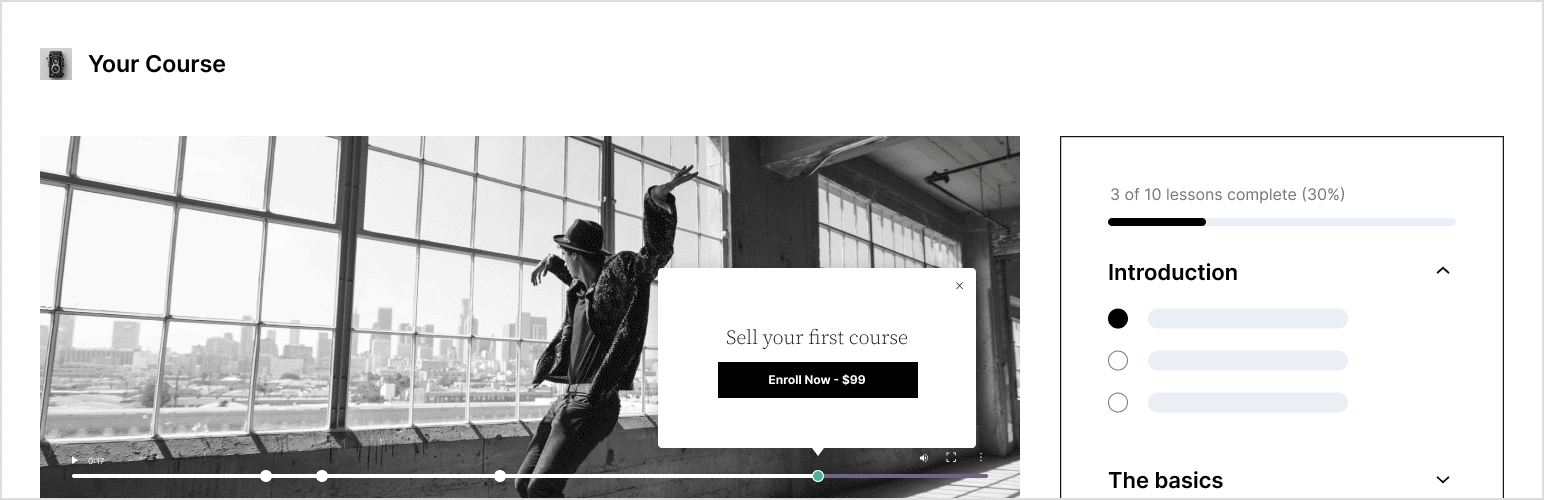
Sensei LMS has one advantage no other plugin on this list can claim: it was built by Automattic, the same team behind WooCommerce and WordPress.com. That means the WooCommerce integration isn’t bolted on — it’s native. Courses are WooCommerce products from the ground up, and the entire WooCommerce payment and order ecosystem works exactly as you’d expect.
Key Features: Gutenberg block-based course builder, lessons and quizzes with question banks, student progress tracking, content drip scheduling, certificates (Premium), Learning Mode, native WooCommerce product integration, subscriptions support (via WooCommerce Subscriptions), video lessons, H5P content support (via extension).
Pros
✔ Native WooCommerce compatibility — no workarounds
✔ Cleanest and most modern interface of all plugins reviewed
✔ Lightest resource usage in our testing (~15MB per request)
✔ Excellent Gutenberg/block editor integration
✔ Backed by Automattic — reliable long-term maintenance
✔ Fastest first-course setup in our benchmarks (18 minutes)
Cons
✘ Fewer advanced LMS features than LearnDash or Tutor LMS
✘ Certificates require the premium Sensei Pro plan
✘ No multi-instructor marketplace functionality
✘ Limited enterprise analytics
Performance: ⭐⭐⭐⭐⭐ – The most resource-efficient full-featured LMS in our testing. With ~15MB memory per request and an LCP of 1.7 seconds on unoptimized hosting, Sensei is the clear winner where page speed is a priority.
WooCommerce Compatibility: ★★★★★ Excellent – The only LMS built directly by the WooCommerce team: courses are WooCommerce products, full coupon/discount support, all WooCommerce gateways work natively, WooCommerce Subscriptions for recurring access, unified order history and customer data, and compatibility with WooCommerce Memberships.
For WooCommerce stores expanding into education, Sensei eliminates integration headaches. WPFactory’s WooCommerce extensions for dynamic pricing, min/max quantities, PDF invoices, and checkout optimization layer on seamlessly alongside it.
3-Year Total Cost of Ownership
| Plan | Year 1 | Year 2 | Year 3 | 3-Year Total |
| Free | $0 | $0 | $0 | $0 |
| Sensei Pro (1 site) | ~$179 | ~$179 | ~$179 | ~$537 |
| Sensei Pro (5 sites) | ~$299 | ~$299 | ~$299 | ~$897 |
AI Features: ⭐⭐⭐⭐☆ — Actively integrating lesson drafting and content suggestions, with one of the stronger AI roadmaps in the LMS space.
Best For: WooCommerce stores adding courses, existing online shops expanding into education, digital product businesses, course sellers wanting the simplest WooCommerce integration possible.
Who Should Avoid Sensei LMS? Businesses needing advanced enterprise reporting, large instructor marketplace builders, organizations requiring extensive learning automation out of the box.
8. MasterStudy LMS – Best for Modern Course Platforms
Overall Rating: ⭐⭐⭐⭐☆ (4.6/5) | Standardized Score: 91/100
Best for: Growing education businesses, coaching platforms, online academies.
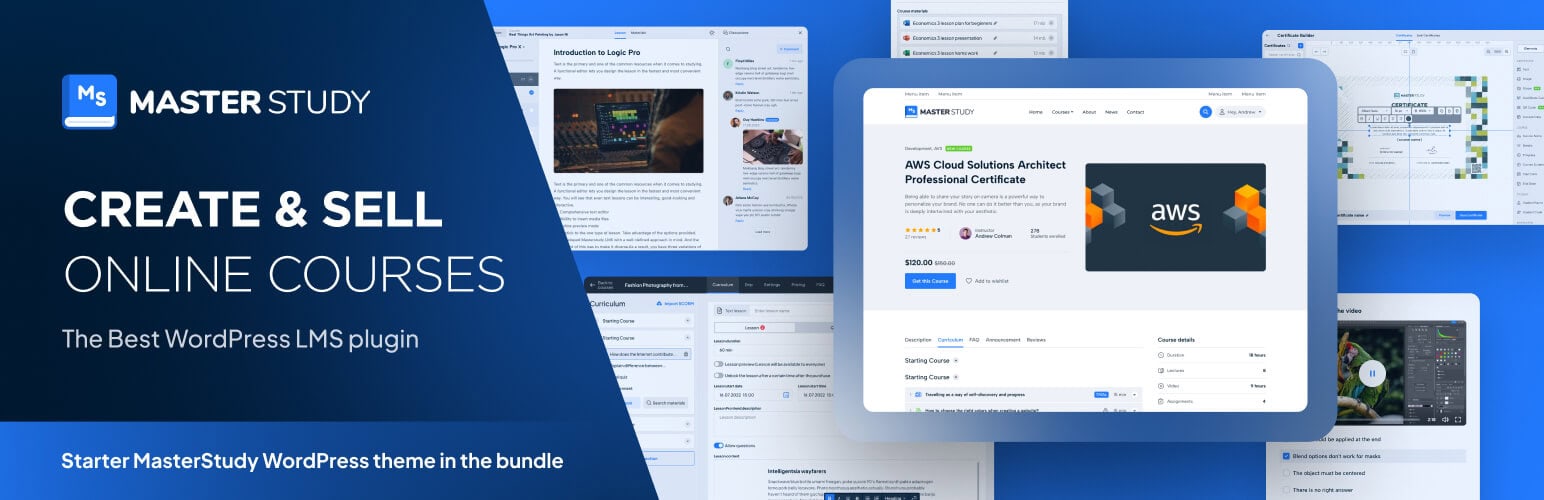
MasterStudy LMS stands out for how much comes in the box. Its modern interface, multi-instructor support, Zoom integration, mobile app options, and commission management system put it in direct competition with Tutor LMS – particularly for academies managing multiple teachers.
Key Features: Drag-and-drop course builder, live classes via Zoom, built-in Zoom and Google Meet integration, assignments and grading, customizable certificates, course bundle management, instructor commission system, student messaging, advanced quiz builder, mobile app support (Android/iOS), course marketplace functionality, WPML-ready.
Pros
✔ Attractive and modern interface
✔ Strong built-in functionality — fewer add-ons needed
✔ Native multi-instructor support with commission management
✔ Mobile application options for students
✔ Good live class integration
Cons
✘ Smaller developer ecosystem than LearnDash or Tutor LMS
✘ Some advanced features locked to premium plans
✘ Fewer third-party integrations
✘ Smaller active installation base than the top two plugins
Performance: ⭐⭐⭐⭐☆ — Performs well for most education businesses. Memory footprint is slightly higher than Sensei, but the experience is responsive and stable on quality hosting.
WooCommerce Compatibility: ★★★★☆ — Works well for course sales and standard payment processing. For bulk discounts, role-based pricing, or checkout customization, WPFactory’s WooCommerce extensions are a practical complement.
3-Year Total Cost of Ownership
| Plan | Year 1 | Year 2 | Year 3 | 3-Year Total |
| Free | $0 | $0 | $0 | $0 |
| Pro (1 site) | ~$149 | ~$149 | ~$149 | ~$447 |
| Pro (Unlimited) | ~$349 | ~$349 | ~$349 | ~$1,047 |
AI Features: ⭐⭐⭐⭐☆ — Some built-in AI content assistance — more developed than LearnDash or LifterLMS on this front.
Best For: Online academies, coaching businesses, education startups wanting built-in multi-instructor tools, platforms needing mobile app support for students.
Who Should Avoid MasterStudy? Organizations prioritizing the largest developer ecosystem, enterprise compliance training programs, sites needing deep analytics and xAPI reporting.
9. WP Courseware – Best for Small Businesses

Overall Rating: ⭐⭐⭐⭐☆ (4.4/5) | Standardized Score: 86/100
Best for: Small businesses, consultants, internal employee training.
WP Courseware launched in 2012 and has been quietly doing the same job well ever since. Newer competitors have overtaken it on design and feature velocity, but it has something they don’t: 12+ years of proven stability.
Key Features: Drag-and-drop course builder, quiz and assessment creation, customizable certificates, instructor management, student grading dashboard, course prerequisites, content drip, email notifications.
Pros
✔ Very easy to learn — ideal for non-technical users
✔ Reliable and stable performance (12+ years of active development)
✔ Suitable for internal employee training and onboarding
✔ Predictable flat-rate pricing
Cons
✘ No free version
✘ Interface looks dated compared to modern alternatives
✘ Smaller developer ecosystem — fewer third-party integrations
✘ Limited innovation: fewer new features added compared to Tutor LMS or MasterStudy
✘ No multi-instructor marketplace
Performance: ⭐⭐⭐⭐☆ — Reliable for small and medium websites. Memory usage is efficient (~17MB per request) and the platform has proven stable across many years and WordPress versions.
WooCommerce Compatibility: ★★★★☆ — Functional for course sales and basic payment processing.
3-Year Total Cost of Ownership
| Plan | Year 1 | Year 2 | Year 3 | 3-Year Total |
| Single Site | $159 | ~$159 | ~$159 | ~$477 |
| 5 Sites | $229 | ~$229 | ~$229 | ~$687 |
AI Features: None in 2026.
Best For: Consultants and agencies, small businesses adding internal training, companies needing employee onboarding courses, non-technical users who want predictable simplicity.
Who Should Avoid WP Courseware? Users wanting cutting-edge features or AI tools, businesses building instructor marketplaces, organizations requiring advanced analytics.
10. MemberPress Courses – Best for Membership Websites
Overall Rating: ⭐⭐⭐⭐☆ (4.6/5) | Standardized Score: 90/100
Best for: Subscription businesses, membership communities, premium content websites.
MemberPress Courses takes a fundamentally different approach to LMS: rather than being a standalone course plugin, it extends MemberPress directly. The result is a single unified system where memberships, content protection, subscriptions, and course delivery all live under one roof.
Key Features: Integrated course builder, lesson management, student progress tracking, native MemberPress access rules, subscription and membership protection, content dripping, paywall and access control, multiple payment gateways.
Pros
✔ Excellent membership integration — no separate LMS/membership plugin bridge needed
✔ Unified admin interface for both memberships and courses
✔ Easy subscription management tied directly to course access
✔ Reliable access control with MemberPress rules
Cons
✘ LMS functionality isn’t as deep as dedicated plugins like LearnDash or Tutor LMS
✘ No multi-instructor marketplace
✘ Limited quiz question types
✘ No certificate builder in the base product
✘ Requires MemberPress — costs are bundled
Performance: ⭐⭐⭐⭐⭐ — Because courses are native to MemberPress, there’s no inter-plugin data handoff — which keeps performance efficient and predictable on well-configured hosting.
WooCommerce Compatibility: ★★★★★ Excellent — Works alongside WooCommerce for businesses selling both memberships and physical or digital products in a unified store.
3-Year Total Cost of Ownership
| Plan | Year 1 | Year 2 | Year 3 | 3-Year Total |
| Basic (1 site) | ~$179 | ~$179 | ~$179 | ~$537 |
| Plus (2 sites) | ~$299 | ~$299 | ~$299 | ~$897 |
| Pro (unlimited) | ~$399 | ~$399 | ~$399 | ~$1,197 |
Courses are included at no extra cost across all MemberPress plans — strong value for membership-first businesses.
AI Features: None native in 2026.
Best For: Membership websites and private communities, coaches selling subscription access, subscription-based education, premium content websites.
Who Should Avoid MemberPress Courses? Organizations where courses — not memberships — are the primary product, businesses needing enterprise assessments or gradebooks, users requiring advanced quiz types.
11. Thrive Apprentice – Best for Marketing & Sales Funnels
Overall Rating: ⭐⭐⭐⭐☆ (4.5/5) | Standardized Score: 89/100
Best for: Digital marketers, entrepreneurs, creators selling courses through funnels.
Thrive Apprentice is the only LMS in this comparison designed from the ground up with conversions in mind. It plugs directly into the Thrive Suite ecosystem — Thrive Architect, Thrive Leads, Thrive Optimize — which means your course sales pages, email opt-ins, and A/B tests all work within a single connected system.
Key Features: Visual drag-and-drop course builder, drip content scheduling, lesson and module management, conversion-focused course templates, Thrive Architect page builder integration, email marketing integrations (Mailchimp, ActiveCampaign, ConvertKit), conditional display logic, landing page-style course sales pages.
Pros
✔ Best marketing integration of all LMS plugins reviewed
✔ Exceptionally clean student experience
✔ High-quality conversion-optimized templates
✔ Thrive Suite tools work seamlessly together
✔ Lightweight performance (~16MB memory)
Cons
✘ Best value only if you’re already using the Thrive Suite
✘ Not well-suited for academic institutions or university settings
✘ No certificates natively
✘ No quiz gradebook or enterprise reporting
✘ No multi-instructor support
Performance: ⭐⭐⭐⭐⭐ — One of the lightest full-featured LMS options in our testing. Thrive Suite is engineered for fast-loading marketing pages, and the course delivery layer inherits that architecture.
WooCommerce Compatibility: ★★★★★ Excellent — Integrates smoothly with WooCommerce for course sales, subscriptions, and payment processing. Works well alongside WPFactory’s checkout optimization and dynamic pricing tools for WooCommerce-based course funnels.
3-Year Total Cost of Ownership
| Plan | Year 1 | Year 2 | Year 3 | 3-Year Total |
| Thrive Suite | ~$299 | ~$299 | ~$299 | ~$897 |
Thrive Apprentice is included in the Thrive Suite subscription — alongside Thrive Architect, Leads, Optimize, and other tools — which makes the bundle strong value for marketing-focused businesses.
AI Features: ⭐⭐⭐☆☆ — Limited. Some AI writing assistance is available through integrated tools.
Best For: Online marketers and funnel builders, coaches selling high-ticket courses through landing pages, digital product creators using email sequences, entrepreneurs already invested in the Thrive ecosystem.
Who Should Avoid Thrive Apprentice? Academic institutions needing gradebooks or transcripts, organizations managing compliance training, anyone not working within the Thrive Suite ecosystem.
12. Academy LMS – Best for Beginners
Overall Rating: ⭐⭐⭐⭐☆ (4.3/5) | Standardized Score: 85/100
Best for: First-time course creators, freelancers, small businesses.
Academy LMS is a newer player that has earned attention by doing one thing really well: getting out of your way. The interface is clean, the setup is fast (17 minutes to first published course – second only to Sensei), and the free version covers the essentials without forcing an immediate upgrade.
Key Features: Simple drag-and-drop course builder, quiz and assessment creation, customizable certificates, student dashboard, multi-instructor support, WooCommerce integration, payment gateway support, course bundles.
Pros
✔ Fastest onboarding experience after Sensei — courses live in under 20 minutes
✔ Modern, uncluttered interface ideal for non-technical users
✔ Free version covers core functionality
✔ Multi-instructor support included
Cons
✘ Smaller community and developer ecosystem
✘ Fewer third-party integrations than established plugins
✘ Limited enterprise capabilities
✘ Documentation less comprehensive than Tutor LMS or LearnDash
Performance: ⭐⭐⭐⭐☆ — Efficient and lightweight (~16MB memory per request). Well-suited for small and medium platforms.
WooCommerce Compatibility: ★★★★☆ — Solid for standard course selling. Advanced eCommerce features may require additional extensions.
3-Year Total Cost of Ownership
| Plan | Year 1 | Year 2 | Year 3 | 3-Year Total |
| Free | $0 | $0 | $0 | $0 |
| Pro | ~$149 | ~$149 | ~$149 | ~$447 |
AI Features: ⭐⭐⭐☆☆ — Emerging. Some AI-assisted content tools are in development.
Best For: Complete beginners launching a first course, freelancers adding courses to a portfolio site, small businesses with straightforward training needs.
Who Should Avoid Academy LMS? Organizations expecting enterprise-scale growth rapidly, users needing an extensive library of third-party integrations, or advanced reporting as a priority.
LMS Migration Guide
Switching LMS platforms is one of the most painful experiences in the WordPress ecosystem. There’s no automated path between most plugins — expect to rebuild, not import. Here’s what each migration realistically involves.
Migrating from LearnPress → Tutor LMS: Student records require manual export/import via CSV; course content requires rebuilding or a third-party migration plugin; quiz data isn’t directly importable; certificates must be designed from scratch. Estimated effort: Medium (2–5 hours for a 10-course site).
Migrating from LearnPress → LearnDash: No official migration tool exists; third-party services available; course structure can be partly rebuilt using LearnDash’s importer. Estimated effort: Medium-High (5–10 hours for a 10-course site).
Migrating from LearnDash → Tutor LMS: Some third-party migration plugins exist but coverage is partial; student enrollment data typically requires manual database work; lessons and topics need rebuilding. Estimated effort: High (1–2 days for a large site).
Migrating from Tutor LMS → Sensei LMS: No direct migration path; content must be rebuilt; student data can be exported from Tutor LMS and re-imported via a custom workflow. Estimated effort: High.
Migrating from Sensei LMS → Tutor LMS: Similar rebuild process with no automated migration; WooCommerce order data remains intact since courses are WooCommerce products on both platforms. Estimated effort: Medium-High.
Migration best practice: Before switching, export a complete backup of your WordPress database, all user enrollment records, and all course content. Test the new LMS on a staging site for at least two weeks before going live. Student data is the hardest asset to migrate — preserving course completion records should be your first priority.
Frequently Asked Questions
- What is the best WordPress LMS plugin in 2026?
Tutor LMS earns the Best Overall title for 2026 due to its balance of ease of use, comprehensive features, WooCommerce compatibility, and predictable pricing. LearnDash is the best choice for enterprise and professional training programs. Sensei LMS leads for WooCommerce-first stores. - Which WordPress LMS plugin is best for WooCommerce?
Sensei LMS is the native WooCommerce choice — built by the same team and treating courses as WooCommerce products from the ground up. Tutor LMS is a strong runner-up with excellent WooCommerce integration and broader LMS features. Both work well with WPFactory’s WooCommerce extension suite for dynamic pricing, PDF invoices, and checkout customization. - Is there a free WordPress LMS plugin?
Yes. LearnPress is the most widely installed free LMS plugin with over 100,000 active installations. Tutor LMS, LifterLMS, Sensei LMS, MasterStudy LMS, and Academy LMS all have functional free versions. Free tiers typically limit advanced features like certificates, drip content, or advanced quizzes. - Which LMS plugin is best for memberships?
LifterLMS and MemberPress Courses are the strongest choices for membership-first businesses. LifterLMS has built-in membership tools; MemberPress Courses integrates courses natively into the MemberPress subscription ecosystem. Tutor LMS is the most flexible option for businesses needing to work with multiple third-party membership plugins simultaneously. - What is SCORM and which LMS plugins support it?
SCORM (Sharable Content Object Reference Model) is a technical standard that allows eLearning content created in one authoring tool to run in any compatible LMS. xAPI (also called Tin Can) is a newer and more flexible standard. LearnDash supports SCORM and xAPI through add-ons, making it the strongest choice for organizations with existing SCORM content libraries. Tutor LMS also offers some SCORM support via extensions. Most other plugins on this list do not natively support SCORM. - Which LMS is best for selling courses online?
For selling courses through WooCommerce, Sensei LMS and Tutor LMS are the top picks. For marketing funnel-based selling, Thrive Apprentice is the strongest option. If you want to combine course selling with membership subscriptions, LifterLMS or MemberPress Courses give you the most integrated experience. - Can I add multiple instructors in WordPress LMS?
Yes. Tutor LMS, MasterStudy LMS, and Academy LMS all include multi-instructor support with individual instructor dashboards and commission management. LearnDash offers group-based access but lacks a full marketplace-style instructor system natively. MemberPress Courses and Thrive Apprentice don’t support multiple instructors. - How do I compare the total cost of LMS plugins?
Don’t compare just the first-year license price. Factor in renewal rates (year 2 and 3), required premium add-ons, payment gateway extensions, membership plugin compatibility costs, multi-site licensing, and support upgrade fees. Our 3-year TCO tables throughout this guide show the real long-term cost for each plugin. - Which LMS plugin is best for large universities or enterprise training?
LearnDash is the leading choice for universities, corporate training departments, and certification programs. Its advanced reporting, gradebook, group management, SCORM support, and BuddyBoss integration make it the most complete enterprise WordPress LMS available. - Can I use an LMS plugin with Elementor or Divi?
Yes. Tutor LMS, LearnDash, LifterLMS, MasterStudy LMS, and LearnPress all have strong Elementor and Divi compatibility. Sensei LMS integrates primarily with the Gutenberg block editor. Thrive Apprentice works best within the Thrive Architect ecosystem. - Which LMS has the best reporting and analytics?
LearnDash offers the most comprehensive reporting system, including individual learner progress, quiz score history, group performance, certificate tracking, and custom exports. Tutor LMS and LifterLMS have solid reporting for most course businesses. For Google Analytics 4 integration, all major plugins support GA4 event tracking through their student dashboards. - What’s the difference between an LMS plugin and platforms like Kajabi or Teachable?
Hosted platforms like Kajabi, Teachable, and Thinkific bundle hosting, course delivery, and marketing tools in a single monthly subscription. You don’t own your data and are locked into their ecosystem. WordPress LMS plugins run on your own hosting, give you full data ownership, and let you customize extensively — but require more setup. Long-term, WordPress LMS solutions typically cost significantly less than equivalent hosted platforms. - Do LMS plugins support mobile learning?
Most LMS plugins deliver mobile-responsive course experiences through the student’s browser, which covers the bulk of casual mobile learning needs. MasterStudy LMS is the only plugin in this comparison that also offers dedicated iOS and Android mobile apps for students. For the best mobile experience across all plugins, choose a responsive WordPress theme and test the student dashboard on mobile before launching. - How do I extend my LMS for WooCommerce stores?
If you’re selling courses through WooCommerce, your LMS handles the course content and student management — but WooCommerce handles the commerce layer. WPFactory’s WooCommerce plugins can add dynamic pricing rules, role-based discounts, automated PDF invoices, checkout customization, and bulk pricing to any LMS store that treats courses as WooCommerce products. This is especially useful for Tutor LMS, Sensei LMS, and LearnDash-powered stores. - Can I issue certificates with a WordPress LMS?
Yes. Tutor LMS, LearnDash, LifterLMS, MasterStudy LMS, and WP Courseware all include certificate builders. LearnPress and Sensei LMS require premium add-ons for certificates. Thrive Apprentice and MemberPress Courses offer only basic certificate support. For compliance-regulated certificates (healthcare, legal, financial), LearnDash with xAPI support is the most auditable option. - Which LMS is best for coaches?
LifterLMS is built with coaching workflows in mind, including private coaching engagements, one-on-one session management, and individual student communication tools. Tutor LMS is a strong second choice for coaches needing more marketplace and WooCommerce features alongside coaching delivery. - How does H5P work with WordPress LMS plugins?
H5P is an open-source framework for creating interactive content — branching scenarios, interactive videos, flashcards, and more. Tutor LMS and LearnDash offer the strongest H5P integration, allowing interactive H5P content to be embedded directly into lessons. LifterLMS supports H5P through the WordPress H5P plugin. Sensei LMS supports H5P via an extension.